





































CRM for Real Estate: A Practical Guide to Features, Integrations, and Platform Selection

 Share -



- 01Real Estate CRM Market Overview and Growth Drivers
- 02Major Categories of CRM in the Real Estate Industry
- 03Key Benefits of Adopting Real Estate CRM
- 04Essential Features of Real Estate CRM Software
- 05Advanced Features of Real Estate CRM Software
- 06CRM Integrations That Create a Connected Real Estate Ecosystem
- 07Popular Real Estate CRM Platforms Businesses Must Know About
- 08Real Estate CRM Platform Selection Guidelines
- 09Off-the-Shelf, Customized, or Custom-Built CRM?
- 10How to Implement CRM in a Real Estate Business
- 11Common Real Estate CRM Implementation Challenges
- 12Key Metrics for Measuring the Performance of CRM for Real Estate
- 13How Appinventiv Can Help Build the Right Real Estate CRM
- 14FAQs

Key takeaways:
- Real estate CRM connects customer enquiries, property information, agent activities, documents, and transaction progress within one system.
- Brokerages, developers, leasing companies, investment firms, and property managers need CRM workflows suited to their operating models.
- Lead capture, inventory management, pipeline tracking, communication, mobility, analytics, and security form the core CRM foundation.
- Advanced AI capabilities support property matching, lead scoring, forecasting, document processing, and early deal-risk detection.
- CRM integrations keep property, marketing, financial, communication, and operational data accurate across the real estate ecosystem.
- Successful platform selection depends on workflow fit, usability, security, scalability, ownership cost, and implementation expertise.
Real estate teams rarely lose opportunities because they lack leads. They lose them when enquiries sit unanswered, property details remain scattered, and follow-ups depend on individual memory.
A buyer may first respond to a social advertisement, browse several listings, speak with an agent, visit two properties, request financing support, and negotiate terms. Every interaction adds information that can influence the deal. Yet many agencies and developers still manage this information across spreadsheets, inboxes, messaging apps, listing portals, and disconnected business systems.
This fragmentation affects both revenue and customer experience. Agents cannot see the complete history of a prospect. Managers struggle to identify genuine pipeline value. Marketing teams cannot connect campaign spending with closed transactions. Buyers and tenants often repeat the same information to different departments.
A well-designed CRM for real estate brings these activities into one controlled environment. It helps teams capture enquiries, organize property data, plan interactions, track opportunities, automate routine communication, and measure performance. More importantly, it creates a shared operating model for marketing, sales, leasing, property management, and customer service.
However, selecting a platform is not simply a software procurement decision. Real estate businesses must consider their sales model, portfolio structure, regional regulations, integrations, data quality, and future growth. This guide explains the capabilities, architecture choices, implementation steps, and selection criteria that matter most.
Connect every enquiry, property interaction, and follow-up before valuable opportunities move elsewhere.

Real Estate CRM Market Overview and Growth Drivers
Property searches no longer begin and end with an agent. A buyer may first see a project on social media, compare it with other listings, request details on WhatsApp, and visit the site weeks later. By then, the buyer may have changed the budget, location, or preferred property type. The challenge for real estate companies is to keep every such interaction connected.
This explains the growing demand for customer relationship management platforms. According to Grand View Research, the global CRM market was valued at $79.6 billion in 2025. It is expected to reach $161.3 billion by 2033, growing at a CAGR of 9.3%.
Real estate professionals are already using digital tools across different parts of the transaction. The 2025 REALTORS Technology Survey found that 79% used electronic signatures. Social media was used by 75%, while 68% reported using artificial intelligence technologies.
Several developments are now shaping the CRM for real estate market:
- Rising Volume of Digital Property Enquiries: Websites, property portals, advertisements, calls, referrals, and social media can all bring leads. When these channels remain disconnected, the same prospect may receive repeated calls or no response at all.
- Growing Competition for Qualified Leads: A serious buyer rarely speaks with only one agency or developer. Even a short delay can give another company enough time to arrange a call, share suitable options, or schedule a visit.
- Expansion of Multi-Project Portfolios: Developers may sell across several projects, phases, buildings, and unit types. Agents need a reliable view of availability and pricing before discussing options with customers.
- Increasing Adoption of Cloud Platforms: Property teams rarely work from one location. Cloud CRM allows them to review customer information, check inventory, and update opportunities from offices, project sites, or customer meetings.
- Demand for Personalized Property Experiences: A customer looking for a ready-to-move apartment should not continue receiving under-construction listings. The information already shared by the customer must influence the next recommendation.
- Greater Use of Automation and AI: Real estate companies are exploring AI for lead scoring, property matching, forecasting, conversation summaries, and customer assistance. These capabilities need organized records rather than scattered or duplicated data.
- Need for Better Marketing Accountability: A portal may generate hundreds of enquiries without producing many qualified buyers. Connecting campaigns with visits, negotiations, and bookings helps management see where the marketing budget is actually working.
These changes explain why CRM in real estate is moving beyond contact management. Property businesses now need a system that keeps customer conversations, agent activity, inventory, and transaction progress connected as lead volumes and portfolios expand.
[Also Read: Top 11 Technology Trends Driving Real Estate Innovation in 2026]
Major Categories of CRM in the Real Estate Industry
Not every real estate business manages customers in the same way. A brokerage may focus on faster lead response and property visits. A developer, on the other hand, must also handle unit availability, payment plans, bookings, and handovers. This is why CRM in real estate is usually configured around the operating model.
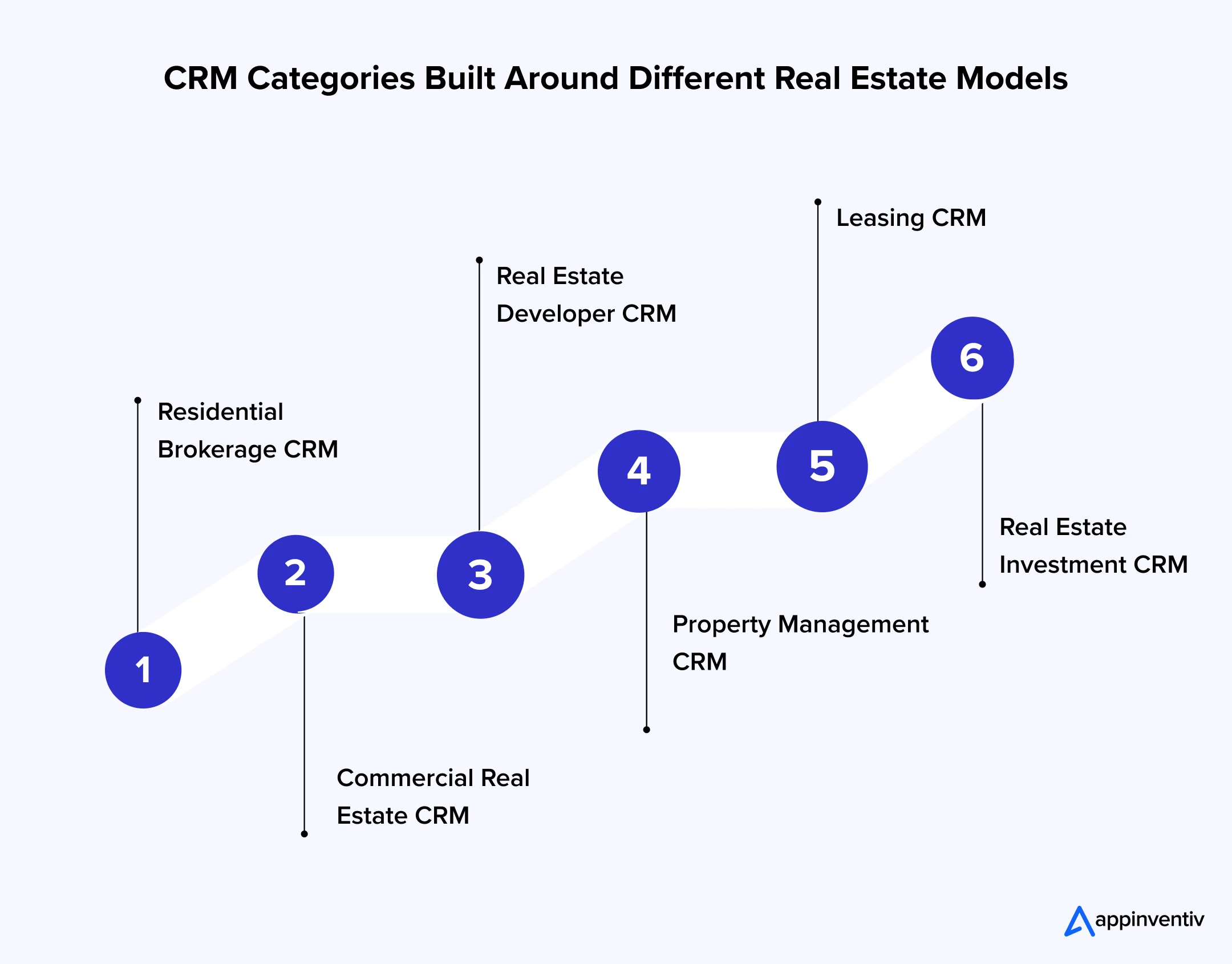
Residential Brokerage CRM
Residential brokerage CRM helps agents manage buyers, sellers, landlords, and tenants. It keeps property preferences, communication histories, scheduled viewings, negotiations, and follow-ups connected with every customer record.
Commercial Real Estate CRM
Commercial deals usually involve longer sales cycles and several decision-makers. The CRM manages corporate accounts, lease requirements, property comparisons, proposals, site visits, negotiations, and contract renewals within one opportunity.
Real Estate Developer CRM
A CRM for real estate developers connects incoming leads with projects, phases, buildings, floors, and available units. Sales teams can check approved prices, payment plans, booking status, and customer documents without depending on separate trackers.
Property Management CRM
Property managers deal with tenants, owners, vendors, and service teams after a property is occupied. The CRM keeps lease details, complaints, inspections, maintenance requests, conversations, and renewal dates attached to the relevant tenant and property.
[Also Read: How much does it cost to build a property management software?]
Leasing CRM
Leasing CRM supports the journey from initial enquiry to signed agreement. It can manage tenant qualification, property matching, viewings, applications, document checks, approvals, lease execution, expiry reminders, and renewals.
Real Estate Investment CRM
Investment teams use CRM to manage relationships with investors, brokers, lenders, asset owners, and acquisition partners. It can track opportunities through evaluation, due diligence, negotiation, and closure while restricting access to confidential financial information.
The categories often overlap as the business expands. A large real estate group may need brokerage, leasing, development, investment, and property management workflows within the same CRM system. The final configuration should follow the company’s actual processes rather than a standard industry template.
Key Benefits of Adopting Real Estate CRM
Managing property relationships becomes difficult when enquiries, documents, listings, and conversations sit in different systems. CRM brings this information together and gives teams a more organized way to move opportunities forward. The major benefits of CRM for real estate industry businesses include:
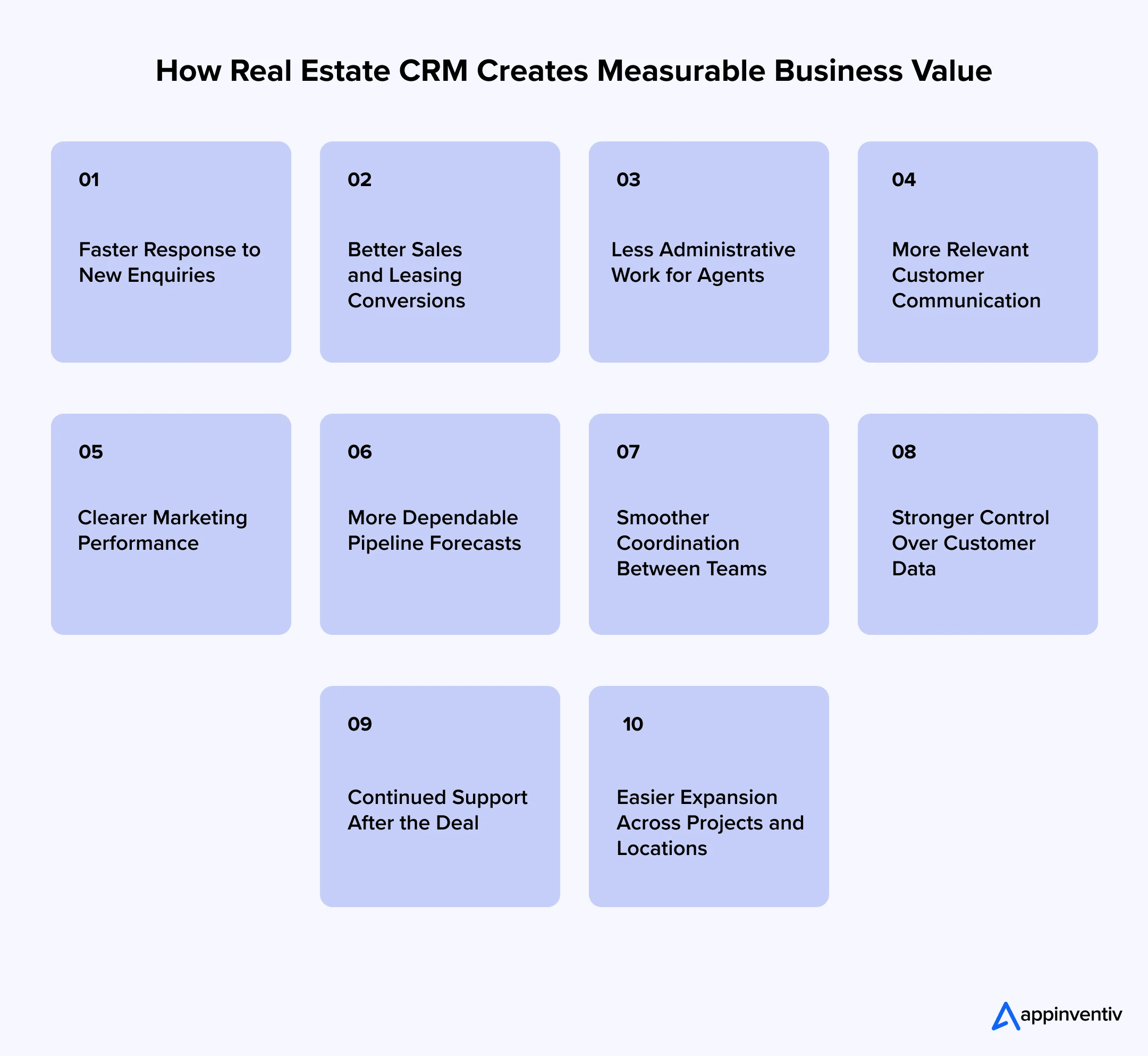
Faster Response to New Enquiries
The system records a new enquiry and assigns it to the right agent without waiting for someone to update a spreadsheet. If the lead remains unattended, the CRM can send an alert or move it to another available employee.
Better Sales and Leasing Conversions
Agents can see the customer’s budget, preferred location, financing position, and previous property interactions. This makes it easier to recommend suitable options and focus on leads showing genuine interest.
Less Administrative Work for Agents
Routine work such as creating reminders, scheduling visits, sending confirmations, and requesting documents can be automated. Agents get more time for customer conversations, property visits, and negotiations.
More Relevant Customer Communication
Customers do not want to receive listings that fall outside their budget or preferred location. CRM uses their recorded requirements and interaction history to make follow-ups more relevant.
Clearer Marketing Performance
A CRM for real estate connects every lead with its original portal, advertisement, event, referral, or campaign. Marketing teams can then compare channels based on qualified opportunities and completed deals, not enquiry numbers alone.
More Dependable Pipeline Forecasts
Managers can see how many opportunities are qualified, awaiting visits, under negotiation, or close to booking. They can also identify deals that have remained at one stage for too long.
Smoother Coordination Between Teams
A transaction may involve marketing, sales, legal, finance, and customer service. When every team works with the same record, customers receive fewer conflicting updates and do not have to repeat the same details.
Stronger Control Over Customer Data
Spreadsheets, personal inboxes, and messaging applications provide limited control over sensitive information. CRM supports defined user permissions, consent records, audit histories, retention rules, and centralized access.
Continued Support After the Deal
Customer requirements continue after a booking or signed lease. The same system can track payment questions, documents, property handovers, maintenance requests, complaints, and renewals.
Easier Expansion Across Projects and Locations
A CRM system for real estate provides one working process for new agents, projects, offices, and property categories. The company can expand without creating a separate set of trackers for every team.
The benefits of adopting real estate CRM depend on how the system is introduced. If employees find it difficult to use, they will return to their old spreadsheets. The platform must fit daily work, reduce unnecessary steps, and give teams a clear reason to keep every record updated.
Essential Features of Real Estate CRM Software
A real estate CRM should do more than maintain customer names and contact numbers. It must connect each customer with property preferences, past conversations, planned visits, documents, and transaction progress. The following features of real estate CRM software support this day-to-day work.
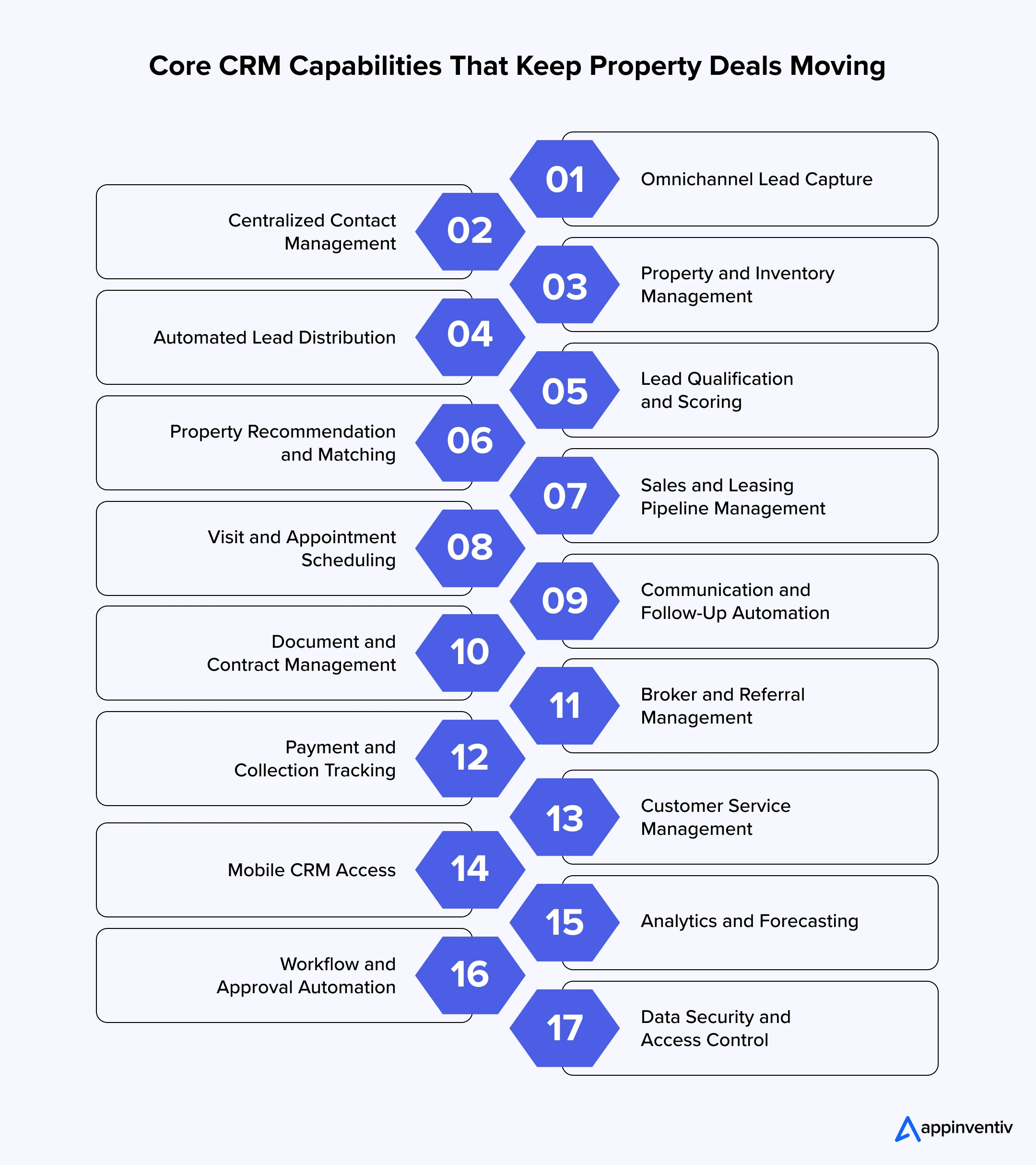
Omnichannel Lead Capture
Enquiries may come from websites, property portals, social media, calls, referrals, or offline events. The CRM should capture these leads along with their source, campaign, property interest, and communication consent.
Centralized Contact Management
Each customer profile should contain contact details, budget, preferred location, shortlisted properties, documents, appointments, and communication history. Agents can then continue an old conversation without searching through different applications.
Property and Inventory Management
The system should maintain approved information about pricing, location, area, configuration, amenities, availability, and listing status. A CRM for real estate developers may organize this inventory by project, phase, building, floor, and individual unit.
Automated Lead Distribution
New enquiries can be distributed according to location, property category, language, agent availability, workload, or expertise. If someone does not respond on time, the lead can be reassigned instead of remaining unattended.
Lead Qualification and Scoring
Agents can qualify prospects using their budgets, financing positions, preferred locations, property requirements, and purchase timelines. Scoring then helps the team separate high-intent buyers from people who are still exploring their options.
Property Recommendation and Matching
The CRM can compare customer requirements with available inventory and identify relevant options. Agents should still review these matches because budget, location, possession date, and personal priorities may change during the discussion.
Sales and Leasing Pipeline Management
A visual pipeline shows whether an opportunity is new, qualified, awaiting a visit, under negotiation, in documentation, or close to booking. Clear stages also stop teams from presenting early conversations as likely revenue.
Visit and Appointment Scheduling
Agents can schedule property viewings, inspections, consultations, and follow-up meetings from the customer record. Confirmations and reminders help reduce missed appointments and last-minute confusion.
Communication and Follow-Up Automation
Email, telephone, SMS, and approved messaging tools can connect with the CRM. Teams can then send enquiry responses, property recommendations, visit reminders, document requests, and payment updates at the right stage.
Document and Contract Management
Real estate transactions involve identity proofs, applications, disclosures, offers, agreements, invoices, and receipts. CRM can keep these documents attached to the correct customer and transaction while recording pending approvals or signatures.
Broker and Referral Management
Developers and large agencies often receive business through external brokers and referral partners. CRM can register partner leads, check ownership conflicts, track deal progress, calculate commissions, and control access to property information.
Payment and Collection Tracking
Sales teams may need visibility into booking amounts, instalments, receipts, refunds, and overdue payments. Connecting CRM with the accounting or ERP system gives them this context without turning the CRM into the financial system of record.
Customer Service Management
Customers continue to raise questions after signing an agreement. Case management can organize document requests, payment concerns, handover issues, defects, maintenance complaints, and renewals under the existing customer record.
Mobile CRM Access
Agents spend much of their time at properties, project sites, and customer meetings. Mobile CRM allows them to check availability, update opportunities, add visit notes, upload documents, and schedule the next interaction without returning to the office.
Analytics and Forecasting
Managers need more than a report showing how many calls an agent completed. CRM dashboards can show response times, qualification rates, property visits, stage conversions, pipeline value, campaign performance, and inventory demand.
Workflow and Approval Automation
Discounts, unit reservations, payment plans, lease terms, commissions, and contract changes may require approval. Automated workflows send these requests to the correct person and record what was approved, rejected, or returned.
Data Security and Access Control
Customer and transaction records may contain personal, financial, and contractual information. Role-based permissions, encryption, multi-factor authentication, audit logs, backups, consent records, and retention rules help protect this data.
These features turn CRM from a contact list into a working system for sales, leasing, and customer service. Businesses should first strengthen the processes their teams use every day. Advanced automation can follow once the underlying records remain accurate and complete.
Advanced Features of Real Estate CRM Software
Once the basic workflows are working properly, businesses can introduce more advanced capabilities. These features use existing customer, property, and transaction data to support quicker and more informed decisions.
| Advanced Feature | How It Supports Real Estate Operations |
|---|---|
| AI-powered lead scoring | Reviews customer activity, property interests, previous conversations, and conversion patterns to identify leads that may require immediate attention. |
| Predictive sales forecasting | Uses pipeline movement and historical closures to estimate future bookings, leasing demand, revenue, and inventory movement. |
| Intelligent property recommendations | Matches customers with properties based on budget, location, configuration, amenities, possession date, and browsing behaviour. |
| Next-best-action recommendations | Suggests whether an agent should call, share another property, arrange a visit, request documents, or restart an inactive conversation. |
| AI-powered virtual assistants | Answers common questions, collects requirements, schedules visits, and transfers complicated enquiries to the right agent. |
| Conversation intelligence | Reviews calls, emails, and messages to identify objections, customer intent, commitments, and follow-up requirements. |
| Geospatial property intelligence | Combines property information with maps, infrastructure, pricing, and demand data to find location-level opportunities. |
| Dynamic pricing support | Reviews availability, demand, previous transactions, and market movement before teams finalize prices, offers, or discounts. |
| Automated document processing | Extracts and validates information from identity proofs, applications, contracts, invoices, and property documents. |
| Deal-risk prediction | Flags missed visits, delayed documents, declining engagement, inactive negotiations, and overdue payments. |
| Virtual tour integration | Records which properties and spaces a customer explored during a virtual tour, giving agents more context for the next conversation. |
| IoT-enabled property insights | Uses approved occupancy, access, maintenance, and energy data to support tenant service and property operations. |
| Advanced workflow orchestration | Coordinates bookings, approvals, documents, payments, commissions, handovers, and service tasks across several teams. |
Taken together, these features add an intelligence layer to the CRM. Instead of only recording what happened, the system begins identifying patterns, predicting possible outcomes, and suggesting what teams should do next.
This is where AI CRM solutions for real estate become useful. They can help agents prioritize promising leads, identify suitable properties, spot deals at risk, and prepare more dependable forecasts. However, their output will only be as reliable as the data supporting it.
Businesses should therefore fix duplicate records, incomplete customer profiles, inconsistent pipeline stages, and outdated property information before introducing AI. Clear access controls and human review are equally important, especially when the system influences pricing, property recommendations, or customer communication.
CRM Integrations That Create a Connected Real Estate Ecosystem
A CRM will remain another isolated tool if employees still copy information from portals, emails, spreadsheets, and financial systems. Effective CRM integration for real estate allows these systems to exchange information without forcing teams to maintain the same record several times.
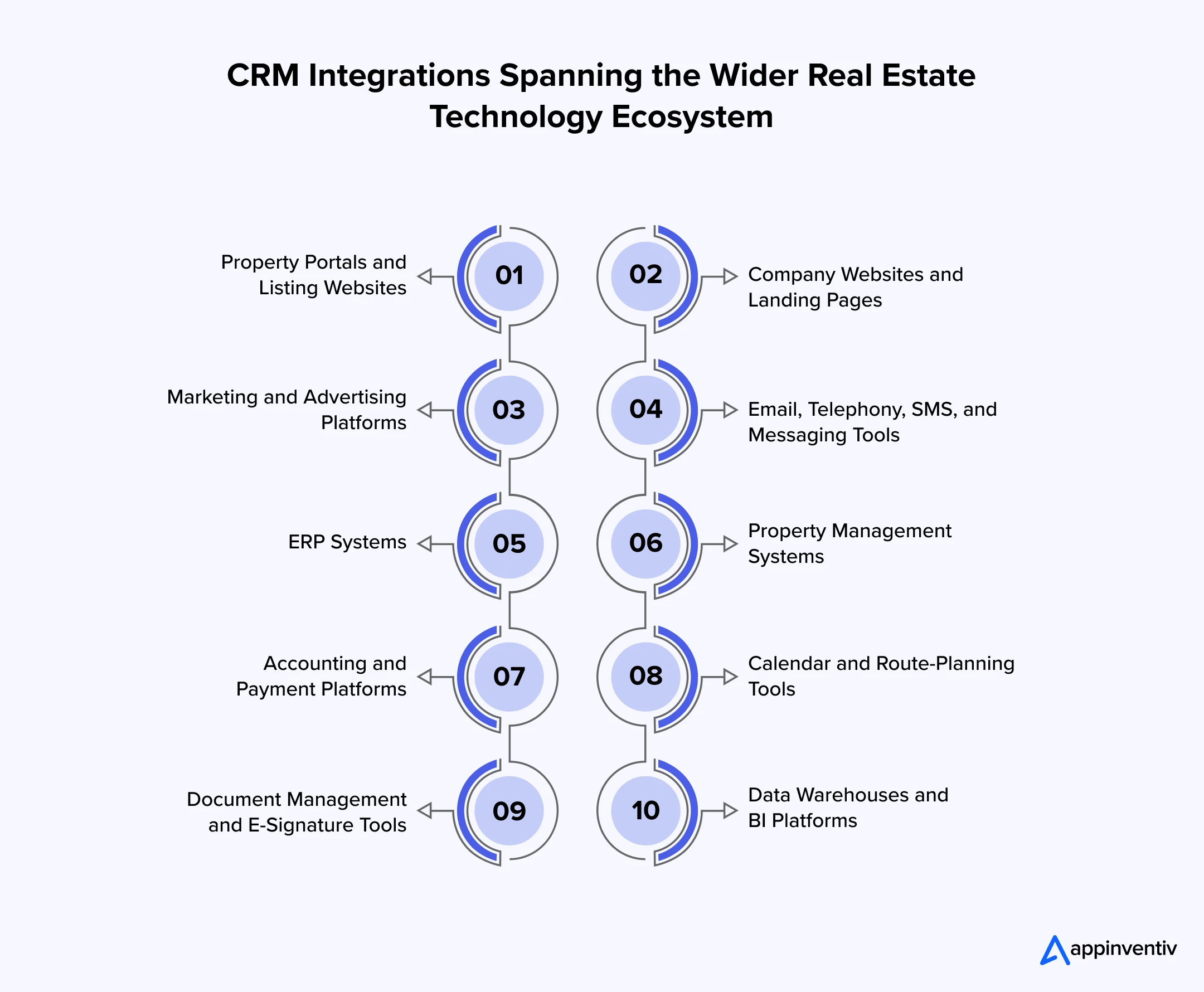
Property Portals and Listing Websites
This integration brings portal enquiries directly into the CRM along with the listing, campaign source, and customer details. It can also send approved availability or listing updates back to selected portals.
Company Websites and Landing Pages
Website forms, property enquiries, brochure downloads, and callback requests can create or update customer records. The CRM can then assign the lead and begin the relevant follow-up process.
Marketing and Advertising Platforms
Marketing tools can share campaign, audience, engagement, and conversion data with CRM. This allows the business to connect advertising expenditure with qualified leads, visits, negotiations, and completed transactions.
Email, Telephony, SMS, and Messaging Tools
Connecting communication channels keeps calls, emails, messages, and outcomes attached to the customer record. Agents no longer have to search through separate applications before continuing a conversation.
ERP Systems
ERP integration can provide approved property prices, inventory, booking status, payment information, and contract details. The CRM can return customer and opportunity information required by operational or financial teams.
Property Management Systems
This connection gives service teams access to units, leases, tenants, inspections, maintenance cases, and renewal dates. It is especially useful for companies managing customer relationships after occupancy.
Accounting and Payment Platforms
CRM can display invoices, payment schedules, receipts, refunds, and overdue balances received from the financial system. Sales teams gain payment context without receiving permission to modify accounting records.
Calendar and Route-Planning Tools
Calendar integration helps agents plan viewings, inspections, and customer meetings. Route tools can support employees attending several properties across different locations on the same day.
Document Management and E-Signature Tools
Agreements, disclosures, applications, and approvals can move between CRM and document systems. Teams can see whether a document has been sent, reviewed, signed, rejected, or returned for correction.
Data Warehouses and BI Platforms
Customer, property, campaign, pipeline, and transaction data can be sent to a central analytics environment. Leaders can then compare performance across locations, projects, teams, and property categories.
Every integration needs an agreed source of truth. The ERP may own approved pricing and booking status, while the CRM owns customer interactions and opportunity stages. Without this boundary, two systems may show different versions of the same property or transaction.
The required update speed will also vary. Property availability may need to change immediately, whereas a management report can refresh overnight. APIs, webhooks, scheduled transfers, and event-driven services should be selected according to this requirement.
A reliable CRM integration for real estate also needs validation, monitoring, retry rules, and error alerts. A failed transfer should not leave a new enquiry missing, display an unavailable property, or show an incorrect payment position.
See how we build CRM solutions around your inventory, agents, buyers, brokers, bookings, and post-sale operations.

Popular Real Estate CRM Platforms Businesses Must Know About
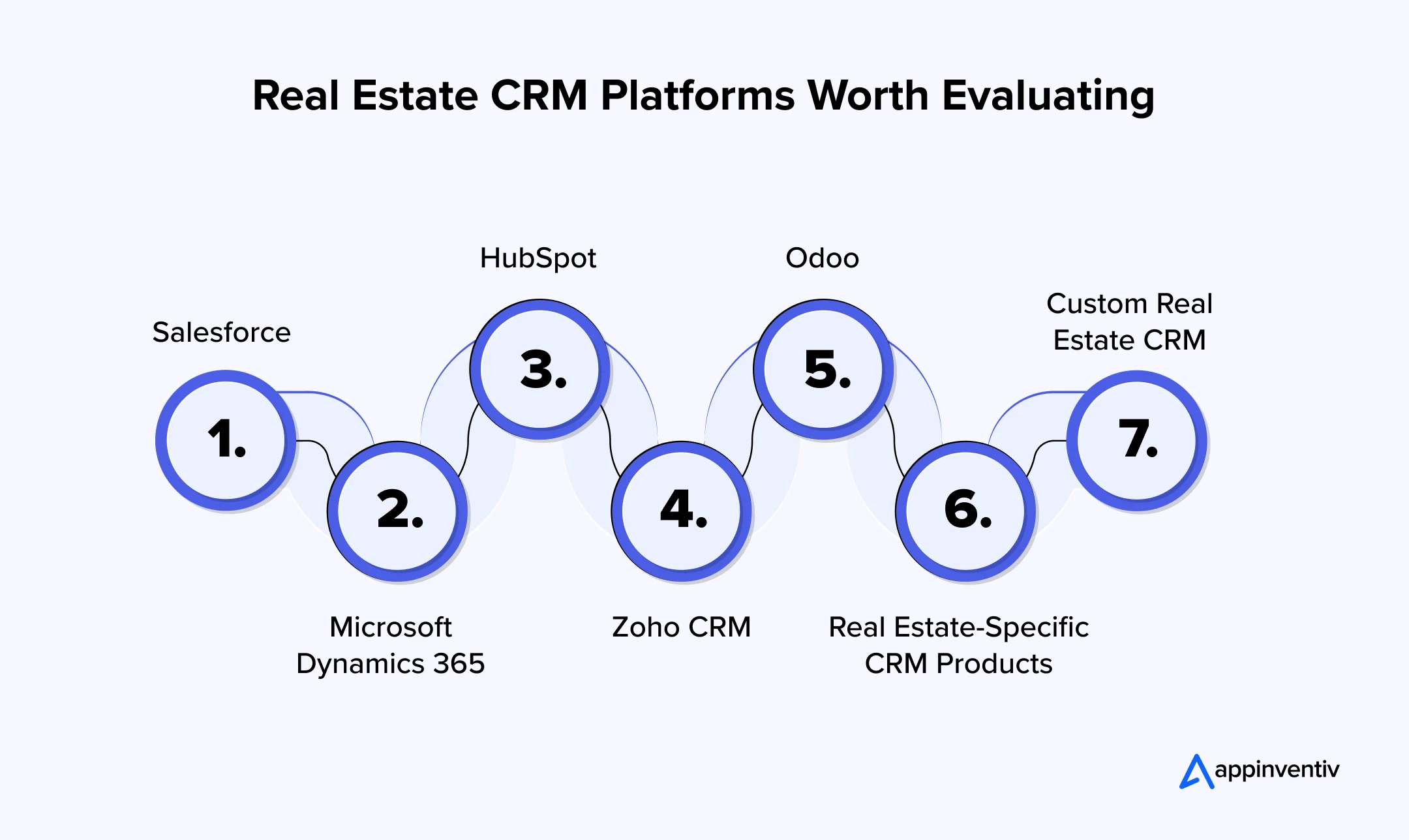
Popular real estate CRM Platforms range from general-purpose products to systems developed specifically for property businesses. The right choice depends on company size, workflow complexity, integrations, budget, and the level of customization required.
Salesforce
Salesforce supports sales, marketing, customer service, partner management, automation, and analytics. Its flexibility can suit large brokerages and developers, although implementation and ongoing administration require careful planning.
Microsoft Dynamics 365
Microsoft Dynamics 365 can work well for businesses already using Microsoft applications, Power BI, Azure, or Power Platform. It supports connected customer workflows but may require customization for project inventory and property-specific processes.
HubSpot
HubSpot provides accessible marketing, sales, and service capabilities. It may suit growing agencies that need quick lead capture and follow-up, although complex booking or inventory workflows may require additional development.
Zoho CRM
Zoho CRM offers lead management, communication, automation, reporting, and a wider business application ecosystem. Companies should assess whether its integration and customization options can support their specific property operations.
Odoo
Odoo combines CRM with accounting, sales, marketing, and other operational modules. Its modular structure can suit businesses looking for a broader system, but customization must remain controlled to avoid difficult upgrades.
Real Estate-Specific CRM Products
Specialized platforms may include property listing, lead routing, website, calling, viewing, and broker features from the start. They can reduce implementation time, but businesses should still examine security, data portability, API access, regional requirements, and long-term scalability.
Custom Real Estate CRM
Custom development becomes relevant when standard platforms cannot support the business model. Complex project hierarchies, booking rules, partner structures, payment plans, customer portals, and legacy integrations may justify a purpose-built system.
There is no single platform that works best for every property company. A CRM for real estate agents in a small brokerage will have different requirements from a multi-country developer managing thousands of units. The selection process for choosing the right CRM for your business must begin with the workflow, not the product name.
Real Estate CRM Platform Selection Guidelines
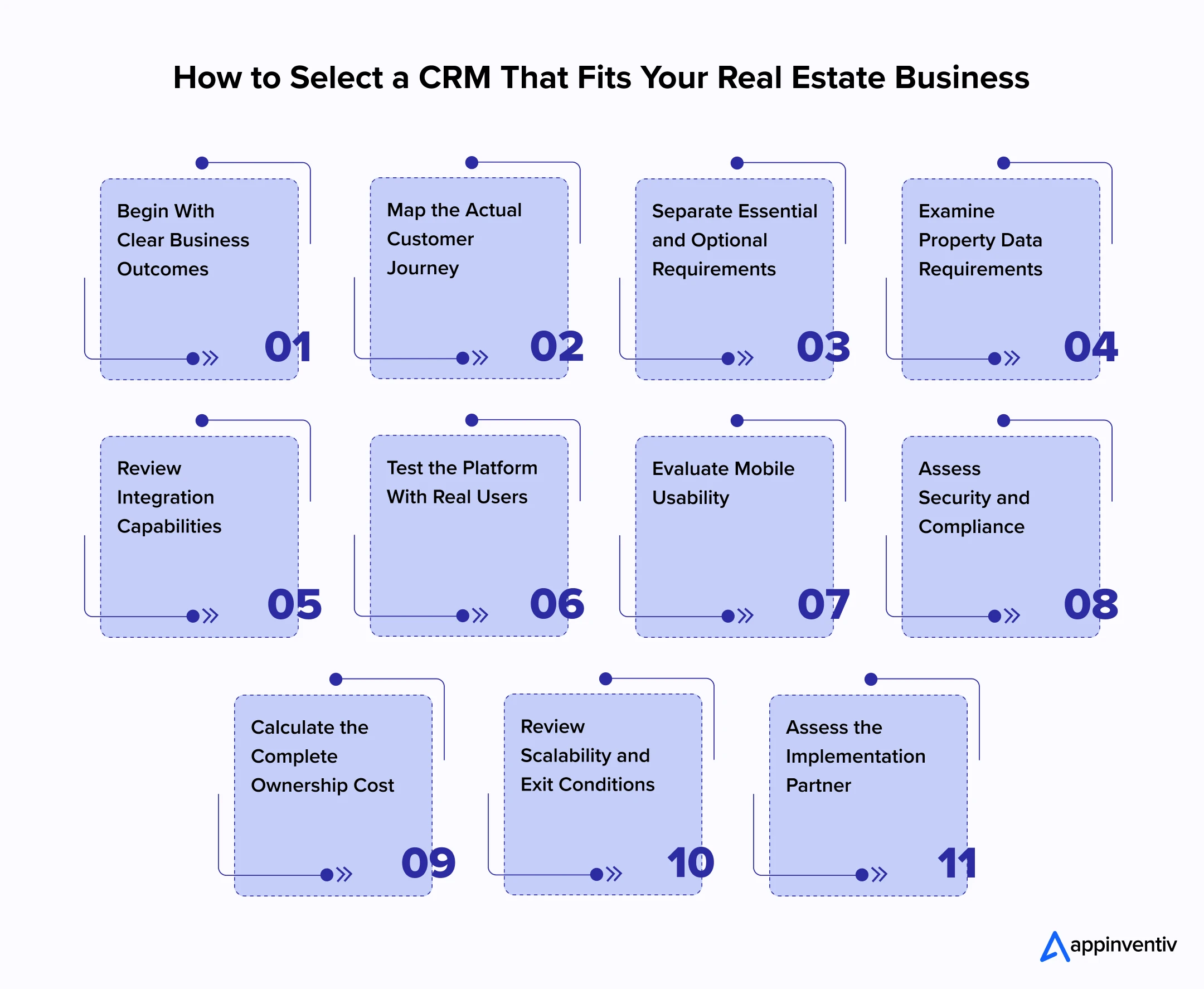
A polished product demonstration can make almost every platform look suitable. The real test is whether it can support the company’s daily work without creating unnecessary steps or expensive workarounds. The following real estate CRM platform selection guidelines help businesses make that assessment.
Begin With Clear Business Outcomes
The organization should first decide what it expects the CRM to improve. This could include reducing lead response time, increasing property visits, improving booking conversion, strengthening renewals, or creating a more dependable sales forecast.
Each outcome needs a current baseline and a measurable target. Otherwise, the company may complete the implementation without knowing whether the investment changed anything important.
Map the Actual Customer Journey
Teams should document what happens from the first enquiry through qualification, recommendation, property visit, negotiation, documentation, booking, payment, handover, and support.
This exercise often exposes different processes across projects or offices. Some variations may be necessary, while others exist only because teams have developed their own working methods.
Separate Essential and Optional Requirements
Not every requested feature deserves the same importance. The evaluation team should distinguish mandatory requirements from useful additions and future possibilities.
A weighted scorecard can then compare products against one approved scope. It also prevents an impressive but low-priority feature from influencing the final decision too heavily.
Examine Property Data Requirements
Real estate data can involve projects, phases, buildings, floors, units, owners, tenants, prices, amenities, documents, and availability. The shortlisted platform must support these relationships without forcing teams to maintain several disconnected records.
Review Integration Capabilities
The business should list every portal, website, communication tool, ERP, accounting platform, property system, and data source that must connect with CRM.
The assessment should cover available APIs, connector limitations, data volumes, update frequency, monitoring, and the likely cost of maintaining each interface.
Test the Platform With Real Users
Agents, managers, marketers, service teams, and administrators should complete realistic scenarios during the trial. Asking them to rate a general presentation will not reveal whether the platform fits daily work.
The test may involve capturing a portal lead, checking availability, booking a visit, requesting approval, uploading documents, and moving the opportunity to closure.
Evaluate Mobile Usability
A CRM for real estate agents must work outside the office. Employees should be able to check customer details, view approved inventory, update opportunities, and add visit notes without navigating through complicated screens.
Assess Security and Compliance
The evaluation should cover authentication, permissions, encryption, audit logs, backups, consent, retention, data location, vendor access, and incident response.
These controls must align with the privacy, marketing, property, and financial regulations that apply in each operating market.
Calculate the Complete Ownership Cost
Licensing is only one part of the expense. The business must also consider implementation, customization, migration, integration, training, administration, storage, support, upgrades, and future expansion.
A low subscription price can become expensive if the platform requires extensive workarounds or several paid extensions.
Review Scalability and Exit Conditions
The CRM should support future agents, offices, projects, inventory, channels, and data volumes. Contract discussions should also cover data ownership, export formats, termination assistance, and deletion after exit.
Assess the Implementation Partner
The CRM implementation partner should understand customer relationship management as well as real estate operations. Relevant capabilities include architecture, integration, data migration, security, user experience, testing, training, and post-launch support.
The final selection should reflect the overall fit between the product, implementation approach, and business operating model.
Off-the-Shelf, Customized, or Custom-Built CRM?
Real estate companies do not always need to build a CRM from the beginning. The delivery approach should reflect how unusual the processes are and how much control the business needs.
Off-the-Shelf CRM
A ready-made CRM works well when the sales process is straightforward and quick deployment matters most. Smaller agencies may use it for lead capture, follow-ups, appointments, and pipeline management without extensive changes.
The trade-off is limited flexibility. Teams may need to adjust their working methods around the platform.
Customized CRM Platform
A configurable platform provides standard CRM capabilities while allowing the business to create property records, approval processes, reports, and integrations.
This approach balances speed with flexibility. However, uncontrolled customization can make future upgrades and support more difficult.
Custom-Built CRM
A custom CRM suits businesses with differentiated workflows, complex unit inventories, unusual commission structures, multi-brand operations, or deep legacy integrations.
The company gains control over features, user experience, and the product roadmap. It must also take responsibility for maintenance, security, hosting, and future development.
Hybrid CRM Architecture
A hybrid approach combines a standard CRM with custom portals, applications, integrations, or AI services. The business can reuse proven capabilities while developing the parts that create genuine differentiation.
A small brokerage may gain sufficient value from an established product. A developer managing multiple projects, booking plans, channel partners, collections, and handovers may require extensive customization or a hybrid solution.
Let us test your shortlisted CRM against real properties, real workflows, and the integrations your teams actually use.

How to Implement CRM in a Real Estate Business
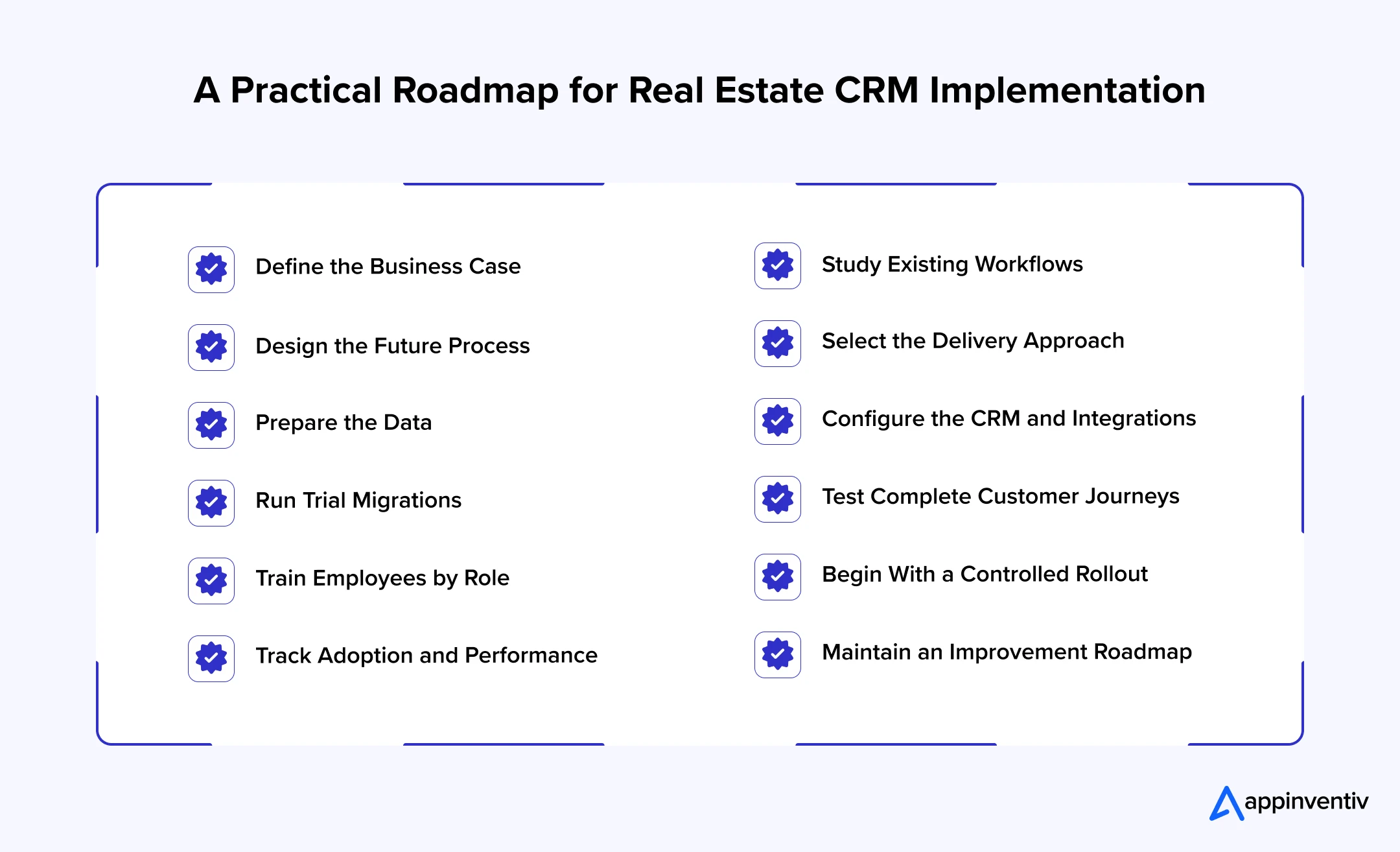
CRM implementation affects processes, employee responsibilities, data, and customer communication. Treating it only as a technical installation often results in low adoption and unreliable records.
1. Define the Business Case
The business should document the problems it wants to solve, the expected outcomes, available budget, implementation boundaries, and project ownership.
2. Study Existing Workflows
Teams should review how enquiries, property recommendations, visits, negotiations, documents, bookings, payments, and service requests are handled today. This helps identify delays and unnecessary steps.
3. Design the Future Process
The company must define pipeline stages, response times, ownership rules, mandatory information, approvals, escalations, and reporting terms before configuring the platform.
4. Select the Delivery Approach
The organization can compare ready-made, customized, custom, and hybrid options against approved requirements. Real user scenarios should be included in every product demonstration.
5. Prepare the Data
Customer, property, campaign, and transaction records should be reviewed before migration. Duplicate, incomplete, outdated, and unnecessary entries need to be corrected or removed.
6. Configure the CRM and Integrations
The team can build workflows, fields, permissions, templates, dashboards, and interfaces. Each component should be tested before connecting the complete journey.
7. Run Trial Migrations
Trial runs allow teams to check record counts, field mapping, relationships, attachments, and historical activity. Business owners should approve the final results before launch.
8. Test Complete Customer Journeys
Testing should cover more than individual screens. Teams must verify what happens when a duplicate lead enters, an agent misses a follow-up, a unit becomes unavailable, a document fails, or a customer withdraws consent.
9. Train Employees by Role
Agents, managers, marketing teams, administrators, and service employees use CRM differently. Training should focus on the tasks each group performs instead of presenting every platform feature.
10. Begin With a Controlled Rollout
Launching with one project, office, or sales team makes it easier to identify problems. The implementation can be adjusted before expanding to the rest of the organization.
11. Track Adoption and Performance
Login counts do not prove successful adoption. The company should monitor response time, data completeness, overdue activities, stage movement, conversion, forecasting, and integration failures.
12. Maintain an Improvement Roadmap
New properties, regulations, channels, and customer expectations will change CRM requirements. A product owner should manage improvements instead of allowing different teams to make uncontrolled changes.
Common Real Estate CRM Implementation Challenges
Even a capable CRM can fail when the business overlooks data, adoption, or integration issues. Identifying these risks early makes the rollout easier to control.
| Implementation Challenge | Business Impact | How to Address It |
|---|---|---|
| Duplicate and incomplete data | Agents see conflicting histories and reports become unreliable. | Clean the data, define matching rules, and assign ownership before migration. |
| Low employee adoption | Teams return to spreadsheets and personal messaging tools. | Involve users early, simplify screens, and train them on actual workflows. |
| Excessive customization | Releases slow down and future upgrades become difficult. | Customize only those processes that create real business value. |
| Weak inventory integration | Agents may offer unavailable properties or outdated prices. | Define one inventory source and monitor every failed update. |
| Unclear pipeline stages | Managers receive inflated forecasts and inconsistent reports. | Establish measurable conditions for entering and leaving each stage. |
| Privacy and consent gaps | The company may contact customers without valid permission. | Include consent, retention, opt-out, and access rules within the workflow. |
| Poor mobile experience | Agents delay updates until they return to the office. | Design the mobile journey around site visits and customer meetings. |
| Uncontrolled AI use | Recommendations may be inaccurate, biased, or difficult to explain. | Ensure best security for each AI use case and retain human review for important decisions. |
| No post-launch ownership | Data quality declines and configuration changes become inconsistent. | Assign a CRM owner and maintain an approved improvement backlog. |
These challenges are rarely solved by purchasing another tool. Most require clearer ownership, better process decisions, and closer involvement from the employees who will use the CRM.
Key Metrics for Measuring the Performance of CRM for Real Estate
CRM performance should be measured through business movement rather than system activity alone. A high login count means little if agents still miss leads or fail to update opportunities.
Lead Management Metrics
These include initial response time, contact rate, qualification rate, duplicate lead percentage, overdue follow-ups, and the number of unattended enquiries.
Sales and Leasing Metrics
Teams can monitor visit-to-offer conversion, stage movement, average sales cycle, closure rate, pipeline coverage, expected revenue, and forecast accuracy.
Property Performance Metrics
Property-level measures may include enquiries per listing, visits per property, recommendation acceptance, inventory aging, vacancy duration, and demand by configuration or location.
Marketing Metrics
Marketing teams should track cost per qualified lead, campaign-attributed pipeline, channel conversion, booking value, and return on marketing expenditure.
Agent Performance Metrics
Managers can review response speed, active opportunities, follow-up completion, property visits, stage conversion, and closed transaction value. Activity volume should always be considered alongside results.
Customer Service Metrics
Case resolution time, overdue requests, repeat complaints, handover issues, renewal rates, satisfaction, and referrals provide insight into the post-transaction experience.
Data and System Metrics
Record completeness, duplicate creation, failed integrations, automation errors, mobile adoption, and support tickets show whether the CRM environment itself remains dependable.
The purpose of measurement is to identify where the process is breaking. Slow response may point to poor lead distribution, while weak viewing conversion may indicate inaccurate qualification or property matching.
How Appinventiv Can Help Build the Right Real Estate CRM
Real estate CRM projects involve more than choosing screens and adding contact fields. The platform must account for property structures, customer journeys, existing systems, regional requirements, employee roles, and future growth.
Appinventiv works with real estate businesses to assess these requirements and turn them into a practical CRM roadmap. Our teams can study the existing process, identify technology gaps, define integrations, and determine whether the company needs an established platform, a customized solution, or custom development.
Our custom CRM development services can cover lead management, property inventories, agent workflows, channel partners, document processing, bookings, payment visibility, handovers, and customer support. We also connect the CRM with portals, websites, ERP platforms, accounting tools, communication channels, and analytics systems.
For businesses planning AI CRM solutions for real estate, we help establish the required data and AI governance foundation. Lead scoring, property matching, customer assistance, conversation summaries, and forecasting can then be introduced around defined business outcomes.
The engagement can also include data migration, cloud implementation, security, testing, training, and post-launch improvement. This gives businesses one technology partner across strategy, development, integration, and long-term support.
As a software development company, we can help you move from disconnected property workflows to a CRM built around how your teams actually sell, lease, and serve customers. Get in touch with us to create a scalable platform that keeps every lead, property, conversation, and transaction connected.
FAQs
Q. What Is CRM in Real Estate?
A. CRM in real estate refers to the system and processes used to manage relationships with buyers, sellers, tenants, landlords, investors, brokers, and partners. It connects customer information with properties, conversations, visits, documents, and transaction stages.
A real estate CRM commonly supports:
- Lead capture and assignment
- Customer preference management
- Property matching
- Visit scheduling
- Follow-up reminders
- Sales and leasing pipelines
- Documents and approvals
- Reporting and forecasting
Q. How Does CRM Help Real Estate Agents?
A. A CRM for real estate agents keeps enquiries, customer requirements, shortlisted properties, appointments, and follow-ups in one place. It helps agents remember what happened during the previous conversation and what action is due next.
CRM software for real estate agents can also help them:
- Respond to new leads faster
- Avoid missed follow-ups
- Check customer and property information
- Schedule visits
- Update opportunities from mobile devices
- Share accurate pipeline information with managers
Q. Which CRM Is Best for Real Estate?
A. The best platform depends on the business model, company size, property portfolio, integrations, budget, and customization requirements. A small brokerage may prefer specialized CRM software for real estate agents, while a large developer may need an enterprise platform or custom solution.
The evaluation should cover:
- Property and customer workflows
- Inventory requirements
- Integration capabilities
- Mobile usability
- Security and compliance
- Ownership cost
- Scalability
- Data portability
Q. How Much Does it Cost to Build a Real Estate CRM?
A. Real estate CRM development can cost between $40,000 and $500,000 or more. The final investment depends on the platform type, business workflows, number of users, integrations, data migration, security controls, analytics, and AI requirements.
A basic solution for one team will remain closer to the lower end. A custom enterprise platform connecting multiple projects, offices, portals, ERP systems, payment platforms, and AI capabilities can reach $500,000 or more.
The estimate generally depends on:
- Number and complexity of CRM features
- Custom or platform-based development
- Web and mobile access requirements
- Third-party and legacy integrations
- Customer and property data migration
- Reporting and analytics requirements
- AI-powered capabilities
- Security and regional compliance
- Training, deployment, and ongoing support
Q. Can CRM Manage Both Property Sales and Rentals?
A. Yes. A CRM can support separate sales and rental pipelines while using the same customer and property records. Each journey can have different stages, documents, approvals, payment requirements, and performance measures.
The platform may cover:
- Buyer and tenant qualification
- Property matching
- Visits and inspections
- Offers and applications
- Sale agreements and leases
- Payments and deposits
- Handovers and move-ins
- Renewals and service requests
Q. Should a Real Estate Business Build or Buy CRM Software?
A. Buying is suitable when a standard platform supports most workflows and the business wants to launch quickly. Custom development is more appropriate when property structures, payment plans, partner models, integrations, or customer journeys are difficult to support with existing products.
A hybrid approach can combine a standard platform with custom portals, mobile applications, integrations, or AI services.
Q. How Long Does It Take to Integrate CRM Into Existing Systems?
A. CRM integration generally takes six to nine months. A straightforward setup involving a website, email, calendar, and a few lead sources may take around six months. A complex integration involving ERP, accounting, property management, payment, document, and legacy systems can take eight to nine months or longer.
The timeline usually depends on:
- Number of systems being connected
- Availability and quality of APIs
- Volume and condition of existing data
- Real-time or scheduled synchronization needs
- Custom workflow requirements
- Security and compliance reviews
- Testing and user acceptance requirements
Q. Which Systems Should Real Estate CRM Integrate With?
A. CRM software for real estate agents should connect with the systems used to generate, manage, and close opportunities. The exact priorities depend on how the company operates.
Common integrations include:
- Property portals
- Company websites
- Marketing platforms
- Email and telephony
- Messaging applications
- Calendars
- ERP and accounting systems
- E-signature platforms
- Property management software
- Analytics tools


Fast 2-minute response, fully NDA-protected.

API Integration in Australia: Connect ERP, CRM and Legacy Systems
Key takeaways: API integration lets legacy, ERP and CRM systems share data without a risky full replacement. A seven-step roadmap, from system audit to ongoing API management, keeps delivery controlled and maintainable. Privacy Act reforms, APRA CPS 230 and SOCI Act shape integration design early. API integration cost ranges between AUD 70,000 and AUD 700,000…

Beyond Customer Portal Development: Building Connected Digital Services
Key takeaways: A portal without CRM, ERP and billing integration leaves your staff doing the connecting. Start with customer tasks, then integrate only the systems those tasks actually need. Name one system of record for each data type before choosing APIs or middleware. Plan integration, security and privacy obligations at the start, not after the…

CRM Software for Local Government: From Community Requests to Better Service Delivery
Key takeaways: A council CRM should sit around existing systems as a service layer, not replace them. Integration with ERP, rates, property and GIS systems prevents another data silo and duplicate entry. Start with one high-volume service, pilot it with residents, then scale on measured results. Track resolution time, SLA compliance, self-service rates and cost…