
































Building a Restaurant Inventory Management System to Stop Food Cost Leaks

 Share -



- 01Restaurant Inventory Management Market Trends: Why Now Is the Right Time to Invest
- 02Understanding How a Restaurant Inventory Management System Works
- 03Business Benefits of Building a Restaurant Inventory Management System
- 04Must-Have Features of a Restaurant Inventory Management System
- 05Advanced Features That Strengthen Restaurant Inventory Control
- 06Essential Integrations for a Connected Restaurant Inventory System
- 07Step-by-Step Process to Build a Restaurant Inventory Management System
- 08How Much Does Restaurant Inventory Management System Development Costs?
- 09Best Practices for Building and Implementing a Restaurant Inventory System
- 10Common Development Challenges and How to Address Them
- 11Future Expectations for Restaurant Inventory Management
- 12How Appinventiv Can Help Build a Restaurant Inventory System That Protects Margins
- 13Frequently Asked Questions




Key Takeaways
- A restaurant inventory system connects purchasing, receiving, recipes, sales, waste, transfers, and stock counts.
- Theoretical-versus-actual inventory reveals overportioning, unrecorded waste, missing stock, and inaccurate recipes.
- POS, ERP, supplier, kitchen, and IoT integrations create a dependable flow of inventory data.
- AI can strengthen demand forecasting, purchasing, anomaly detection, expiry management, and outlet benchmarking.
- Development costs generally range from $40,000 to $500,000+, depending on scale, integrations, and automation.
- Clean data, simple workflows, phased rollout, and clear ownership determine whether the system delivers lasting savings.
A restaurant can serve a full dining room every night and still lose money through its storeroom.
An extra kilogram used during preparation, an invoice entered at the wrong price, or a forgotten batch of produce may appear insignificant. Repeated across ingredients, shifts, outlets, and months, these small gaps can materially affect margins.
The problem rarely comes from one major failure. It usually develops across everyday operations. Chefs may use different portion sizes. Deliveries may arrive below the invoiced quantity. Teams may record wastage after the shift, if they record it at all. Recipe costs may remain unchanged even when supplier prices increase.
Spreadsheets and manual stock counts can identify some of these issues. However, they cannot continuously connect purchasing, receiving, storage, recipes, sales, transfers, and waste.
That is where restaurant inventory management system development becomes commercially important. A purpose-built platform gives restaurant groups a reliable view of what they purchased, used, sold, wasted, transferred, and should still have in stock.
Building a restaurant inventory management system is therefore not simply an operational technology project. It is a direct attempt to protect food margins, improve purchasing decisions, and establish consistent controls across every outlet.
This blog explains how a restaurant inventory management system works, the features and integrations it requires, the development process, expected costs, implementation challenges, and the ways it can help restaurants identify and stop food cost leaks.
Connect purchasing, recipes, sales, and waste to find exactly where your margins are slipping.

Restaurant Inventory Management Market Trends: Why Now Is the Right Time to Invest
Restaurant sales continue to grow, but higher revenue does not always result in stronger margins. The US food service industry was projected to generate $1.5 trillion in sales in 2025. Yet much of this growth came from higher menu prices rather than a comparable increase in customer traffic. Restaurants must therefore protect more value from every order instead of relying only on higher sales volumes.
Food waste makes this need more urgent. Restaurants and food service businesses generated 12.5 million tons of surplus food in the past few years. More than 85% of it went to landfills or incineration, while full-service restaurants accounted for over 43% of the surplus. These numbers include plate waste, but they also point to wider problems involving overproduction, unused ingredients, inaccurate demand planning, and weak expiry controls.
Restaurant technology spending is also moving beyond billing and online ordering. According to the National Restaurant Association, 52% of surveyed operators considered the management of food and supply inventory a technology investment priority. Restaurants now want their POS, purchasing, recipes, supplier records, and financial systems to work together instead of producing separate reports
Several operational changes are driving this shift:
- Restaurant groups are managing more outlets, brands, delivery channels, and cloud kitchens.
- Ingredient prices can change faster than traditional recipe-costing cycles.
- Customers remain sensitive to menu-price increases, limiting how much cost restaurants can pass on.
- Shorter shelf lives make inaccurate purchasing particularly expensive.
- Finance teams need clearer invoice, consumption, and stock-valuation records.
- Operations leaders want comparable data across outlets.
- AI-based forecasting requires clean and connected inventory data.
- Sustainability commitments are creating pressure to measure and reduce food waste.
These conditions expose the limits of spreadsheet-led inventory management in restaurant industry operations. A sheet may record how much stock was counted on Sunday evening. It cannot reliably explain what happened between two counts, update recipe margins after a supplier price change, or flag an unusual stock adjustment during a busy shift.
This is why now is the right time to invest in restaurant inventory management system development. The technology is no longer limited to recording available quantities. Modern platforms can connect sales with ingredient consumption, monitor supplier prices, predict purchasing requirements, track shelf life, and reveal differences between expected and actual usage.
For restaurant groups, the decision is ultimately about margin control. Every year spent operating with delayed or disconnected inventory data allows preventable losses to continue. A connected system gives management enough visibility to find those losses, understand their causes, and act before they become part of the normal cost of doing business.
Understanding How a Restaurant Inventory Management System Works
A restaurant inventory management system follows an ingredient through every stage of its use. It records what the business orders, what arrives, where it is stored, how much enters each recipe, and what remains after sales, waste, and transfers.
The process becomes complicated when different units enter the picture. A restaurant may buy cheese by the carton, store it by the block, and use it by the gram. The platform must connect those units without losing accuracy. Otherwise, one incorrect conversion can distort stock levels, recipe costs, and purchase requirements.
The inventory management software for restaurants also maintains two views of inventory: what should be available and what employees physically count. The difference gives managers an early indication of overportioning, missed deliveries, unrecorded waste, counting errors, or unauthorized use.
The Core Inventory Flow
A connected inventory process generally follows this sequence:
- Purchase planning: The platform reviews stock availability, reorder levels, expected demand, and supplier lead times.
- Purchase order creation: Authorized employees create orders using approved suppliers, prices, quantities, and approval rules.
- Goods receiving: The receiving team compares the delivered quantity and quality against the purchase order and supplier invoice.
- Stock allocation: Accepted ingredients are assigned to the correct outlet, storeroom, kitchen, bar, or production unit.
- Recipe consumption: POS sales trigger the expected consumption of ingredients according to standard recipes.
- Waste recording: Employees record spoilage, trimming, overproduction, returned dishes, and other forms of waste.
- Stock transfers: Inventory moved between outlets or storage locations remains traceable throughout the transfer.
- Physical counting: Teams count available stock and compare it against the quantity expected by the system.
- Variance analysis: Managers investigate differences between theoretical and actual inventory.
- Financial reporting: The system calculates inventory value, food costs, purchasing commitments, and menu-level margins.
Theoretical Inventory vs Actual Inventory
Theoretical inventory is the stock a restaurant should have after accounting for purchases, sales, transfers, production, and recorded waste. Actual inventory is what employees find during a physical count.
Consider a kitchen that starts with 40 kilograms of chicken and receives another 20 kilograms. Recorded sales and recipes show that it should use 35 kilograms. Its theoretical closing balance is therefore 25 kilograms.
If the physical count finds only 21 kilograms, the restaurant has a four-kilogram variance. The cause may be larger portions, preparation loss, staff meals, an outdated recipe, incorrect waste entry, or theft.
A suitable inventory management system for restaurant operations breaks this variance down by item, category, outlet, and period. Managers can investigate while delivery records, shift details, and employee recollections are still available.
How It Differs From Basic Stock-Tracking Software
Basic restaurant stock management software records what comes in and what goes out. A complete platform explains why the balance changed and what that movement means for food cost.
For instance, leveraging restaurant inventory management system development can help you understand:
- How much chicken the restaurant purchased
- Whether the delivered quantity matched the invoice
- Which dishes consumed the ingredient
- How much should have been used
- How much was wasted
- Whether portions exceeded the recipe standard
- How supplier price changes affected menu margins
- When the remaining stock must be reordered
This level of detail turns inventory from a periodic counting task into an everyday financial control.
[Also Read: It’s Time to Make Your Dumb Restaurant App Smart And Here’s How To Go About It]
Business Benefits of Building a Restaurant Inventory Management System
Building a restaurant inventory management system gives operators a clearer view of where food spend turns into sales and where value disappears. Its real benefit is not faster counting alone. It is the ability to connect purchasing, kitchen activity, and financial performance.
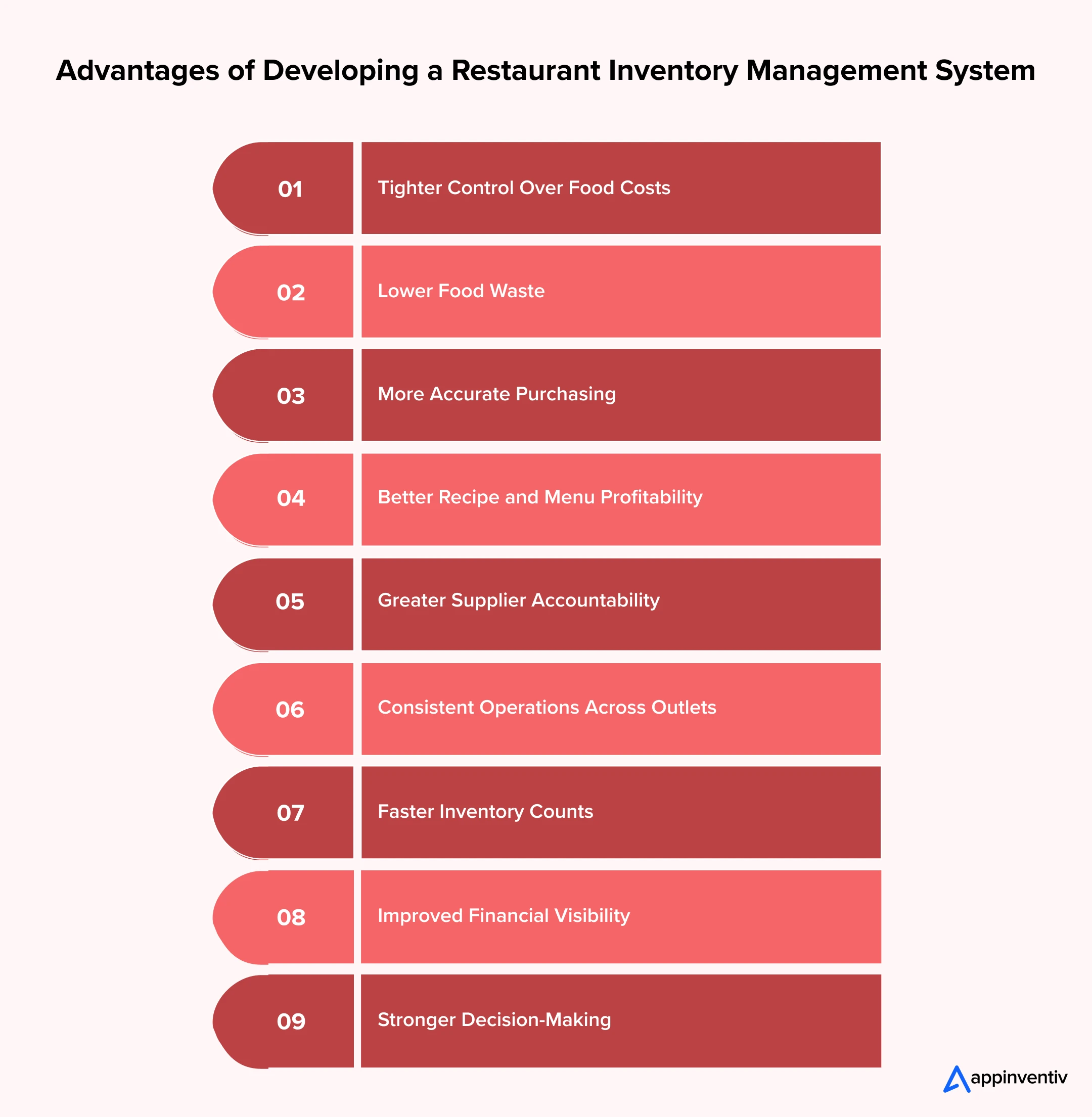
Tighter Control Over Food Costs
The platform compares expected ingredient use with physical consumption. Managers can spot overportioning, missed waste entries, and unexplained adjustments before they become accepted operating costs.
Lower Food Waste
Batch records and expiry alerts show which ingredients need attention first. Waste reports then reveal whether losses come from spoilage, poor preparation, excessive production, or returned dishes.
More Accurate Purchasing
Buyers can see available stock, open orders, likely demand, and supplier lead times in one place. This reduces unnecessary buying without leaving the kitchen short of important ingredients.
Better Recipe and Menu Profitability
When a supplier changes a price, the platform updates the affected recipe costs. Management can then change the price, portion, supplier, or ingredient before the margin falls further.
Greater Supplier Accountability
Restaurants can compare what they ordered, received, accepted, and paid for. Price history, delivery reliability, rejected quantities, and invoice differences provide a factual basis for supplier reviews.
Consistent Operations Across Outlets
A shared inventory management system for restaurant chains standardizes recipes, stock counts, waste reasons, transfer processes, and approval rules. Head-office teams can compare outlets using the same performance measures.
Faster Inventory Counts
Mobile count sheets, barcode scanning, and automatic unit conversions reduce spreadsheet work. Blind counts can also stop employees from adjusting entries simply to match the expected figure.
Improved Financial Visibility
Connected purchasing, receiving, and invoice data gives finance teams a more reliable view of inventory value and outstanding commitments. It also reduces the time spent reconciling conflicting records.
Stronger Decision-Making
Current data lets managers act during the week rather than explain a poor result at month-end. They can review food cost, waste, variance, stock turnover, and supplier performance from the same operating picture.
Must-Have Features of a Restaurant Inventory Management System
The right feature set depends on the menu, outlet network, procurement model, and reporting structure. Even so, every dependable platform needs a core group of functions that keeps stock records accurate and daily work manageable. Let’s look into the features you must integrate during restaurant inventory management system development.
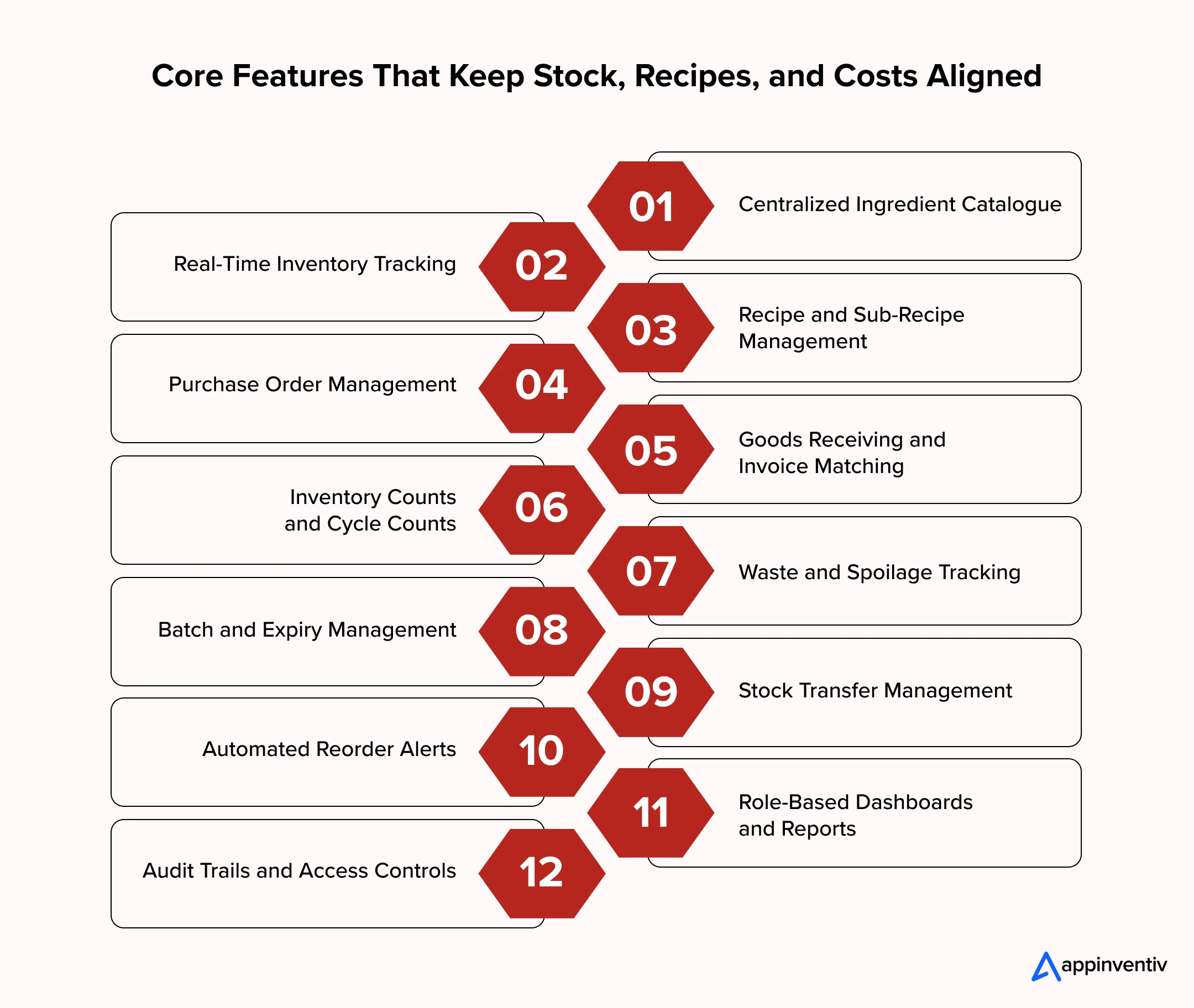
Centralized Ingredient Catalogue
The catalogue holds ingredient codes, categories, suppliers, purchase units, recipe units, conversion rules, shelf lives, and storage conditions. Central ownership prevents duplicate items and different names for the same product across outlets.
Real-Time Inventory Tracking
The system updates stock after purchases, sales, waste, production, transfers, and adjustments. Managers can view the available quantity at each outlet, storeroom, kitchen, or central warehouse.
Recipe and Sub-Recipe Management
The platform should handle final dishes as well as sauces, dough, marinades, gravies, and other prepared components. Standard quantities, yields, and portion rules allow it to calculate theoretical use and current plate cost.
Purchase Order Management
Buyers need a controlled way to create, review, approve, and send orders. Approval rules may change according to order value, ingredient category, outlet, or employee authority.
Goods Receiving and Invoice Matching
Receiving teams should compare the order, delivery, and invoice before the transaction reaches stock or finance. Missing items, rejected goods, price changes, and short deliveries then remain visible instead of appearing later as unexplained variance.
Inventory Counts and Cycle Counts
The system should support full counts alongside frequent checks for expensive or fast-moving items. Mobile entry, barcode scanning, blind counts, and standard units improve speed without weakening control.
Waste and Spoilage Tracking
Employees need a quick way to record the item, quantity, value, location, and reason for a loss. Managers can then separate normal preparation waste from spoilage, overproduction, spills, and avoidable mistakes.
Batch and Expiry Management
Batch records show when stock arrived and when it must be used. Timely alerts help kitchens follow first-expiry-first-out practices instead of discovering old ingredients during the next count.
Stock Transfer Management
A transfer should not disappear between two locations. The platform records the request, approval, dispatch, receipt, and any difference between the quantities sent and accepted.
Automated Reorder Alerts
Useful reorder alerts consider current stock, expected use, open purchase orders, safety levels, and supplier lead times. They give buyers a starting point while leaving room for review before an order is placed.
Role-Based Dashboards and Reports
Chefs, buyers, finance teams, outlet managers, and executives do not need the same screen. Each role should see the measures and pending actions relevant to its work, from expiring stock to invoice exceptions and outlet-level food cost.
Audit Trails and Access Controls
The platform must record who created, changed, approved, reversed, or deleted a transaction. Role-based access should also stop unauthorized users from altering recipes, supplier prices, stock quantities, or purchase orders.
Together, these capabilities allow inventory management software for restaurants to support daily work and management control. Forecasting and automation should sit on top of this foundation, not replace it.
Advanced Features That Strengthen Restaurant Inventory Control
Once the core records are reliable, restaurants can add advanced functions to improve planning and catch unusual activity earlier. Each addition should solve a defined operating problem rather than add complexity for its own sake.
| Advanced Feature | How It Works | Business Value |
|---|---|---|
| AI-based demand forecasting | Uses sales history, reservations, seasonality, promotions, weather, and local events to estimate ingredient demand. | Reduces overordering, emergency purchases, and stockouts. |
| Intelligent purchase recommendations | Calculates suggested order quantities using available stock, open orders, forecast demand, safety levels, and supplier lead times. | Helps buyers order the right quantity at the right time. |
| Automated invoice processing | Extracts item, quantity, tax, price, and supplier information from digital or scanned invoices. | Reduces manual entry and highlights invoice mismatches faster. |
| Inventory anomaly detection | Identifies unusual consumption, repeated adjustments, unexpected waste, and stock movement outside normal patterns. | Helps managers investigate possible errors, misuse, or theft. |
| Dynamic recipe costing | Recalculates dish costs whenever supplier prices, yields, or ingredient quantities change. | Keeps menu margins current and supports timely pricing decisions. |
| Shelf-life prediction | Estimates when perishable stock may become unusable based on receiving dates, storage conditions, and usage rates. | Helps kitchens use vulnerable inventory before it becomes waste. |
| Automated inter-outlet transfers | Identifies surplus inventory at one location and shortages at another. | Reduces fresh purchasing while preventing usable stock from expiring. |
| Supplier performance scoring | Measures price consistency, delivery timing, fill rates, quality rejections, and invoice accuracy. | Supports better negotiations and supplier-selection decisions. |
| IoT temperature monitoring | Uses connected sensors to monitor refrigerators, freezers, and storage areas. | Protects ingredient quality and alerts teams before temperature issues cause spoilage. |
| Voice-enabled stock counting | Allows employees to enter quantities through spoken commands while counting inventory. | Makes stock counts faster in busy storerooms and kitchens. |
| Image-based stock recognition | Uses camera input to identify selected products, estimate quantities, or document received and wasted items. | Reduces manual recording and improves supporting evidence. |
| Predictive stockout alerts | Estimates when an ingredient will run out using current stock and expected consumption. | Gives teams more time to reorder or adjust menu availability. |
| Multi-location benchmarking | Compares food cost, waste, stock accuracy, and ingredient usage across outlets. | Reveals high-performing locations and areas requiring intervention. |
| Conversational reporting | Allows managers to ask inventory questions in natural language and receive relevant data or reports. | Makes operational information easier to access without building reports manually. |
Advanced capabilities become useful only after the restaurant has established reliable inventory records. With that foundation in place, an AI restaurant inventory management system can forecast demand, detect unusual consumption, recommend purchase quantities, and flag potential stockouts. The accuracy of AI in restaurant apps, however, still depends on clean recipes, consistent transaction entry, and regular physical counts.
Essential Integrations for a Connected Restaurant Inventory System
Inventory cannot provide a complete picture when sales, purchasing, kitchen, supplier, and finance data sit in separate systems. The following integrations remove repeated entry and preserve the link between each transaction and its effect on stock.
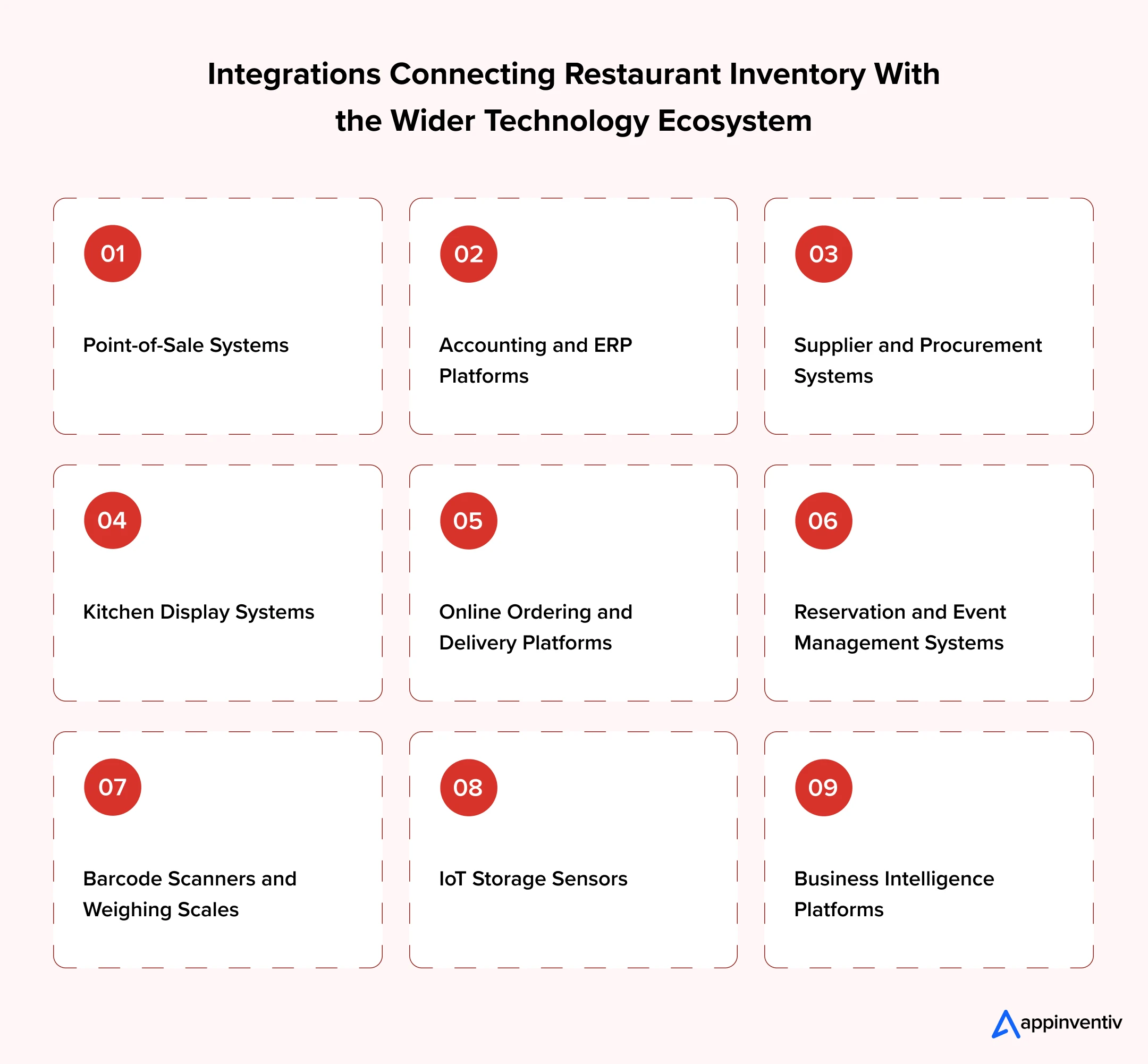
Point-of-Sale Systems
The POS sends completed, cancelled, refunded, and complimentary orders to the inventory platform. Each sale can then reduce the ingredients linked to its recipe and contribute to the theoretical usage calculation.
[Also Read:Cloud-Based POS vs Legacy POS Systems: What to Choose for your Restaurant Business]
Accounting and ERP Platforms
Approved purchases, supplier invoices, taxes, inventory values, and payment details can pass to the financial system. Finance teams spend less time re-entering data and more time reviewing genuine exceptions.
Supplier and Procurement Systems
Supplier catalogues, contracted prices, minimum order quantities, delivery schedules, and invoices can flow into the platform. Approved purchase orders can move in the opposite direction without relying on email attachments.
Kitchen Display Systems
Kitchen display data adds context around prepared, delayed, cancelled, and remade dishes. This becomes useful when ingredient use does not align with completed POS sales.
Online Ordering and Delivery Platforms
Dine-in, takeaway, website, mobile app, and aggregator orders should affect the same inventory records. Otherwise, digital sales create a growing gap between system stock and what the kitchen actually has.
Reservation and Event Management Systems
Upcoming reservations, functions, and advance orders provide an early view of likely demand. Buyers and kitchen teams can use that information when planning purchases and batch production.
Barcode Scanners and Weighing Scales
Scanners reduce item-selection errors during receiving and counts. Connected scales capture accurate weights for meat, produce, dairy, and other ingredients that cannot be counted reliably by unit.
IoT Storage Sensors
Temperature and humidity sensors monitor refrigerators, freezers, and storerooms. Alerts allow staff to respond before a storage failure damages the stock.
Business Intelligence Platforms
Historical inventory data can feed wider executive reporting alongside sales, labour, and financial information. Leaders can then review food cost and waste within the broader performance of each outlet.
Well-planned integrations help restaurant stock management software maintain a dependable flow of operational data. They also remove the blind spots created when employees copy figures between disconnected applications.
Step-by-Step Process to Build a Restaurant Inventory Management System
Restaurant inventory management system development requires more than converting stock sheets into digital screens. The team must define restaurant workflows, establish inventory logic, connect operational systems, and create an architecture that supports reliable transactions across locations.
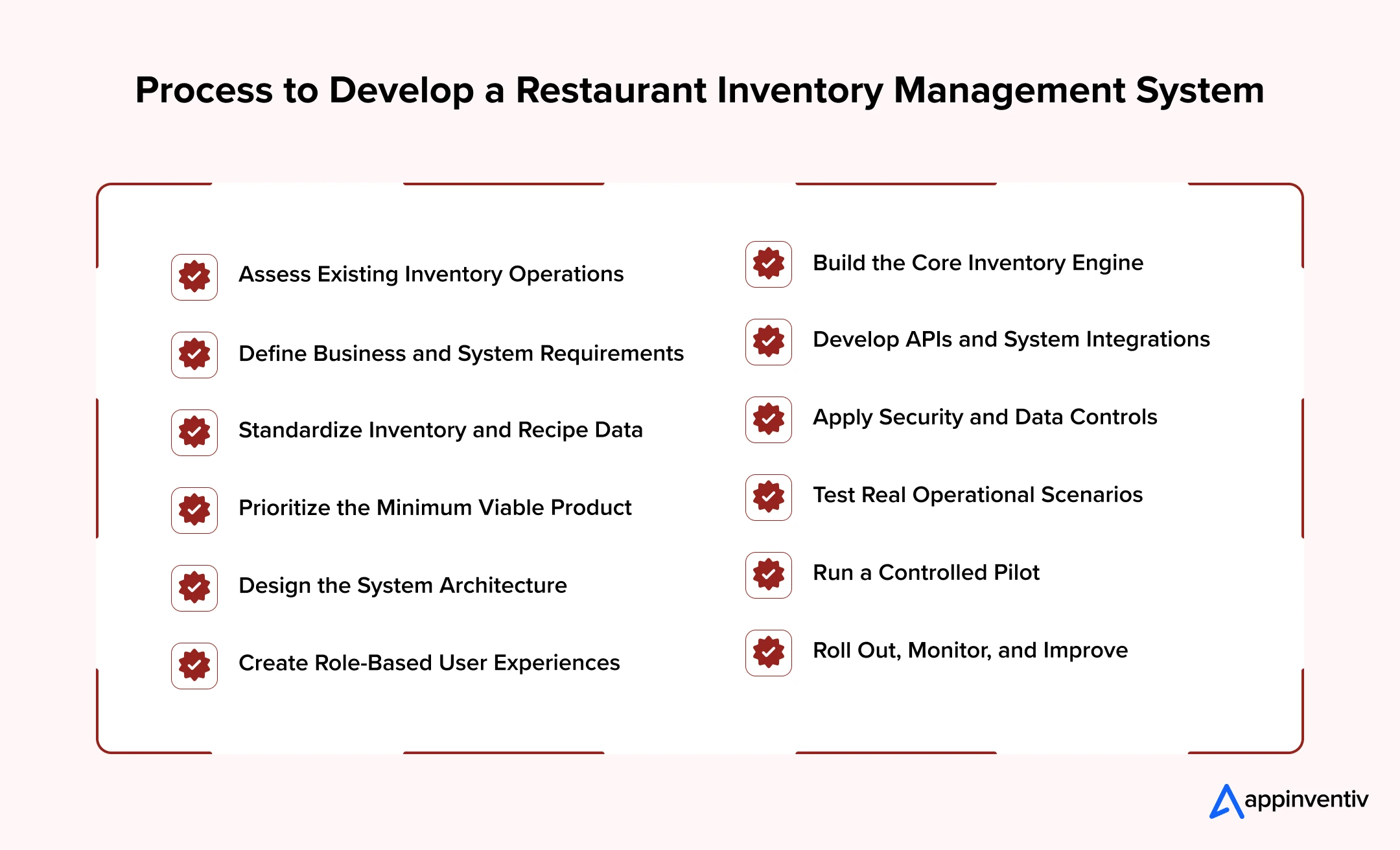
1. Assess Existing Inventory Operations
Start by mapping how ingredients move from suppliers to purchase orders, receiving areas, storerooms, kitchens, recipes, and final sales. Document approvals, stock transfers, waste recording, physical counts, invoice matching, and financial reconciliation.
This assessment should also identify disconnected systems, duplicate data entry, reporting delays, and unofficial workarounds used by different outlets.
2. Define Business and System Requirements
Set measurable objectives before finalizing features. These may include reducing food-cost variance, improving count accuracy, controlling waste, shortening purchase cycles, or gaining real-time visibility across outlets.
Convert these goals into functional and technical requirements covering:
- User roles and approval limits
- Multi-outlet and multi-brand support
- Online and offline operations
- Reporting frequency
- Expected transaction volumes
- Data retention
- Integration methods
- Security and availability targets
3. Standardize Inventory and Recipe Data
Clean the ingredient, recipe, supplier, and outlet records before development begins. Define standard naming rules, product categories, tax details, shelf lives, yields, and purchase-to-recipe unit conversions.
For example, the system must correctly convert a carton into packets, kilograms, and recipe-level grams. Incorrect conversion logic can affect stock quantities, recipe costs, and reorder recommendations across every location.
4. Prioritize the Minimum Viable Product
The first release should establish dependable inventory records without attempting to automate every decision.
A practical MVP may include:
- Ingredient and supplier masters
- Purchase order management
- Goods receiving
- Recipe and sub-recipe management
- Stock movements
- Waste recording
- Physical counts
- Outlet transfers
- POS integration
- Core inventory reports
Forecasting, invoice intelligence, IoT monitoring, and advanced automation can follow after the restaurant validates the underlying data.
5. Design the System Architecture
Select an architecture that can handle multiple outlets, frequent stock movements, and future business growth. A typical solution includes web and mobile interfaces, backend services, a relational database, API management, reporting infrastructure, and cloud hosting.
A modular architecture can separate purchasing, inventory, recipes, suppliers, and reporting. Message queues may process POS transactions and supplier updates without delaying the main application. Caching can improve dashboard performance, while centralized logging helps technical teams investigate errors.
6. Create Role-Based User Experiences
The interface should match the conditions in which employees work. Kitchen and storeroom teams need fast search, large controls, barcode support, and minimal data entry. Procurement and finance teams require more detailed approval, comparison, and reporting screens.
Mobile applications may also need offline functionality. Employees should be able to record counts or deliveries in areas with weak connectivity and synchronize the data once the connection returns.
7. Build the Core Inventory Engine
The inventory engine controls how stock quantities and costs change after every transaction. It must process purchases, sales, production, waste, returns, transfers, and adjustments without creating duplicate or conflicting records.
Key technical rules include:
- Purchase-to-storage unit conversions
- Weighted average or another approved costing method
- Theoretical recipe consumption
- Batch and expiry allocation
- Yield and preparation loss
- Negative stock restrictions
- Transfer status management
- Transaction reversals
- Inventory valuation
- Complete audit history
These rules require careful testing because a small calculation error can affect every outlet and financial report.
8. Develop APIs and System Integrations
Connect the platform with ERP, POS, accounting, supplier, kitchen display, online ordering, and reservation systems. REST APIs, webhooks, scheduled data transfers, or middleware may be used depending on the external platform.
The integration layer should also handle duplicate transactions, missing fields, delayed updates, and system outages. Failed records should move into a visible exception queue instead of disappearing without notice.
9. Apply Security and Data Controls
Protect the platform through role-based access, multi-factor authentication, encryption, API authentication, and secure cloud configuration. Segregation of duties should prevent one employee from creating, receiving, adjusting, and approving the same transaction.
The system should maintain logs for recipe changes, stock adjustments, supplier-price updates, deleted records, and backdated transactions. Regular backups and a tested recovery plan are also required.
10. Test Real Operational Scenarios
Functional testing should reflect actual restaurant conditions rather than ideal workflows. Test partial deliveries, rejected items, supplier substitutions, changed invoice prices, cancelled orders, remade dishes, expired stock, transfer differences, and offline activity.
The technical team should also perform integration, load, security, usability, and recovery testing. High-volume POS transactions should not slow down receiving, counting, or reporting functions.
11. Run a Controlled Pilot
Pilot the system at locations that represent different menus, order volumes, and operating models. Run key processes alongside existing controls for a limited period and compare digital records with physical stock.
Feedback from chefs, store teams, buyers, accountants, and outlet managers should guide final workflow changes before wider deployment.
12. Roll Out, Monitor, and Improve
Expand the platform in planned outlet groups rather than switching every location at once. Track system adoption, stock accuracy, synchronization failures, unresolved exceptions, and user-support requests after each phase.
Once the core data becomes reliable, the restaurant can introduce demand forecasting, intelligent purchasing, anomaly detection, and other advanced capabilities.
Businesses that develop a restaurant inventory management system should treat it as both a technology initiative and an operational transformation. The platform provides visibility, but consistent recipes, disciplined receiving, accurate counts, and clear ownership are what turn that visibility into financial results.
How Much Does Restaurant Inventory Management System Development Costs?
The cost to build a restaurant inventory platform generally ranges from $40,000 to $500,000 or more. A focused system for one restaurant costs less than an enterprise platform connecting hundreds of outlets, suppliers, warehouses, POS systems, and finance tools.
The cost of developing a restaurant inventory management system depends mainly on its operational depth. Recipe logic, stock calculations, offline functionality, integrations, analytics, and multi-location controls require more development than basic stock tracking.
| System Type | Typical Scope | Estimated Cost | Estimated Timeline |
|---|---|---|---|
| Basic inventory system | Ingredient catalogue, stock counts, purchase orders, receiving, and basic reports | $40,000–$80,000 | 4–6 months |
| Mid-level custom platform | Recipe costing, waste tracking, transfers, POS integration, and multi-outlet reports | $80,000–$180,000 | 6–9 months |
| Advanced restaurant platform | Multiple brands, supplier portal, ERP integration, forecasting, and mobile applications | $180,000–$350,000 | 9–14 months |
| Enterprise inventory ecosystem | Large-scale rollout, AI, IoT, advanced analytics, complex integrations, and regional controls | $350,000–$500,000+ | 12–18+ months |
These are planning estimates. The final budget for restaurant inventory management software development requires a detailed assessment of workflows, technical dependencies, data quality, and rollout requirements.
Factors Affecting Development Cost
Number of Features
A system covering only purchasing and stock counts costs less than one handling recipes, batches, waste, transfers, supplier performance, forecasting, and invoice automation.
Number of Outlets and Brands
Multi-location platforms require centralized controls, outlet-level permissions, comparative reporting, and reliable synchronization. Supporting several brands or franchise models adds further configuration.
POS and ERP Integrations
Every external system has different APIs, data fields, and update methods. Older or highly customized systems may require middleware or additional reconciliation logic.
Web, Mobile, and Offline Support
Providing web dashboards alongside iOS and Android applications increases design, development, and testing work. Offline operation adds synchronization and conflict-resolution requirements.
AI and Advanced Analytics
Demand forecasting, anomaly detection, invoice extraction, and intelligent purchasing require data engineering, model development, training, and ongoing monitoring.
Data Migration
Ingredient lists, recipes, supplier records, historical purchases, and stock balances must be cleaned before migration. Inconsistent units and duplicate records can increase the required effort.
Security and Compliance
Enterprise SSO, advanced audit trails, data residency, penetration testing, backup controls, and disaster recovery increase the initial investment but reduce operational risk.
Training and Rollout
Implementation costs rise when the restaurant operates many locations or regions. Each rollout may require data validation, employee training, onsite support, and post-launch monitoring.
Ongoing Costs to Consider
The initial development estimate does not cover every long-term expense. Restaurants should also budget for:
- Cloud hosting and data storage
- Monitoring and technical support
- Third-party API charges
- Security testing
- Software maintenance
- Operating system updates
- New integrations
- AI model monitoring
- Employee training
- Future feature development
A phased build can control the initial investment. Restaurants can first launch purchasing, receiving, recipe, waste, and counting workflows, then add forecasting and automation once the core data becomes reliable.
Best Practices for Building and Implementing a Restaurant Inventory System
Technology alone will not stop food cost leaks. Restaurants need reliable data, practical workflows, and clear ownership around every stock movement. The following practices can improve system accuracy and employee adoption.
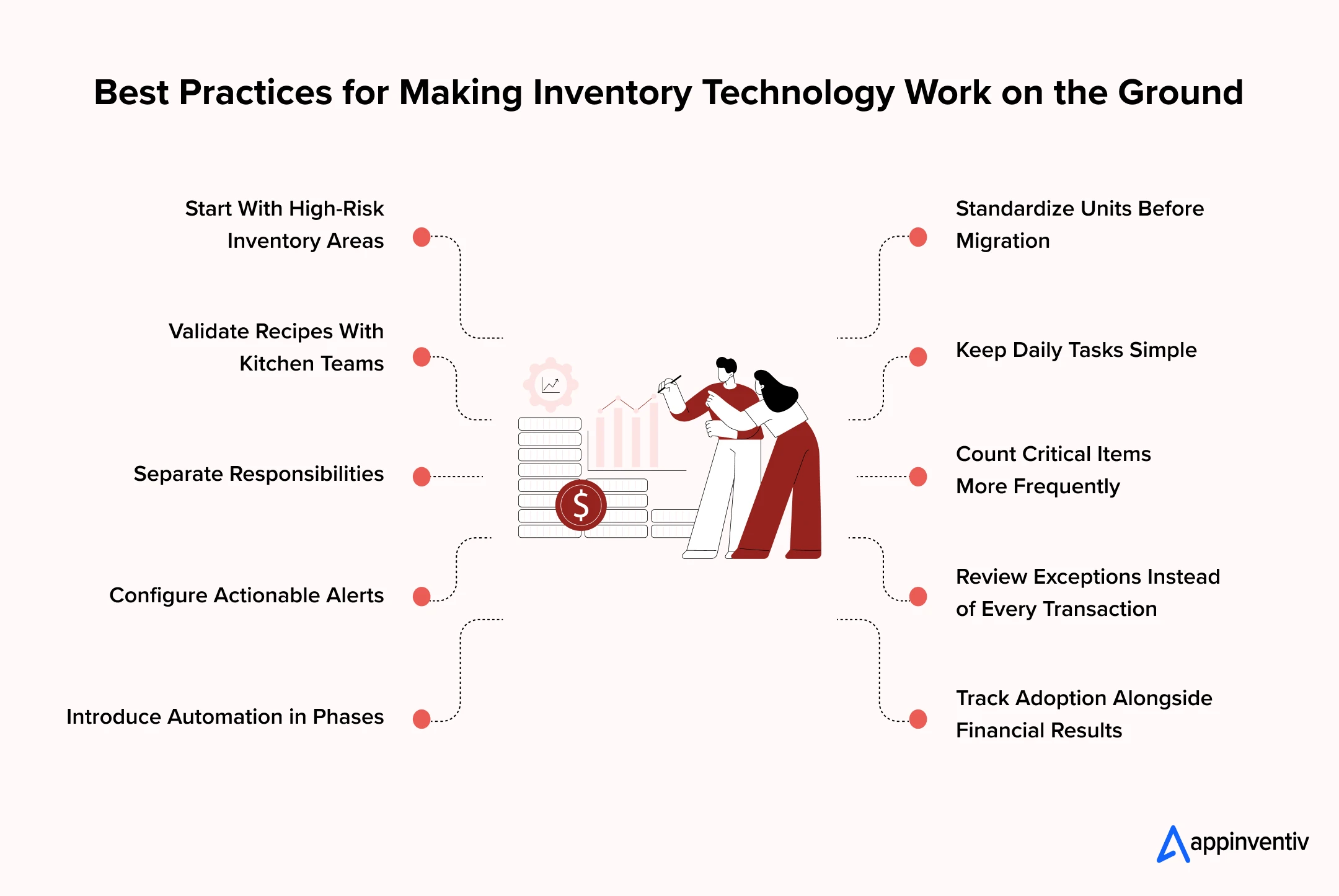
Start With High-Risk Inventory Areas
Begin with expensive, perishable, and frequently used ingredients. These items usually create the greatest financial exposure and provide the clearest opportunities for early savings.
Standardize Units Before Migration
Decide how each ingredient will be purchased, stored, counted, and consumed. Test every conversion before migrating data. One incorrect carton-to-kilogram conversion can affect purchasing, recipes, and stock valuation across several outlets.
Validate Recipes With Kitchen Teams
Written recipes do not always match actual kitchen practices. Chefs should confirm portions, yields, preparation losses, substitutions, and batch sizes before the system calculates theoretical usage.
Keep Daily Tasks Simple
Employees will avoid a system that slows down service. Receiving, waste recording, stock transfers, and counts should require as few steps as possible. Mobile entry, search, barcode scanning, and predefined reasons can make these tasks easier.
Separate Responsibilities
The same employee should not create, receive, adjust, and approve a transaction. Clear approval rules reduce errors and make unusual activity easier to investigate.
Count Critical Items More Frequently
A full inventory count may take place weekly or monthly. However, expensive items such as meat, seafood, alcohol, and imported ingredients may require daily or shift-based cycle counts.
Configure Actionable Alerts
Too many notifications cause employees to ignore them. Prioritize alerts for high-value variances, missed counts, expiring stock, unusual adjustments, purchase-price changes, and likely stockouts.
Review Exceptions Instead of Every Transaction
Managers should focus on activity that falls outside expected limits. Exception-based reporting saves time and directs attention toward the events most likely to affect margins.
Introduce Automation in Phases
Start with dependable transaction records and approval workflows. Add forecasting, automated ordering, and anomaly detection after the restaurant has enough accurate historical data.
Track Adoption Alongside Financial Results
A reduction in food cost means little if teams stop recording waste or delay stock counts. Monitor both business results and employee compliance to understand whether improvements are sustainable.
These practices help establish dependable inventory management in restaurant industry operations. They also prevent the platform from becoming another reporting tool that employees update only before an audit.
Explore our restaurant software development services for smarter inventory, purchasing, and multi-outlet operations.

Common Development Challenges and How to Address Them
Restaurant inventory projects involve operational, technical, and behavioural changes. Addressing these issues during the planning phase of restaurant inventory management system development is less expensive than correcting them after rollout.
| Challenge | How It Affects the Project | Practical Solution |
|---|---|---|
| Inaccurate ingredient data | Duplicate items and incorrect units distort stock quantities and costs. | Clean the item master and establish ownership for future changes. |
| Recipes do not match kitchen practices | Theoretical consumption becomes unreliable. | Validate portions, yields, batches, and substitutions with chefs. |
| Resistance from outlet teams | Employees may delay or avoid receiving, counting, and waste entry. | Involve users in design and reduce the steps required for routine tasks. |
| Limited POS or ERP APIs | Sales and finance data may arrive late or incomplete. | Assess integration options early and use middleware or controlled batch transfers where required. |
| Unstable internet connectivity | Outlets may be unable to record activity in real time. | Provide offline capture with secure synchronization and conflict-resolution rules. |
| Different processes across outlets | Reports become difficult to compare and control. | Standardize essential processes while allowing limited local configuration. |
| Unreliable historical data | Forecasts and order recommendations become inaccurate. | Start with rule-based planning and improve models as clean data accumulates. |
| Complex unit conversions | Purchasing, recipe consumption, and counts no longer align. | Create a controlled conversion structure and test it against real transactions. |
| Integration failures | Sales or purchase records may be duplicated or missed. | Use idempotency controls, retries, monitoring, and visible exception queues. |
| Excessive customization | Development becomes expensive and difficult to maintain. | Separate true business requirements from outdated local habits. |
| Weak access controls | Unauthorized changes can affect inventory values and supplier payments. | Apply role-based permissions, approval limits, and complete audit trails. |
| Large-scale rollout pressure | Problems spread across multiple outlets before teams can resolve them. | Pilot the system first and expand in controlled outlet groups. |
The best restaurant inventory management system cannot compensate for weak operating discipline. Restaurants must assign responsibility for recipes, supplier records, stock adjustments, count schedules, and exception reviews.
Build an inventory system that catches waste, price changes, and usage gaps before month-end.

Future Expectations for Restaurant Inventory Management
Restaurant inventory technology is moving from retrospective reporting toward continuous decision support. Future platforms will not simply show what remains in stock. They will help teams decide what to purchase, prepare, transfer, use first, or remove from the menu.
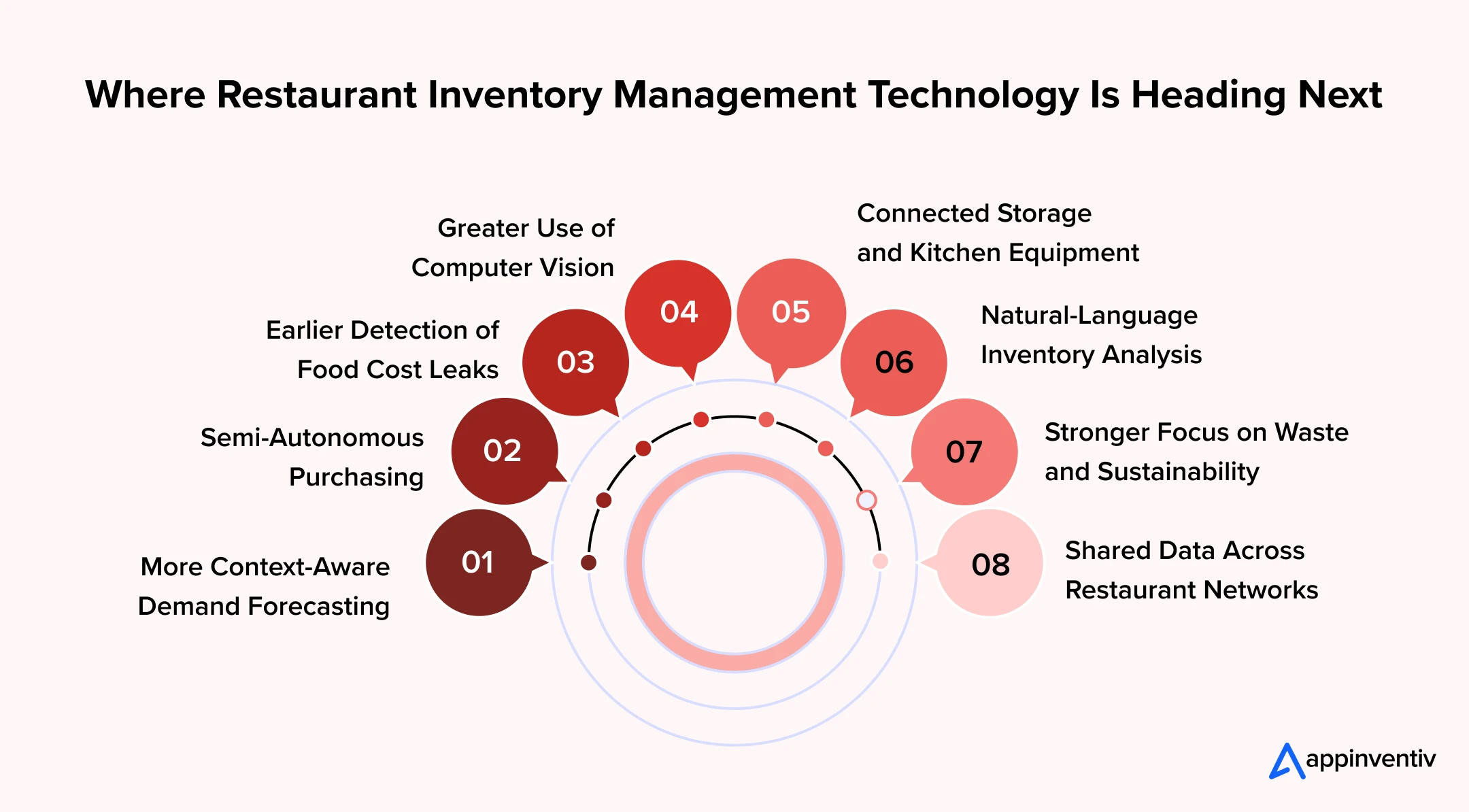
More Context-Aware Demand Forecasting
Forecasting will use more than historical sales. Models will consider reservations, weather, local events, promotions, holidays, delivery demand, and outlet-level patterns before recommending purchase quantities.
This will help restaurants respond to short-term demand changes without building unnecessary safety stock.
Semi-Autonomous Purchasing
Systems will prepare purchase orders based on stock, forecast demand, supplier lead times, and agreed prices. Buyers will review exceptions rather than building every order manually.
High-value or unusual orders will continue to require human approval. Routine replenishment may become increasingly automated.
Earlier Detection of Food Cost Leaks
Future platforms will identify unusual consumption while the shift is still active. They may flag overportioning, repeated waste, price differences, missing receipts, or unexpected stock adjustments before the next physical count.
This will make restaurant inventory management system development more closely connected with daily margin protection.
Greater Use of Computer Vision
Cameras may support stock recognition, receiving checks, waste measurement, and portion monitoring. Computer vision will not eliminate manual verification, but it can reduce the effort needed to document repetitive activities.
Connected Storage and Kitchen Equipment
Temperature sensors, weighing scales, refrigerators, and dispensing equipment will share data directly with the inventory platform. Restaurants will receive earlier warnings about unsafe storage conditions, equipment failure, or unexpected ingredient use.
Natural-Language Inventory Analysis
Managers will be able to ask direct questions such as:
- Which ingredients caused the highest variance this week?
- Which outlet recorded the most avoidable waste?
- Which supplier changed prices without prior approval?
- What stock will expire within the next three days?
The system will retrieve the relevant information without requiring managers to prepare a new report.
Stronger Focus on Waste and Sustainability
Food waste reporting will become more closely connected with financial and sustainability targets. Restaurants will track what was discarded, why it was discarded, and whether it could have been prevented, reused, donated, or diverted.
Shared Data Across Restaurant Networks
Multi-brand and franchise groups will expect one data layer across purchasing, suppliers, recipes, warehouses, central kitchens, and outlets. Central teams will set controls while local managers work with location-specific demand.
The future inventory management systems that restaurant leaders will adopt are bound to operate as part of a wider restaurant data ecosystem. They will connect commercial, operational, financial, and sustainability decisions rather than serving as a standalone stock register.
We helped Americana Restaurants replace fragmented operational data with a real-time intelligence platform built across 2,100+ restaurants. The result: 90% faster reporting, 82% automated order assignment, and zero platform downtime.
How Appinventiv Can Help Build a Restaurant Inventory System That Protects Margins
Building a restaurant inventory platform requires an understanding of how food, data, approvals, and money move across restaurant operations. Appinventiv helps businesses translate those movements into a connected digital product.
Our team begins by examining purchasing, receiving, storage, recipe consumption, production, waste, transfers, counts, and financial reconciliation. This discovery process helps identify where manual controls fail and which workflows should receive priority.
Our mobile app development services for restaurants can help you connect POS systems, supplier portals, accounting tools, ERP platforms, kitchen displays, and restaurant hardware. The solution can include real-time stock tracking, recipe costing, batch control, waste management, approval workflows, and multi-outlet reporting.
Our capabilities in restaurant inventory management software development also cover cloud architecture, API engineering, data analytics, AI, security, quality assurance, and ongoing product support. This enables restaurants to build the core platform and introduce advanced capabilities as their data and operations mature.
Instead of forcing every outlet into a rigid product, we can configure the system around centralized controls and location-level responsibilities. Restaurants retain visibility across the business while outlet teams receive workflows suited to their daily operations.
Appinventiv can also help businesses develop a restaurant inventory management system in controlled phases. A focused first release can establish accurate purchasing, receiving, recipe, waste, and counting records. Later phases can add demand forecasting, intelligent ordering, invoice processing, IoT integrations, and anomaly detection.
The result is not simply another inventory management software for restaurants. It is a connected control system designed to expose preventable losses, improve purchasing decisions, and protect food margins as the restaurant grows.
Frequently Asked Questions
Q. How much does it cost to build a restaurant inventory management system?
A. The cost generally ranges from $40,000 to $500,000 or more. A basic system covering purchasing, receiving, stock counts, and reports remains at the lower end. Multi-outlet platforms with POS integrations, mobile apps, AI forecasting, IoT devices, and advanced analytics require a larger investment.
The cost of building a restaurant inventory management system also depends on the number of user roles, integrations, recipes, outlets, reports, and security requirements.
Q. How does restaurant inventory management software work?
A. The software records ingredients when the restaurant purchases and receives them. It then reduces inventory based on recipe consumption, waste, transfers, returns, and stock adjustments.
When connected with the POS, the system uses completed sales to calculate how much of each ingredient should have been consumed. Managers can compare this theoretical usage with physical stock and investigate any difference.
Q. How long does it take to build a restaurant inventory management system?
A. A basic platform may take around four to six months. A custom multi-location product usually requires six to twelve months, while an enterprise system with complex integrations, AI, and regional deployment may take 12 to 18 months or longer.
The timeline depends for the restaurant inventory management system development depends on:
- Product scope
- Data readiness
- Number of integrations
- Mobile and offline requirements
- Testing complexity
- Pilot duration
- Number of rollout locations
Q. What are the essential features of a modern restaurant inventory system?
A. Essential features include ingredient management, recipe costing, purchase orders, goods receiving, stock counts, waste tracking, expiry monitoring, outlet transfers, and role-based reports.
A modern inventory management system for restaurant operations should also provide approval workflows, audit trails, reorder alerts, supplier records, POS integration, and mobile access.
Q. How can an inventory management system reduce food waste in a restaurant?
A. The system shows where waste occurs and why. Employees can record spoilage, overproduction, preparation loss, returned dishes, spills, and expired ingredients separately.
It can also reduce waste through:
- Batch and expiry alerts
- First-expiry-first-out controls
- Demand-based purchasing
- Production planning
- Recipe-level consumption tracking
- Inter-outlet stock transfers
- Waste reports by item, outlet, or reason
This information helps managers correct the process causing the waste instead of treating discarded food as an unavoidable expense.
Q. What are the benefits of integrating inventory software with a point-of-sale system?
A. POS integration connects each menu item sold with its recipe ingredients. This allows the restaurant to calculate theoretical usage without asking employees to record every ingredient manually.
The integration also supports faster stock updates, recipe-level variance analysis, menu profitability reports, and earlier stockout warnings. Cancelled, refunded, and complimentary orders can also be included in inventory calculations.
Q. How can small businesses choose the best restaurant inventory management system?
A. Small businesses should choose a system that fits their current operation without adding unnecessary complexity. The best restaurant inventory management system should be simple enough for kitchen teams to use and flexible enough to support future growth.
Before selecting one, businesses should review:
- Ease of use
- POS compatibility
- Recipe and food-cost tracking
- Waste and expiry management
- Mobile stock counting
- Supplier and purchase management
- Reporting capabilities
- Subscription and implementation costs
- Customer support
- Options for adding more outlets
A smaller restaurant may not need advanced AI or complex warehouse functions immediately. Accurate stock records, quick counts, dependable recipe costing, and POS integration should come first.


Fast 2-minute response, fully NDA-protected.

Restaurant Digital Transformation Driving 25%+ of Sales Across Over Half of Brands
Key Takeaways Per the survey, digital channels generate over 25% of sales for 57% restaurant brands. Higher digital sales do not guarantee better margins once fees, discounts, and fulfillment costs are included. Connected ordering and kitchen systems help reduce delays, cancellations, and manual work. Successful modernization starts with a focused pilot and measurable business results.…

Capture 22% More Restaurant Visits With Restaurant Loyalty App Development
Key Takeaways An enterprise loyalty app requires rule engines, POS synchronization, event-driven APIs, and auditable ledgers to protect the accuracy of transaction data. Custom versus white-label app choices depend on data rights, integration depth, extensibility, scalability, differentiation, and lifetime cost. POS, ordering, payment, CRM, and CDP connections construct unified customer profiles across restaurant store channels…

Build Your Own: A Complete Guide to Menu Engineering Software Development (2026)
Key takeaways: Menu engineering works best when treated as a decision system, not a one-time analysis exercise. Accurate menu decisions depend on real cost data, clean POS mappings, and continuous analysis. Building custom menu engineering software makes sense when complexity, scale, and control matter. Most menu engineering software built in 2026 falls between $40,000 to…