





























Web Application Development: A Complete Guide for Businesses
 Share -


- 01How Web Applications Support Modern Business Operations
- 02Advantages of Leveraging Web Applications for Modern Businesses
- 03Key Business Use Cases of Web Applications
- 04Common Types of Web Applications Businesses Must Know About
- 05Choosing the Right Application Type for Your Business: Web, PWA, Native, or Cross-Platform
- 06Key Considerations for Businesses When Choosing a Technology Stack for Web Application Development
- 07Best Frameworks for Web Application Development
- 08The Step-by-Step Web Application Development Process
- 09Best Practices for Using AI in Web Application Development
- 10How Much Does Web App Development Cost?
- 11How Long Does It Take to Develop a Web Application?
- 12Major Web App Development Challenges and How to Address Them
- 13Build, Buy, or Customize: Which Web Application Approach Should Your Business Choose?
- 14How to Select the Right Development Partner?
- 15How to Measure the Business Value of a Web Application After Launch?
- 16Future Trends That Will Shape Business Web Applications
- 17Why is Appinventiv the Right Partner for Web Application Development?
- 18Frequently Asked Questions

Key takeaways:
- A web application should solve a defined operational or customer problem, not simply reproduce an existing process online.
- Architecture, security, integrations, and data ownership deserve attention before interface design begins.
- A focused first release helps teams test assumptions without weakening the platform’s technical foundation.
- Cost depends more on workflow complexity and integrations than on the number of screens alone.
- Performance, accessibility, security, and maintainability must remain part of every release.
- Business results should be measured through adoption, task completion, revenue, efficiency, and service quality.
A business may have the data, a strong AI use case, and executive support. The real test begins when customers and employees must use that idea in everyday work.
An intelligent model alone cannot verify users, apply business rules, connect systems, or complete transactions. A web application provides this operating layer. It turns AI capabilities into a secure product where people can place orders, approve requests, manage accounts, and act on relevant insights.
This is why web application development matters in the age of AI. It makes intelligence usable, governed, and connected to measurable business outcomes.
The commercial case is strengthening as well. Grand View Research valued the global progressive web application market at $2.08 billion in 2024 and expects it to reach $21.24 billion by 2033. Market growth, however, cannot rescue a vague product idea. A viable application still needs a clear problem, a controlled scope, dependable architecture, and success measures agreed before development begins.
This web app development guide sets out the decisions business leaders will face along the way. It covers application types, business benefits, features, frameworks, delivery stages, costs, security considerations, and partner selection.
Turn scattered tools, manual handoffs, and delayed decisions into one web application built around how your business actually works.

How Web Applications Support Modern Business Operations
Web applications now run work that once moved between emails, spreadsheets, and department-specific tools. Companies use them to process sales, manage approvals, coordinate supply chains, serve customers, and give employees one dependable view of current information.
The difference lies in what users can do. Instead of only reading a page, they can submit a request, complete a transaction, check an account, or move work to the next stage. Databases, APIs, business rules, and enterprise systems support those actions behind the interface.
For businesses, this model applies across several functions:
- Customer portals for onboarding, account management, payments, and support
- Employee platforms for approvals, reporting, and internal collaboration
- Vendor portals for procurement, document exchange, and order tracking
- Ecommerce systems for catalogue, inventory, payments, and fulfilment
- Operational dashboards for monitoring performance and exceptions
- Industry-specific platforms for healthcare, finance, logistics, and manufacturing
Website application development can replace scattered workarounds with a controlled process. Authorized users complete tasks in one place, while the business gains cleaner data and a visible record of each action.
| Business Requirement | How a Web Application Supports It |
|---|---|
| Process automation | Automates repetitive tasks, approvals, notifications, and data validation |
| System integration | Connects CRM, ERP, payment, logistics, and analytics platforms |
| Customer self-service | Allows customers to manage accounts, requests, orders, and support |
| Operational visibility | Presents current performance data through role-based dashboards |
| Workforce collaboration | Gives distributed teams access to shared workflows and records |
| Business scalability | Supports growing users, transactions, services, and geographic markets |
Simply copying a broken process into a browser will not improve it. The value appears when the new application removes needless steps, speeds up decisions, strengthens data control, and makes the journey easier to complete.
Advantages of Leveraging Web Applications for Modern Businesses
As companies grow, quick fixes tend to stay in place. A spreadsheet becomes a tracker, an inbox becomes an approval queue, and employees enter the same details into several tools. The result is slow work, duplicate records, and little accountability when something goes wrong.
The benefits of web application development become measurable when the product is attached to a specific revenue, service, or operational outcome.
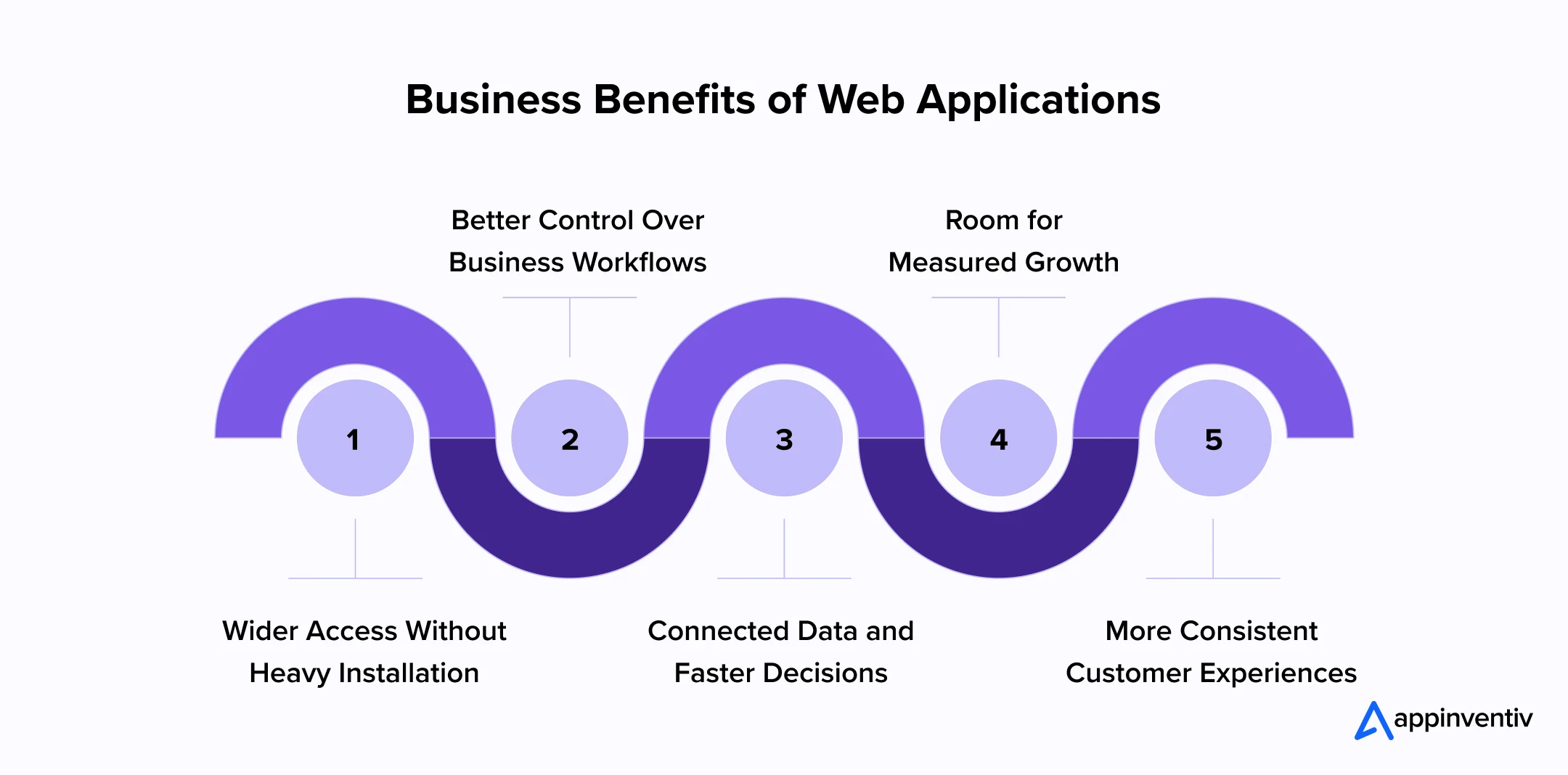
Wider Access Without Heavy Installation
Employees, customers, and partners can open the application through a supported browser without managing a conventional desktop installation. The business can also release an update centrally instead of distributing a new software package to every user.
Better Control Over Business Workflows
Approval limits, validation rules, access rights, escalation paths, and reporting requirements can sit inside the workflow. Work no longer depends as heavily on memory or private follow-ups, and each important action leaves a clearer audit trail.
Connected Data and Faster Decisions
APIs can pull relevant information from CRM, ERP, payment, logistics, identity, and analytics systems. Users spend less time switching tools, while managers see decisions against a more complete set of operational data.
Room for Measured Growth
A well-planned architecture can accommodate more users, markets, services, and transactions. Capacity still needs active management, but expansion does not have to trigger a complete rebuild.
More Consistent Customer Experiences
Customers do not see account history, payments, support, and communication as separate departments. Custom web app development can connect these interactions around the business model and present them as one coherent journey.
Key Business Use Cases of Web Applications
The same delivery model can solve very different business problems. A retailer may use it to process orders, while a hospital may use it to give patients controlled access to records. The examples below show where web applications already carry meaningful operational work.
| Industry | Web Application Use Case | Real-World Example |
|---|---|---|
| Retail and Ecommerce | Product discovery, payments, order tracking, inventory, and returns | Amazon connects shopping, payments, recommendations, and delivery tracking |
| Banking and FinTech | Digital onboarding, fund transfers, loan applications, and account management | JPMorgan Chase provides secure online banking and investment services |
| Healthcare | Appointments, medical records, prescriptions, billing, and patient communication | Epic MyChart gives patients access to records, results, and appointments |
| Logistics | Shipment booking, route management, package tracking, and delivery updates | UPS allows businesses and customers to manage and track shipments online |
| Enterprise Operations | Procurement, finance, approvals, HR, inventory, and reporting | SAP S/4HANA Cloud connects multiple enterprise functions |
| Education | Online courses, assessments, certificates, and learner progress tracking | Coursera delivers learning and certification through its web platform |
Across these cases, the application is tied to a real journey: buying, banking, receiving care, moving goods, running operations, or learning. That link to day-to-day work is what turns custom web applications into business assets rather than standalone technology projects.
The same principle applies to web application development for service-led businesses: the application must help a user finish meaningful work, not simply browse information.
Common Types of Web Applications Businesses Must Know About
The label “web application” covers products with very different structures and workloads. Choosing the correct type early helps a business match the architecture to its users, data, operating complexity, and plans for growth. Let’s look into various types of web apps businesses must know of:
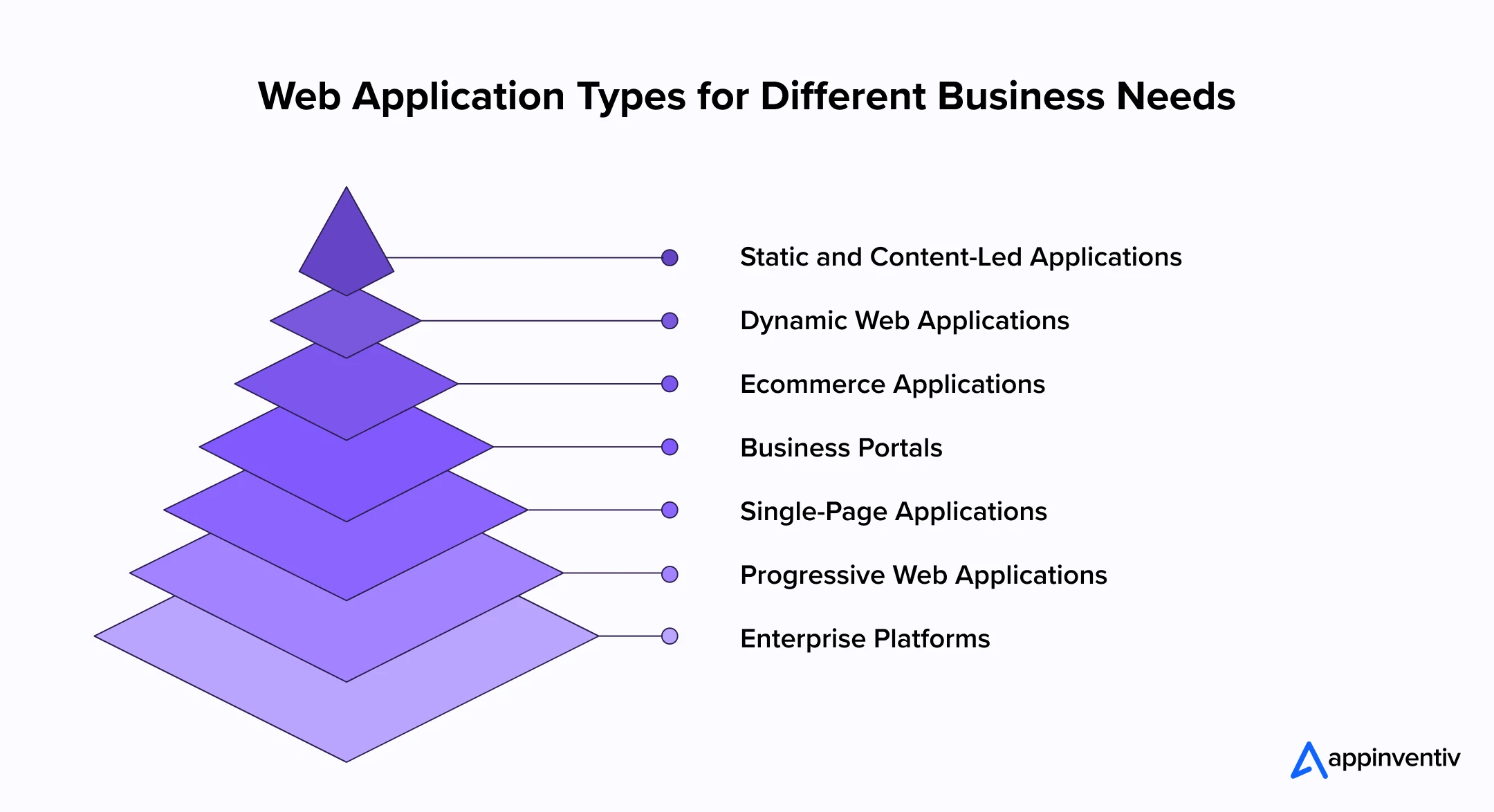
Static and Content-Led Applications
These applications mainly present information and require little server-side processing. They suit campaign experiences, documentation libraries, product catalogues, and reference portals. A content management system can let business teams update material without waiting for a developer.
Dynamic Web Applications
Dynamic applications change what they show according to identity, permissions, behaviour, or live information. Customer accounts, dashboards, news feeds, and travel platforms fall into this category. Most depend on a database and server-side logic.
Ecommerce Applications
Ecommerce applications carry the buying journey from product discovery through payment, delivery, and returns. Larger platforms may also handle several storefronts, currencies, tax rules, inventory locations, and negotiated B2B purchasing terms.
Business Portals
A portal gives a defined group secure access to information and services. Employee, patient, vendor, dealer, student, and customer portals are common examples. Permission design matters because each group may view, submit, approve, or change different records.
Single-Page Applications
A single-page application updates the open interface instead of loading a fresh page after every action. This suits dashboards and collaborative products where users move quickly between related tasks. Search visibility, initial loading, browser history, and accessibility still require deliberate handling.
Progressive Web Applications
Progressive web applications use browser capabilities to support installation, caching, push notifications, and limited offline work. They are useful when the reach matters but the business case for separate native applications remains weak.
Enterprise Platforms
Enterprise web app development must account for complex permissions, high transaction volumes, numerous integrations, detailed audit records, and strict availability targets. Procurement platforms, claims systems, partner ecosystems, and operations control towers are typical examples. For these products, governance and maintainability matter as much as the first feature release.
As the product crosses more departments or regions, enterprise web app development also needs firmer ownership of data, releases, and service levels.
Also Read: What are Enterprise Apps & What Separates them from Consumer-end Apps?
Choosing the Right Application Type for Your Business: Web, PWA, Native, or Cross-Platform
The choice should follow the job users need to complete. Browser access works well when reach and centralized updates matter most. Native delivery is stronger when frequent mobile use or deep access to device hardware is essential.
Mobile web app development gives smartphone and tablet users direct access through a link, with no mandatory download. It can serve several device types from one product, which is often useful for occasional customer or field interactions.
Also Read: Mobile Web vs. Mobile App – From The Startup Perspective
For journeys centred on quick access rather than deep hardware use, mobile web app development can offer the more economical route.
Custom web app development is a better fit when the browser and mobile experiences must share APIs, permissions, data, and business rules. Customers might place orders through a compact mobile interface while administrators manage inventory, payments, and reports from a larger web dashboard.
| Application Type | Best Suited To | Major Business Advantages | Important Considerations |
|---|---|---|---|
| Responsive Web Application | Customer portals, internal dashboards, booking systems, ecommerce platforms, and other workflows requiring access across multiple devices | Provides access through a browser, supports centralized updates, and reduces the need to maintain separate desktop and mobile products | Performance depends on the browser and internet connection. Access to certain device capabilities may also remain limited |
| Progressive Web Application | Retail, travel, media, field operations, and customer-service products requiring fast access and selected offline functions | Offers app-like navigation, browser-based installation, push notifications, and caching without requiring a conventional app-store download | Offline behavior and hardware access can vary across browsers, devices, and operating systems |
| Native Mobile Application | Banking, fitness, navigation, healthcare, logistics, and other products involving frequent mobile use or advanced hardware access | Delivers strong mobile performance and supports cameras, GPS, biometrics, sensors, background processing, and platform-specific experiences | Developing and maintaining separate iOS and Android applications can increase the required budget, timeline, and engineering effort |
| Cross-Platform Mobile Application | Businesses requiring mobile applications for both iOS and Android without maintaining two completely separate codebases | Allows teams to reuse a significant portion of the code, maintain greater experience consistency, and shorten delivery for multiple mobile platforms | Complex features may still require native development, platform-specific testing, and separate adjustments for iOS and Android |
Key Considerations for Businesses When Choosing a Technology Stack for Web Application Development
The technology stack determines how well a web application performs, connects with existing systems, and responds to future business needs. A decision based only on current development convenience may lead to expensive upgrades later. Businesses should therefore evaluate the complete product environment before committing to specific technologies.
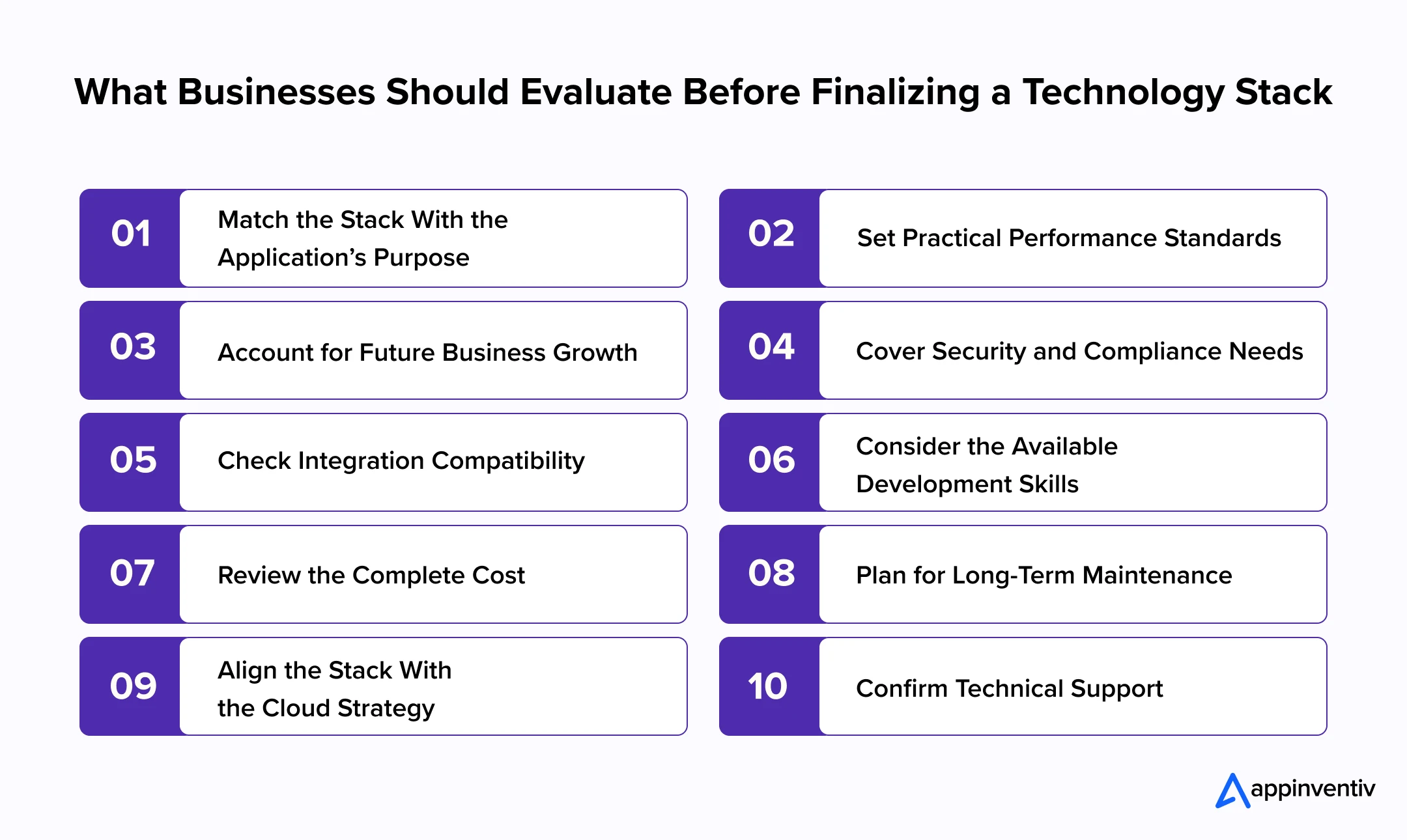
Match the Stack With the Application’s Purpose
A customer portal, ecommerce platform, and trading dashboard will not require the same technical foundation. Start with the work the application must perform. User roles, transaction volumes, data processing, and real-time functions should guide the choice.
Set Practical Performance Standards
Expected traffic is only one part of performance planning. Teams should also estimate concurrent users, response times, data volumes, and peak transaction loads. These figures help determine suitable backend services, databases, and caching methods.
Account for Future Business Growth
The application may later support more users, locations, products, or services. Choose development frameworks that allow individual components to scale without forcing the business to rebuild the entire platform.
Cover Security and Compliance Needs
The stack must support secure authentication, encryption, access controls, audit trails, and data protection. Businesses in healthcare, FinTech, government, and ecommerce should also confirm that the selected technologies can meet industry-specific obligations.
Also Read: How Should Enterprises Chart DT-driven Compliance Challenges
Check Integration Compatibility
A business application rarely works alone. It may need to exchange data with ERP, CRM, payment, identity, logistics, and analytics platforms. Strong API support and dependable integration libraries can reduce development effort and recurring maintenance issues.
Consider the Available Development Skills
Modern technology may look attractive but still create problems if experienced developers are difficult to find. Review the skills available internally, within the development partner’s team, and across the wider hiring market.
Review the Complete Cost
The initial web app development cost does not represent the total investment. Licensing, cloud infrastructure, security updates, monitoring, maintenance, and specialist hiring will continue after launch. Compare these expenses across the expected life of the application.
Plan for Long-Term Maintenance
Choose technologies supported by active communities, regular updates, clear documentation, and stable release roadmaps. A poorly maintained framework can expose the application to security risks and make routine upgrades unnecessarily expensive.
Align the Stack With the Cloud Strategy
The selected stack should work with the organization’s public, private, hybrid, or multi-cloud environment. Teams must also consider automated deployment, backup, disaster recovery, monitoring, and regional data-hosting requirements.
Confirm Technical Support
Revenue-generating and business-critical applications cannot wait several days for an issue to be resolved. Check whether reliable community, vendor, and enterprise support is available for each important technology in the stack.
There is no single technology stack that suits every business. The right choice is one that meets current product requirements while leaving enough room for integration, security, scaling, and future development.
Best Frameworks for Web Application Development
A framework influences how quickly a team can build, how easily it can test and maintain the code, and how the application behaves under load. The choice needs to reflect product complexity, traffic, integrations, and the skills available to support it. The comparison below places commonly used options in a business context.
For web app development, the strongest choice is usually the framework that the team can operate reliably for years, not the newest option on the market.
| Framework | Category | Key Capabilities | Best Suited For | Business Considerations |
|---|---|---|---|---|
| React | Frontend library | Component-based interfaces, reusable UI elements, virtual DOM, and extensive development ecosystem | SaaS products, customer portals, ecommerce platforms, and interactive dashboards | Provides flexibility and strong community support, but requires additional tools for routing and application structure |
| Angular | Frontend framework | Built-in routing, forms, dependency injection, testing tools, and TypeScript support | Large enterprise portals, financial platforms, and complex internal systems | Offers a structured development model but requires experienced developers and greater initial setup |
| Vue.js | Frontend framework | Reactive components, flexible architecture, lightweight design, and gradual adoption | Business dashboards, content platforms, MVPs, and mid-sized applications | Supports faster development and easier adoption, although its enterprise ecosystem is smaller than React or Angular |
| Next.js | Full-stack React framework | Server-side rendering, static generation, routing, API support, and performance optimization | Ecommerce platforms, marketplaces, SaaS products, and search-focused applications | Improves performance and search visibility but requires careful planning for hosting, caching, and rendering |
| Node.js with Express | Backend framework | Event-driven processing, JavaScript-based backend development, APIs, and real-time communication | Collaboration tools, streaming platforms, marketplaces, and real-time dashboards | Supports fast, scalable services, but compute-heavy workloads may require additional architectural planning |
| Django | Backend framework | Built-in authentication, administration tools, ORM, security controls, and rapid development | Data-driven portals, healthcare products, content platforms, and business management systems | Accelerates secure development, although highly specialized architectures may require extensive customization |
| Spring Boot | Backend framework | Dependency management, microservices support, enterprise integrations, and strong security capabilities | Banking platforms, enterprise systems, large-scale marketplaces, and regulated applications | Delivers stability and scalability but generally requires skilled Java teams and more development resources |
| ASP.NET Core | Backend framework | Cross-platform development, enterprise security, high performance, and Microsoft ecosystem integration | Government systems, enterprise portals, financial applications, and internal business platforms | Works well for organizations using Microsoft technologies, though implementation may depend on specialized .NET expertise |
| Laravel | Backend framework | Authentication, routing, database migration, templating, and rapid API development | Ecommerce systems, booking platforms, customer portals, and content-led applications | Enables efficient development but requires careful architecture for high-scale or highly complex enterprise products |
| Ruby on Rails | Full-stack framework | Convention-based development, database management, reusable modules, and rapid prototyping | MVPs, SaaS platforms, marketplaces, and workflow applications | Supports faster initial development, but businesses should assess performance needs and long-term talent availability |
The Step-by-Step Web Application Development Process
A dependable product takes shape through a series of connected business and technical decisions. When discovery is rushed, unresolved questions do not disappear. They return during development, when changing direction costs more.
The web application development process below keeps product thinking, design, engineering, and validation connected from the outset.
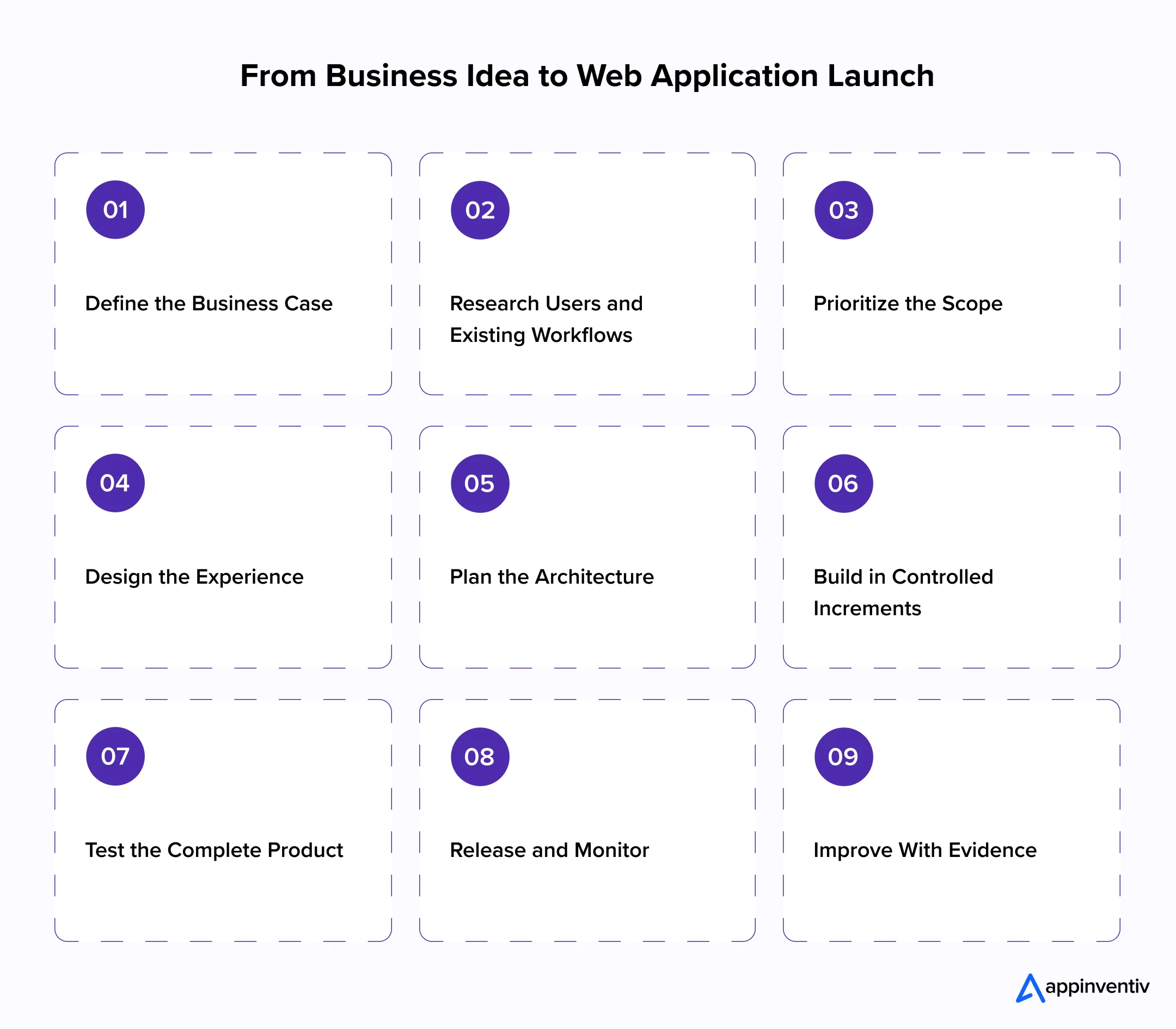
1. Define the Business Case
State the problem in business terms. Identify who experiences it, how the current process works, what it costs, and what must improve. The application may need to generate revenue, reduce processing time, improve service, control risk, or open a new digital channel.
2. Research Users and Existing Workflows
Interview users, observe the work, and review support records and product data. Formal process maps often miss the exceptions, shortcuts, and repeated corrections that shape the real requirement.
3. Prioritize the Scope
Separate the capabilities needed for a complete first journey from additions that can wait. Users learn little from a release that contains many partial features but cannot take one useful task from start to finish.
4. Design the Experience
Turn the selected workflows into information architecture, wireframes, content, and testable prototypes. Short sessions with representative users can expose unclear labels, missing steps, and awkward decisions before engineers build them.
5. Plan the Architecture
Define the services, data models, integrations, environments, security controls, and scaling assumptions behind the product. In a large enterprise platform, a shortcut at this stage can later disrupt several teams, regions, or connected systems.
6. Build in Controlled Increments
Build the interface, services, data layer, and integrations in small, demonstrable increments. Code reviews, automated checks, controlled environments, and regular product reviews reveal problems before they spread across the release.
7. Test the Complete Product
Test the complete journey across browsers, devices, roles, integrations, and realistic data. Failed payments, interrupted sessions, invalid input, missing records, and external service outages deserve the same attention as the expected path.
8. Release and Monitor
A production release needs a rollback route, verified migration, user communication, training, and named support owners. Monitoring should cover errors, response times, availability, security events, and completion of the journeys that matter to the business.
9. Improve With Evidence
Use production behaviour to set the next priorities. Support issues, journey completion, conversion data, interviews, and operational results provide a better guide than internal opinion alone.
This process of web applications development leaves room to adapt without losing control of the outcome. Priorities may move as evidence emerges, but ownership, quality thresholds, and governance should remain clear.
A structured development process provides direction, but it does not remove the manual effort within each stage. Teams still spend hours sorting research notes, checking repetitive code, preparing test cases, reviewing defects, and studying post-launch feedback.
As application scope grows, this work can slow decisions and push important risks closer to release. Now, AI becomes valuable when it is applied to these specific bottlenecks, with experienced professionals reviewing the output and retaining control over every critical decision.
Best Practices for Using AI in Web Application Development
AI can shorten research, reduce repetitive work, and help teams detect delivery risks earlier. However, using it without clear boundaries may introduce weak assumptions, insecure code, or inconsistent outputs.
The following practices help businesses gain value from AI while retaining control over product, security, and technical decisions.
| Best Practice | How to Apply It | Why It Matters |
|---|---|---|
| Start With Defined Use Cases | Identify specific tasks where AI can save time or improve accuracy, such as requirement analysis, code review, or test preparation. | It prevents teams from adding AI where it offers little practical value. |
| Keep Experts Accountable | Require specialists to review important outputs before they influence design, code, security, or release decisions. | AI can support judgment, but it should not own the final decision. |
| Use Approved Tools and Data | Define which tools teams may use and what project information can be shared with them. | This reduces privacy, confidentiality, and intellectual property risks. |
| Validate AI-Generated Code | Review, test, scan, and document AI-assisted code under the same standards as manually written code. | Generated code may contain security flaws, outdated patterns, or hidden dependencies. |
| Maintain Traceability | Record where AI supports requirements, code, tests, or documentation. | Teams can review decisions, investigate defects, and meet audit requirements more easily. |
| Measure Delivery Impact | Track rework, defect rates, review time, test coverage, and release speed. | Measurable results show whether AI is improving delivery or merely adding another tool. |
| Protect Human Oversight | Keep architecture, accessibility, security, compliance, and product priorities under expert control. | These decisions require business context and clear accountability. |
| Review the Process Regularly | Update AI policies as tools, regulations, security risks, and project needs change. | Controls that work today may become inadequate as usage expands. |
Used carefully, AI can improve parts of web application development without weakening governance. The strongest approach gives teams faster support while keeping every consequential decision in experienced hands.
How Much Does Web App Development Cost?
The web app development cost may begin near $40,000 for a focused custom product and exceed $500,000 for a complex enterprise platform. These figures are useful for early planning, not as fixed quotations. Workflow depth, integrations, quality targets, delivery location, team structure, and the condition of existing systems can all move the estimate.
| Product Level | Typical Scope | Indicative Investment | Typical Timeline |
|---|---|---|---|
| Focused MVP | Core journey, basic administration, limited integrations | $40,000–$80,000 | 3–5 months |
| Mid-sized business product | Several roles, dashboards, integrations, automation | $80,000–$200,000 | 5–9 months |
| Complex platform | Advanced workflows, high scale, multiple integrations | $200,000–$350,000 | 8–14 months |
| Enterprise ecosystem | Multi-region operations, legacy integration, strict governance | $350,000–$500,000+ | 12–18+ months |
Several factors shape the web app development cost:
- Number and complexity of user journeys
- Roles, permissions, and approval levels
- Third-party and legacy-system integrations
- Data migration volume and quality
- Real-time processing and reporting needs
- Security, compliance, and audit requirements
- Performance, availability, and recovery targets
- Custom design and accessibility needs
- Testing coverage and release environments
- Post-launch support and product evolution
Compare the assumptions behind each proposal, not only the figure at the bottom. A low estimate may leave out discovery, migration, security testing, administration tools, or production support. The work will still be needed and often returns later as a change request or operating problem.
Explore our web application development services for building secure, connected, and scalable digital products.
How Long Does It Take to Develop a Web Application?
A focused product may reach production in three to five months. A platform spanning several departments, legacy systems, regions, or regulatory controls can take eighteen months or longer. User roles, integration access, data readiness, decision speed, and testing requirements all affect the schedule.
The ranges below offer a planning reference for businesses comparing different levels of scope.
Good web app development planning protects the schedule by resolving access, data, and approval dependencies early.
| Web Application Type | Typical Scope | Estimated Timeline |
|---|---|---|
| Proof of Concept | Limited functionality built to test technical feasibility or validate a critical assumption | 4–8 weeks |
| MVP Web Application | One complete user journey, basic administration, standard authentication, and limited integrations | 3–5 months |
| Mid-Sized Business Application | Multiple user roles, dashboards, workflow automation, reporting, and third-party integrations | 5–9 months |
| Complex Web Platform | Advanced workflows, real-time data, extensive integrations, custom analytics, and higher scalability requirements | 9–14 months |
| Enterprise Web Application | Multi-department workflows, legacy modernization, regulatory controls, high availability, and multi-region deployment | 12–18+ months |
Major Web App Development Challenges and How to Address Them
A healthy budget cannot make up for late decisions or unclear responsibility. Projects often lose time because teams start building before settling important questions about scope, data, integrations, and ownership.
These issues are easier to handle during discovery than halfway through development. Businesses should identify the likely pressure points early, decide who owns each one, and agree on what will happen if the risk becomes real.
| Development Challenge | How It Affects the Project | Recommended Approach |
|---|---|---|
| Unclear Business Requirements | Business teams may expect different outcomes from the same product. Developers then revise completed work or build features that users do not need | Agree on measurable outcomes, map the full user journey, record important business rules, and test a prototype before development |
| Uncontrolled Scope Expansion | Frequent additions push up costs, move the launch date, and leave the first release without a clear purpose | Set firm boundaries for the MVP, keep later ideas in a separate backlog, and assess every change for value, cost, and delivery impact |
| Legacy System Integration | Older systems may lack reliable APIs, use inconsistent formats, or have little technical documentation | Inspect critical systems early, test their interfaces, use middleware where required, and prepare a fallback for failed connections |
| Poor Data Quality | Missing, duplicated, or outdated records can break workflows and make reports difficult to trust | Review the available data, remove duplicates, agree on migration rules, test mappings, and assign responsibility for data quality |
| Security and Privacy Gaps | Weak permissions or unsafe data handling may expose sensitive information and create compliance problems | Build security into the architecture, restrict access, encrypt sensitive data, review third-party components, and test regularly |
| Complex User Roles and Permissions | Poorly planned permissions can either expose restricted information or stop employees from completing their work | Create a role and permission matrix with process owners, then test sensitive actions for every user group |
| Performance and Scalability Issues | Slow pages and failed transactions frustrate users, while traffic spikes may interrupt important operations | Set performance targets, test realistic peak loads, tune databases and APIs, and monitor critical journeys in production |
| Third-Party Service Dependency | An outage involving payments, identity, logistics, or messaging can stop an otherwise healthy application | Use timeouts, controlled retries, service monitoring, and fallback journeys for essential external services |
| Low User Adoption | Employees may return to spreadsheets or manual processes when the application adds effort or ignores how they work | Involve users early, test prototypes, simplify frequent tasks, explain the change, and study actual behaviour after launch |
| Inadequate Testing Coverage | Problems reach production when testing covers only ideal scenarios and overlooks devices, permissions, or failed integrations | Test complete journeys across browsers, devices, roles, APIs, accessibility needs, failure conditions, and recovery procedures |
| Weak Product Ownership | Decisions remain pending, stakeholders compete for priority, and the backlog loses focus | Appoint one accountable product owner and clarify decision rights across business, technology, security, and operations |
| Insufficient Post-Launch Planning | Support requests grow, dependencies become outdated, and performance issues remain unresolved after release | Set support ownership, service levels, monitoring, maintenance budgets, and release schedules before the application goes live |
No project will begin with every risk removed. The priority is to identify the issues that could affect cost, service, or launch commitments and keep them visible throughout delivery. Problems are much easier to resolve before they become part of the finished product.
Build, Buy, or Customize: Which Web Application Approach Should Your Business Choose?
A business can adopt a packaged product, adapt an existing platform, or build around its own requirements. Packaged software is often enough for a standard support function. Customization can close a limited process gap. Building becomes more compelling when the workflow, integration model, or customer experience affects how the company competes.
The comparison should extend beyond purchase price. Process fit, data control, scaling, vendor dependence, integration freedom, and three-to-five-year ownership costs reveal more about the eventual value.
Custom web app development becomes easier to justify when these long-term factors matter more than rapid access to standard functionality.
| Decision Area | Build a Custom Web Application | Buy a Packaged Solution | Customize an Existing Platform |
|---|---|---|---|
| Best suited for | Complex workflows, differentiated services, proprietary processes, and long-term digital growth | Standard functions that require limited differentiation | Mostly standard requirements with a small number of process-specific changes |
| Business process fit | Built around the organization’s users, workflows, rules, and operating model | May require the business to adjust its processes to the software | Provides a closer fit but remains limited by the platform’s structure |
| Integration flexibility | Integrations can be designed around existing enterprise systems and future requirements | Restricted to vendor-supported APIs, connectors, or marketplace tools | Supports additional integrations within the platform’s technical limits |
| Data and product control | Provides greater control over data, features, architecture, security, and future development | Control depends on the vendor’s policies, roadmap, and export options | Shared control, with key decisions still influenced by the platform provider |
| Scalability | Can be planned around expected users, transactions, markets, and business expansion | Depends on available plans, vendor infrastructure, and product limitations | Supports growth within the commercial and technical limits of the platform |
| Cost structure | Requires a higher initial investment but avoids compulsory per-user licensing and supports long-term ownership | Offers a lower entry cost but may create growing subscription, user, and integration charges | Combines licensing costs with implementation, customization, and maintenance expenses |
| Long-term flexibility | Features and workflows can evolve with changing business priorities | Future capabilities depend heavily on the vendor’s product roadmap | Moderate flexibility, although extensive changes may complicate upgrades |
| Primary consideration | Requires clear requirements, experienced development support, and planned maintenance | May lead to vendor dependence and limited competitive differentiation | Excessive customization can increase costs without providing complete ownership |
How to Select the Right Development Partner?
The right partner will understand why the product needs to exist, not only what it needs to contain. Its experience, proposed team, engineering discipline, commercial terms, and willingness to own post-launch outcomes all deserve scrutiny.
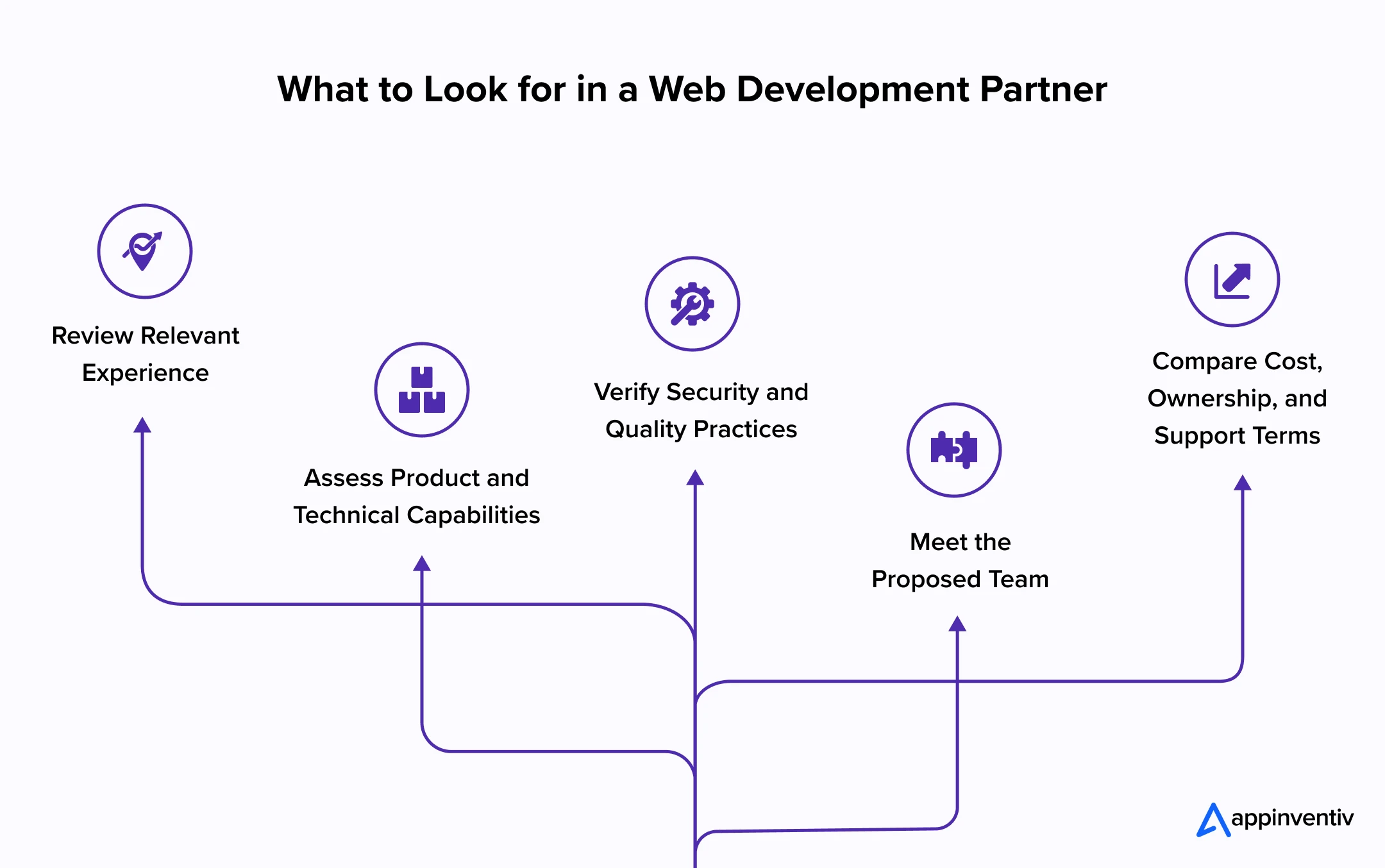
Review Relevant Experience
Look for work involving comparable workflows, integration depth, security obligations, and operational scale. A credible case study will explain the starting problem, the work delivered, and the result rather than relying on interface screenshots.
Assess Product and Technical Capabilities
The team should be able to turn a business objective into testable requirements, a controlled first scope, and an architecture the client can support. Review its capability across:
- User research and product strategy
- Frontend and backend development
- API and legacy-system integration
- Cloud infrastructure and data migration
- Performance, scalability, and accessibility
Verify Security and Quality Practices
Ask where security and quality enter the delivery plan. Secure coding, code review, integration checks, compatibility testing, performance testing, and independent security assessment should not be compressed into the final weeks.
Meet the Proposed Team
Meet the people expected to do the work, not only the sales team. Confirm their roles, decision rights, availability, communication rhythm, use of subcontractors, and cover for staff changes.
Compare Cost, Ownership, and Support Terms
Compare proposals against the same assumptions. The contract should make pricing, deliverables, acceptance, changes, intellectual property, source access, documentation, warranties, and ongoing support unambiguous.
Strong website application development rests on business judgment as much as coding ability. The partner should improve the quality of decisions from discovery through production support.
Bring us the complex workflows, awkward integrations, and ambitious roadmap. We will help shape them into a buildable product plan.
How to Measure the Business Value of a Web Application After Launch?
A production launch confirms that the software works; it does not confirm that the investment worked. The business case depends on what changes afterward: revenue, processing effort, customer experience, service capacity, or exposure to risk.
Registrations and traffic show reach, but they say little about completed work. Product data needs to sit beside operational and financial measures if leaders are to see the application’s actual contribution.
| Measurement Area | Relevant Metrics | What the Business Can Learn |
|---|---|---|
| User Adoption | Activated users, active users, usage frequency, feature adoption, and returning-user rate | Whether the intended audience is using the application regularly and adopting its important features |
| Journey Effectiveness | Task completion, abandonment, conversion, time on task, and failed-action rate | Whether customers or employees can complete important workflows without unnecessary friction |
| Revenue Contribution | Digital revenue, average order value, subscriptions, renewals, qualified leads, and upsell rate | How the application contributes to sales, recurring revenue, and customer growth |
| Operational Efficiency | Processing time, cost per transaction, manual steps removed, cases handled per employee, and automation rate | Whether the application is reducing workload, delays, and operating costs |
| Customer Experience | Customer satisfaction, support requests, first-contact resolution, complaint rate, and response time | Whether the product is making service faster, clearer, and more consistent |
| Data Quality | Duplicate records, incomplete submissions, validation failures, and correction rates | Whether the application is improving the accuracy and reliability of business information |
| System Performance | Availability, response time, API latency, error rate, and peak-load performance | Whether the technical environment supports dependable daily use |
| Risk and Compliance | Access violations, security incidents, audit exceptions, unresolved vulnerabilities, and recovery performance | Whether the application is reducing exposure and meeting control requirements |
| Delivery Efficiency | Deployment frequency, change lead time, rollback rate, and defect leakage | Whether the product team can release improvements safely and efficiently |
| Financial Return | Total cost of ownership, cost savings, incremental profit, payback period, and return on investment | Whether the commercial value generated by the application justifies its complete cost |
Future Trends That Will Shape Business Web Applications
Over the next few years, the biggest shifts will occur beneath the interface as well as on it. Intelligence will move into workflows, architectures will become easier to change, and identity and privacy controls will grow more visible in product decisions.
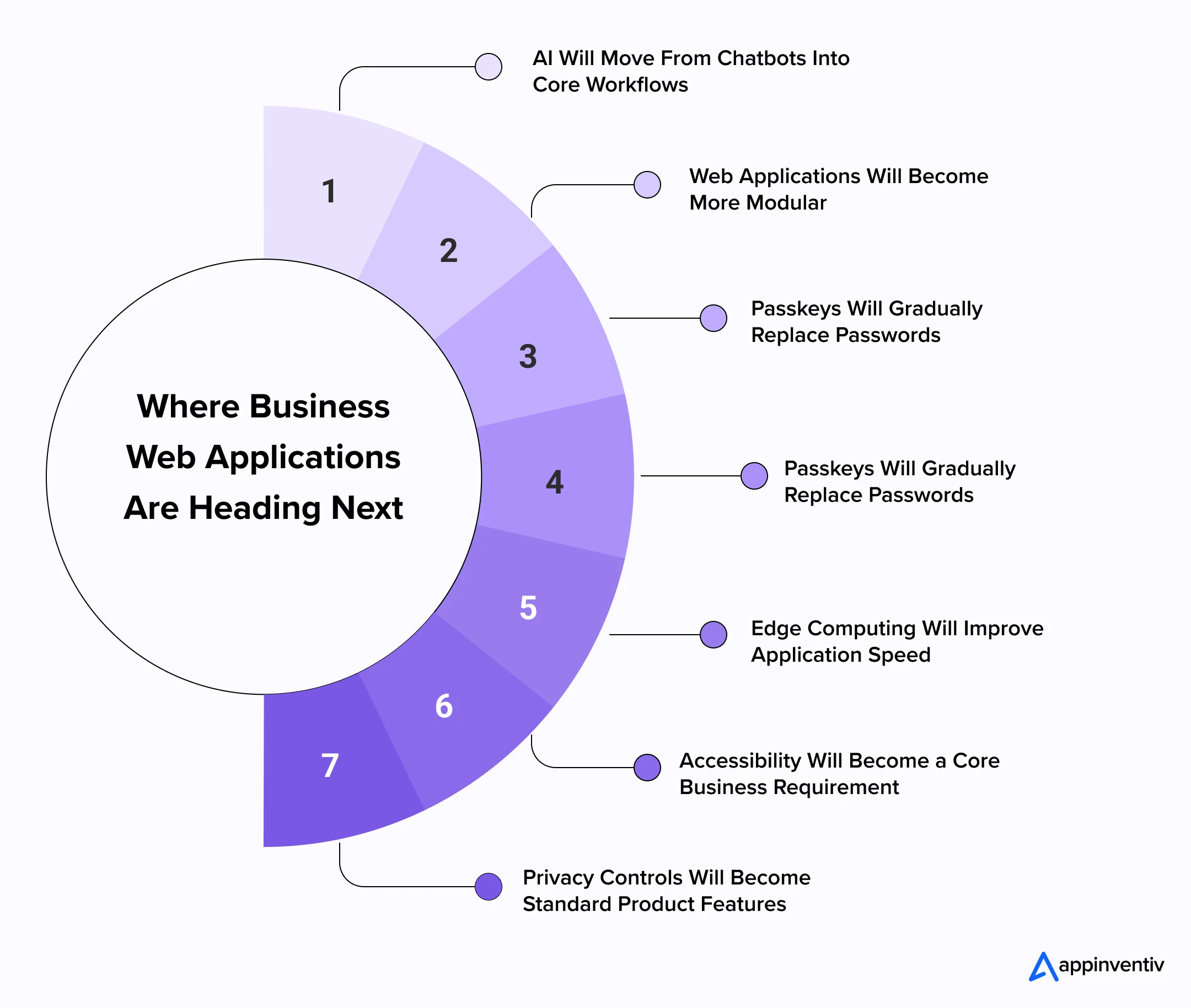
AI Will Move From Chatbots Into Core Workflows
AI will move beyond the support window and into the work itself. It will summarize long records, flag unusual activity, recommend a next step, and prepare routine actions for review. The useful products will keep clear limits around sensitive decisions rather than presenting automation as unrestricted autonomy.
Also Read: How to Integrate an AI Chatbot Into Your Application — A Business Perspective
Web Applications Will Become More Modular
More businesses will separate payment, search, content, identity, and reporting into services connected through APIs. Teams will be able to replace or improve one component without reopening the entire product, although that freedom will require stronger integration monitoring.
Progressive Web Apps Will Reduce the Web-Mobile Gap
Progressive web applications will narrow the practical gap between browser and native experiences. Installation, notifications, caching, and selected offline work will make them attractive where reach matters more than deep access to device hardware.
Passkeys Will Gradually Replace Passwords
Passkeys will reduce the burden of passwords and account recovery. Users will rely more often on a fingerprint, face scan, device PIN, or screen lock, giving businesses a sign-in method that is both easier to use and harder to phish.
Edge Computing Will Improve Application Speed
Selected processing will move closer to the user instead of travelling to one distant cloud region. Global commerce, live dashboards, streaming, and location-aware services will use edge infrastructure where a small reduction in delay changes the experience.
Accessibility Will Become a Core Business Requirement
Accessibility will enter product planning earlier. Keyboard access, screen-reader behaviour, clear contrast, and adaptable layouts will become design-system requirements rather than corrections made just before an audit.
Privacy Controls Will Become Standard Product Features
Product teams will have to justify the information they collect and the time they keep it. Consent, first-party data, automated retention rules, and visible privacy settings will become part of the application experience rather than a legal layer placed around it.
Why is Appinventiv the Right Partner for Web Application Development?
A business application has to survive the realities of the organization using it. It must exchange data with existing technology, respect different roles, protect sensitive records, and remain manageable when the launch team steps away. Appinventiv brings product strategy, experience design, engineering, cloud, data, security, and quality specialists into one delivery structure.
Our web application development work begins with the operating problem. Whether the need involves web apps development for a new service or website application development for an established enterprise, the roadmap stays tied to adoption, control, and a measurable result.
That focus keeps web application development connected to the commercial case rather than a detached list of technical deliverables.
We map the journeys that carry the most value, then shape the architecture, interfaces, integrations, and release the plan around them. This approach supports web apps development across customer products, internal operations, digital commerce, partner ecosystems, and regulated environments. It also keeps business owners involved when priorities change during delivery.
For clients managing several releases or product lines, our web apps development model also provides common standards for security, quality, and technical ownership.
Organizations replacing a fragmented process may need a focused platform that works around existing systems. A company opening a new digital channel may need support from early validation through engineering and scale.
As a web application development company, we cover both paths, along with cloud enablement, integration, testing, security, and continued improvement. The same custom web app development team remains accountable as the product moves from planning into use.
Our delivery model combines experienced teams with controlled AI assistance. We use AI where it can reduce repetitive work, surface patterns, or speed up analysis. Product strategy, architecture, design, code approval, security decisions, and release accountability remain with experienced professionals.
Where browser and mobile journeys must work together, our custom development capability aligns shared data, services, permissions, and business rules while giving each interface the right level of detail.
Frequently Asked Questions
Q. What is mobile web application development?
A. It is the development of web applications specifically designed for phones and tablets. The application opens in a mobile browser, so users do not have to install it from an app store. It must work with touch controls, smaller screens, mobile browsers, and slower network connections without making routine tasks difficult.
Q. How does a web application work?
A. A web application works through an exchange between the browser and a server. Suppose a customer places an order. The browser sends the order details to the server. The server checks the information, applies pricing and payment rules, updates the database, and returns an order confirmation.
Several parts support this exchange:
- The frontend displays pages, forms, buttons, and dashboards.
- The backend processes requests and runs business rules.
- The database stores user, product, and transaction records.
- APIs exchange data with payment, CRM, ERP, and other systems.
- The hosting environment keeps the application available online.
Q. How much does it cost to develop a web app?
A. A business can expect to spend between $40,000 and $500,000 or more. A focused web application with one central workflow may cost $40,000–$80,000. A larger platform with several roles, integrations, and reporting capabilities can cost $80,000–$200,000. Complex enterprise products may cross $500,000.
The estimate changes according to the work involved. Integrating an old ERP, migrating years of data, or meeting strict compliance requirements will add more effort than building a simple customer portal. Maintenance, cloud infrastructure, and future releases should also be included in the budget.
Q. How can a business begin developing a web application from scratch?
A. Start by examining the process that needs improvement. Speak with the people who perform the work and note where delays, repeated entries, and errors occur. This gives the project a clearer starting point than creating a long feature list.
The business can then:
- Decide which user journey should enter the first release.
- Record the rules, exceptions, approvals, and user roles involved.
- Confirm which existing systems will exchange data with the application.
- Build and test a working prototype with actual users.
- Set a realistic budget, delivery schedule, and ownership model.
- Agree on the measures that will show whether the product is working.
Q. Why can businesses rely on Appinventiv for web app development?
A. Appinventiv handles the work from early product planning through launch and continued improvement. Our teams examine the existing workflow, user needs, technical environment, and commercial goal before recommending an architecture or feature set.
Clients work with specialists across product strategy, design, engineering, cloud, integration, security, and quality assurance. This keeps important decisions connected throughout delivery. It also gives the business one accountable partner for building, releasing, and supporting the application.


Build Smarter. Scale Without Rework

Fast 2-minute response, fully NDA-protected.
A healthcare provider’s relationship with a patient has room to grow beyond the appointment. Between visits, people manage medications, interpret instructions, track changes, and decide whether to seek help. Supporting them through that period opens up a broader role for healthcare organizations. This is a useful starting point for healthcare mobile app development: extending the…

Artificial intelligence is no longer a buzzword for businesses; it is already here, benefiting businesses in millions of ways. From automating operational processes to enhancing customer experience and driving innovation, AI can redefine the way businesses function. Unsurprisingly, artificial intelligence (AI) is the present and future of today’s technology-driven world.

Tokenized real-world assets (RWAs) reached $19.32 billion by March 31, 2026, growing 256.7% from the start of 2025.(Source: CoinGecko) This growth shows how blockchain is expanding beyond cryptocurrencies into asset tokenization, financial infrastructure, and programmable transactions.