































4 Ways to Implement Multifactor Authentication System in a Mobile App

- Understanding MFA in Mobile Applications
- Method One: SMS and Email One-Time Passwords
- Method Two: Time-Based One-Time Passwords
- Method Three: Push-Based Authentication
- Method Four: Biometric and Secure Key Authentication
- Building a Robust MFA Foundation for Mobile Apps
- Best Practices for Choosing the Right MFA Mix
- Common Challenges in MFA Deployment and How to Address Them
- How Appinventiv Implements MFA in Mobile Apps
- FAQs

Key takeaways:
- Passwords alone are no longer enough, and leaked credentials are rising fast, making strong multifactor authentication essential for mobile apps.
- MFA belongs in the identity layer, using OAuth 2.0, OpenID Connect, and native biometrics rather than custom in-app code.
- SMS and email OTPs are easy to start with, but time-based codes, push approvals, and device key methods offer stronger long-term protection.
- MFA should challenge users only when risk is high, supported by short-lived tokens, audit logs, and context-based authentication flows.
- Real projects like DiabeticU show how proper MFA implementation protects sensitive data while keeping everyday login friction low.
Most mobile app security failures start with something ordinary. A repeated password. A login saved in an unsecured note. Once attackers have a valid username and password, gaining access to accounts becomes much easier. Multifactor authentication adds a second level of verification and stops that quick path. Good multifactor authentication app development makes logging in simple for users and creates real friction for attackers.
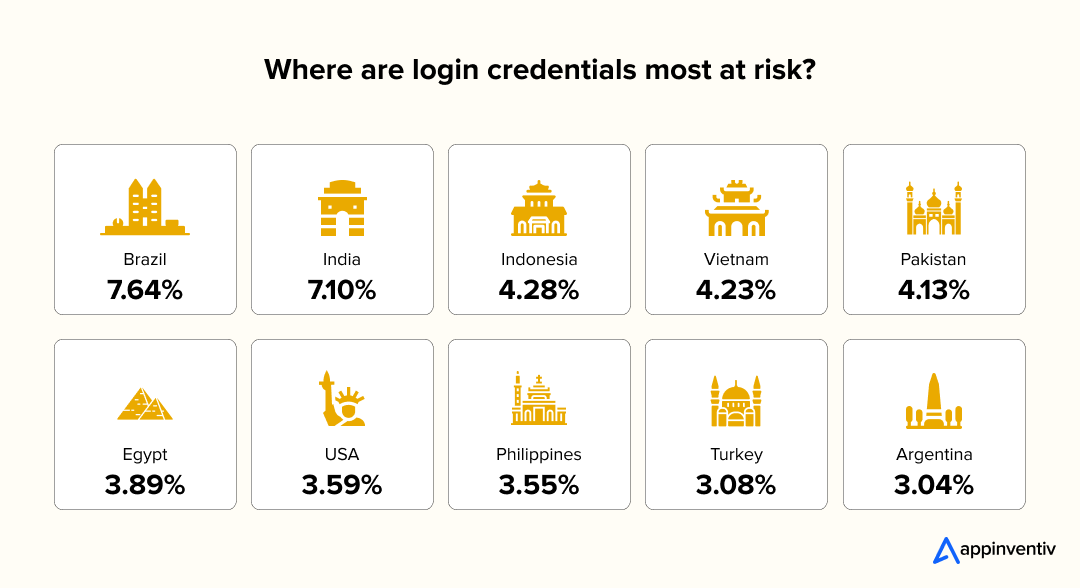
The volume of stolen credentials has increased faster than many companies expected. A 2025 analysis by Check Point found a 160% rise in leaked credentials compared to previous years. Source: Check Point Blog. For mobile apps that do not have MFA integration, this means a single leaked password can lead to account takeover, fraud, or unauthorized access.
Strong MFA integration for mobile apps acts like a safety net. Even if a password is compromised somewhere else, the attacker still cannot pass the second-factor without proof of identity, which is why many organizations implement multifactor authentication early in development.
Many teams look for mobile app security services after they face a security incident. A better approach is to plan authentication and identity management from the start. Working with an MFA implementation company gives access to secure login mobile app development expertise and a clear plan for adding second-factor checks that match your audience and industry.

Understanding MFA in Mobile Applications
Multifactor authentication confirms identity by combining two or more checks before granting access. The first check usually verifies something the user knows. The second check verifies something the user has or something they are. This structure makes it harder for attackers to break in, even if a single factor is compromised, and it gives more control over how users interact with protected data inside a mobile app.
Primary factors are typically passwords, PINs, or pattern locks. Secondary factors tend to be stronger. These include one-time codes, biometric scans, and push approvals sent to a trusted device. These are common types of multifactor authentication that protect access when a password is compromised.
When both layers work together, MFA integration for mobile apps reduces the impact of leaked credentials and provides more certainty that the person logging in is the right one.
Different industries use MFA in distinct ways:
- Fintech apps confirm transfers with a password followed by a biometric check.
- Healthcare platforms protect patient records by requiring a login and a time-based code.
- Logistics systems verify driver identities using a password and a push-based approval.
In a standard mobile architecture, MFA sits between the client app and the authentication system. The mobile app collects the first factor and sends it to an auth server or identity provider. If that step succeeds, a second-factor request is triggered and verified before issuing access tokens.
A skilled MFA implementation company can help teams design these flows, secure backend communication, and support secure login mobile app development across devices.
Method One: SMS and Email One-Time Passwords
SMS and email based one-time passwords are still a popular way to add an extra verification step in mobile apps, and remain one of the most widely used multifactor authentication methods.
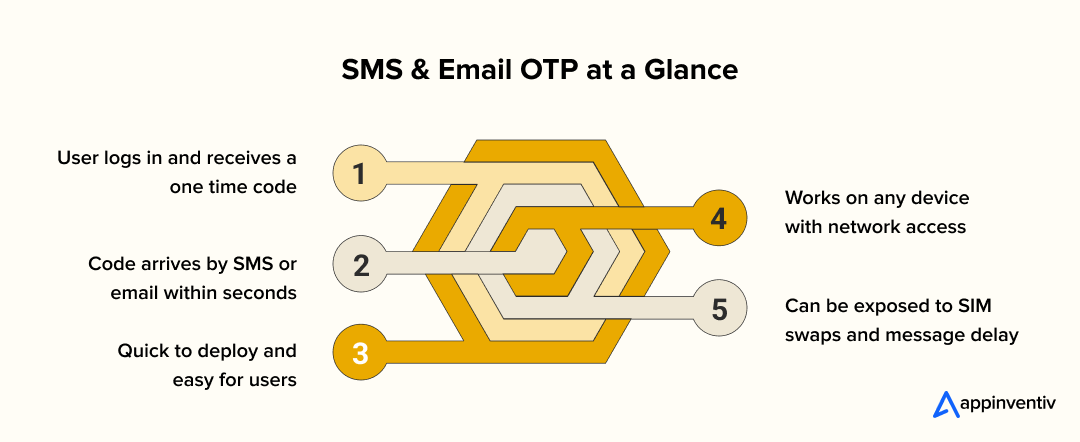
After a user enters the correct login details, the system generates a short code and sends it through a messaging service. The user enters that code to complete the login. This is often the simplest starting point for multifactor authentication app development and works well for a wide user base.
How it works
- User enters a password or primary factor
- Backend creates a temporary one-time code
- Code is delivered by SMS or email
- App verifies the code before granting access
This approach gives teams a quick way to introduce secondary checks without major redesign efforts.
Implementation notes
It is important to treat these codes as time-bound and random. Short validity periods, usually two to five minutes, limit exposure. Good MFA integration for mobile apps also includes rate limiting to prevent brute force attempts and secure delivery systems to reduce message delays.
Many mobile app security services warn against “notification fatigue” where users approve too quickly without reading. Teams that implement multifactor authentication with context aware push flows reduce false approvals and improve security.
Pros and cons
SMS one-time codes are familiar to users and require very little onboarding. They work across different devices and do not need an additional app. The tradeoff is security. SMS can be exposed to SIM swapping and message interception. Email has similar issues if accounts are not protected. For that reason, many companies use SMS or email OTP as a starting layer rather than a long-term primary method.
Teams working with an MFA implementation company can design fallback options, monitor suspicious retries, and plan future upgrades to more secure login mobile app development methods while keeping users comfortable with the process.
Method Two: Time-Based One-Time Passwords
Time-based codes generated by authenticator apps give mobile products a stronger second-factor without relying on SMS networks. A user links their account to an authentication app during setup. After that point, the app creates short numeric codes that refresh every 30 seconds. This method keeps the second factor in the user’s possession and makes it harder for attackers to intercept or reuse codes.
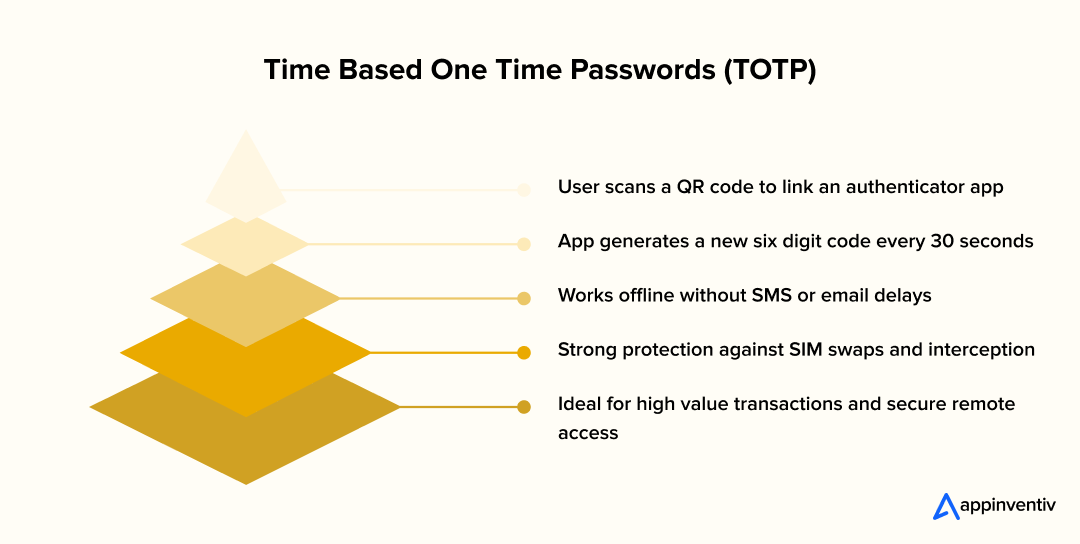
How it works
- Backend creates a shared secret for the user
- Secret is displayed as a QR code during MFA setup
- User scans the QR code with an authenticator app
- App generates a new six digit code every 30 seconds
- User enters the code after primary login to verify identity
- Backend checks the code against expected values before granting access
Why it matters
Time-based codes continue working even if the phone has no signal or data connection, making them one of the most reliable multifactor authentication methods for offline environments.
MFA integration for mobile apps built on time-based codes avoids common issues like delivery delays, SIM swap attempts, and message interception. It also gives enterprise teams more control over identity management without recurring messaging costs.
Industry examples
- Fintech platforms use time-based codes for high value transactions
- Healthcare systems protect clinical records with offline MFA support
- Corporate networks control remote access using rotating authentication codes
Working with an MFA implementation company helps teams manage secure storage of shared secrets, time synchronization, and recovery options if users change devices. These considerations support secure login mobile app development without adding unnecessary friction.
Also Read: Cloud Application Security: Protecting Your Data in the Cloud
Method Three: Push-Based Authentication
Push-based authentication gives users a quick way to approve or deny a login attempt from a trusted device. Instead of typing a code, the user receives a mobile notification asking them to confirm access. This model reduces friction and keeps the second-factor in a place users already recognize, which is helpful for high-traffic mobile products and time-sensitive interactions.
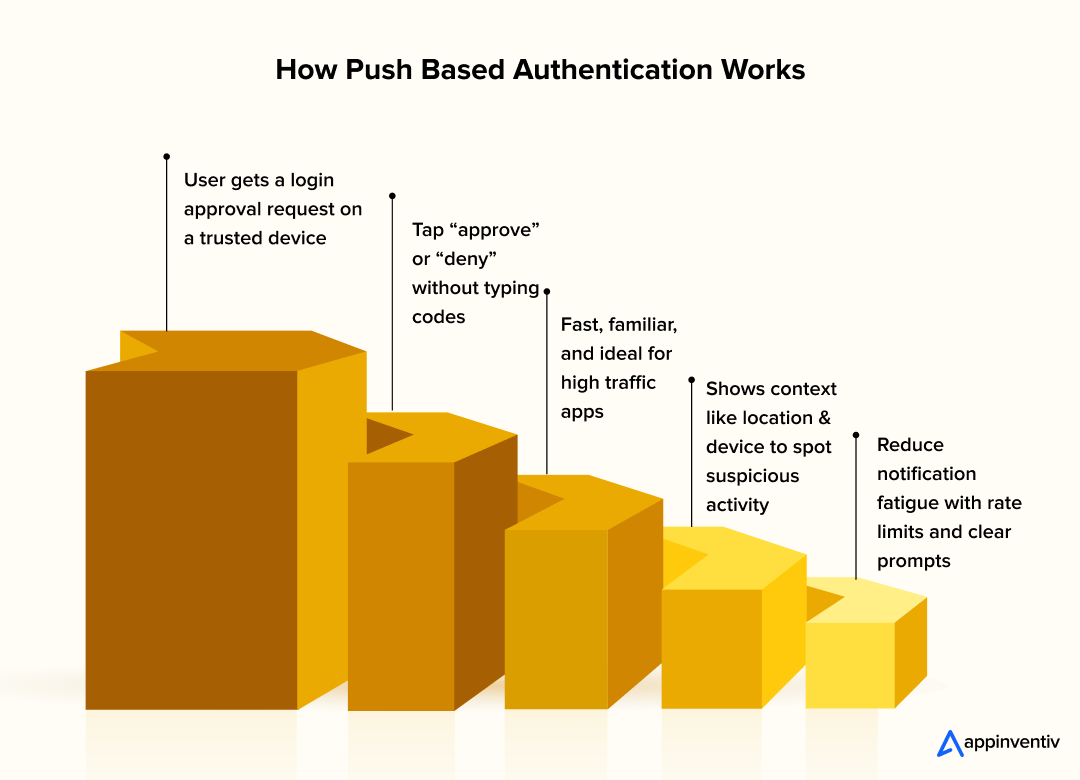
How it works
- User enters primary login details
- Auth server sends a push notification to a registered device
- Notification includes context such as time, location, and device
- User taps approve or deny inside the app
- Backend verifies the response and completes the login
This flow makes second-factor checks faster and more natural.
Why it matters
Users do not have to switch between apps, search for codes, or wait for message delivery. Push-based MFA integration for mobile apps feels smooth because the approval happens where the user already is, making it one of the most user friendly mobile app security features.
It also allows the system to display useful context, helping users spot unusual requests. If a login attempt shows a strange location, the user can block access immediately.
Also Read: Top Mobile App Security Risks and Solutions
Use cases in mobile environments
- Fintech apps approve payments through a push prompt
- Delivery and logistics teams confirm access when signing in from new devices
- Identity management systems provide login context to reduce account takeover risk
Many mobile app security services warn against “notification fatigue” where users approve too quickly without reading. Working with an experienced MFA implementation company helps teams add rate controls, session tracking, and fallback options.
That planning supports secure login mobile app development while keeping alerts meaningful.
Method Four: Biometric and Secure Key Authentication
Biometric security checks and secure key based identity options provide strong multifactor authentication methods for mobile apps.
Instead of entering a code or waiting for a message, users confirm identity through fingerprint scans, face recognition, or device based keys. This approach supports both convenience and protection, which is why many mobile app security services recommend it for high risk environments.
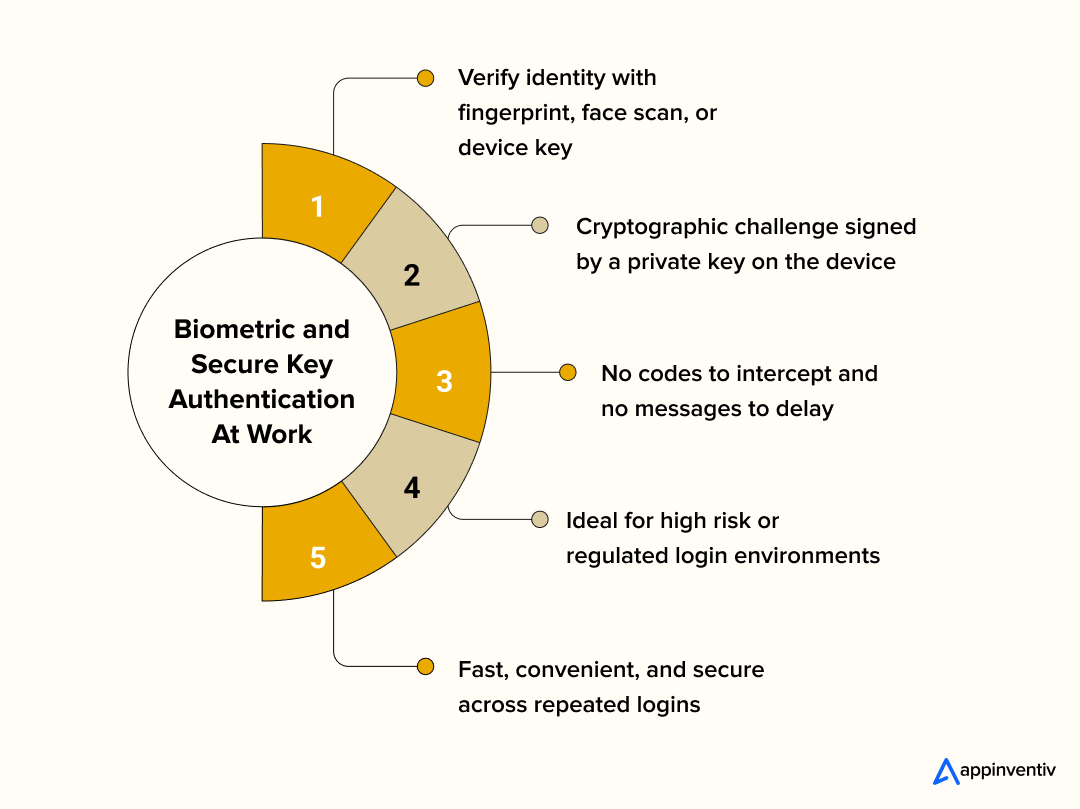
How it works
- User enters primary login credentials
- App requests a biometric check such as fingerprint or face scan
- Device passes biometric verification using a secure hardware element
- For secure key flows, backend sends a cryptographic challenge
- Mobile device signs the challenge with a private key stored locally
- Backend verifies the signature with a matching public key before granting access
Why it matters
Biometric and key based methods remove common weaknesses found in code based authentication. There is no message to intercept and no number to guess. MFA integration for mobile apps that rely on device level checks make it harder for attackers to gain access even if they know the primary password. These methods also save users time during repeated logins.
Real examples in mobile industries
- Biometric apps in banking confirm identity with fingerprint scans before finalizing transfers
- Healthcare platforms restrict access to medical charts using facial recognition
- Identity verification systems sign digital requests with secure device keys
Working with an MFA implementation company helps teams choose the right biometric APIs, hardware security modules, and fallback patterns. This supports secure login mobile app development and gives users a smooth experience on different devices.

Building a Robust MFA Foundation for Mobile Apps
A successful MFA system is not one feature. It is a complete identity foundation that supports secure login, predictable user experience, and long-term scaling. Development teams that treat MFA as a core architectural decision, rather than a patch, gain better performance, easier audits, and fewer failures in production.
Below mentioned are the key architecture that you can use to build a strong MFA foundation in your mobile application:
Integrating MFA with OAuth 2.0 and OpenID Connect
OAuth 2.0 handles delegation and authorization while OpenID Connect handles the authentication lifecycle using ID tokens. MFA lives inside this layer. Instead of embedding second-factor checks in the app, the identity provider performs all MFA logic before issuing tokens. This approach protects sensitive logic from reverse engineering or device tampering.
When teams configure these flows the right way, MFA becomes predictable. The identity provider returns a clear state for “MFA required,” “MFA complete,” and “MFA failed,” which the mobile app can handle safely.
Technical pointers:
- Add an amr (Authentication Method Reference) claim in the ID token to show whether MFA was completed
- Use Proof Key for Code Exchange (PKCE) to secure mobile OAuth flows
- Store client secrets only on the server side, never in the mobile codebase
- Use distinct redirect URIs for primary and secondary factor callbacks
This method keeps identity logic consistent across platforms and reduces the risk of insecure MFA bypass methods hidden in client code.
Applying Risk Adaptive Authentication
Risk adaptive authentication improves user experience by evaluating context before triggering second-factor checks. Instead of challenging every login event, the system decides based on factors like device reputation, location, velocity of requests, and behavioral patterns.
The benefit is balance. Users get smooth sessions while the system remains aggressive when something looks out of place.
Practical risk indicators:
- New device logins
- Location jumps that break usual patterns
- Access outside typical session hours
- IP addresses associated with proxies or known attack lists
- Sudden changes in user agent or device fingerprint
Implementation detail:
Risk systems usually check context before token issuance. If risk is high, identity providers issue “MFA required” and block token generation until users complete the second factor. Engineering teams often start with a small ruleset and expand based on logged behavior.
Designing Token Lifecycles and Session Expiration
After MFA succeeds, identity flows must preserve trust without forcing users to repeat steps too often. This is where token design matters. A short-lived access token limits exposure in case the device or session is compromised. A refresh token keeps users signed in and reduces MFA fatigue.
A secure token lifecycle requires planning at both application and infrastructure levels. Developers should define expiration, renewal, revocation, and session history tracking.
Best practices for token management:
- Access tokens expire within 15 to 60 minutes
- Refresh tokens rotate automatically after use
- Maintain a revocation list for lost devices or compromised credentials
- Store tokens in Keychain (iOS) and Keystore (Android)
Why this matters:
A system with good MFA but weak token expiration is not secure. Attackers can exploit long lived tokens even after users complete proper second-factor checks. Good session hygiene closes this gap.
Logging, Alerting, and Attack Monitoring
MFA produces strong telemetry signals that security teams should treat as first class data. Tracking who attempted MFA, how often they failed, and from what environment helps detect attackers early. Logging should happen at the identity provider layer rather than only on client devices.
One common mistake is storing MFA logs without meaningful context. Attack data needs timestamps, IP information, device fingerprints, and action types to be useful.
Things to log:
- Login attempts with MFA status (success, failure, timeout, canceled)
- Device identifiers and OS versions
- IP location and ASN of request
- MFA provider used (SMS, TOTP, biometric, etc.)
- Behavior anomalies (velocity, repeat attempts, brute force signatures)
Engineering advice:
Monitor spikes and trends rather than single events. A sudden increase in OTP failures or repeated push denials often points to automated credential stuffing or social engineering attempts.
Understanding Compliance Constraints Across Regions
Compliance is not only legal paperwork. It shapes MFA design choices. Different regions have different authentication expectations, logging durations, proof requirements, and fallback procedures. Teams need to build MFA with compliance in mind from the start to avoid retrofit work later.
Key regional examples:
- EU (PSD2): Requires strong customer authentication for fintech transactions and proof of two-factor logs
- US (HIPAA): Healthcare access must be tied to verified identities with monitored access trails
- Australia (APRA): Financial providers must show evidence of secure authentication controls
- Middle East (PDPL): Personal identity access must include strong MFA and storage knowledge of audited access attempts
Architecture guidance:
- Store MFA audit records long enough to satisfy region standards
- Use encrypted log archives for regulated industries
- Document fallback flows clearly in compliance reports
Planning this in advance prevents costly rewrites, legal delays, or failed security audits.
Also Read: How to Develop a PCI-Compliant Mobile App?
Best Practices for Choosing the Right MFA Mix
Adding multifactor checks is not just a security choice. It is also a product and engineering decision that affects onboarding, session handling, performance, and support. From a development perspective, the best MFA integrations are simple on the surface and precise in the backend. The goal is to protect accounts without creating friction that slows users or increases abandonment rates during login.
One useful approach is to separate actions into risk levels. Low risk actions, such as checking a balance or viewing general information, can rely on a single second-factor like a biometric scan. High value actions, such as sending a payment, changing a password, or granting access to confidential data, should use an extra layer of security (MFA).
There are several best practices for multifactor authentication to consider because adding multifactor checks is not just a security choice. Below mentioned are a few best practices to follow when starting with your multifactor authentication app development.
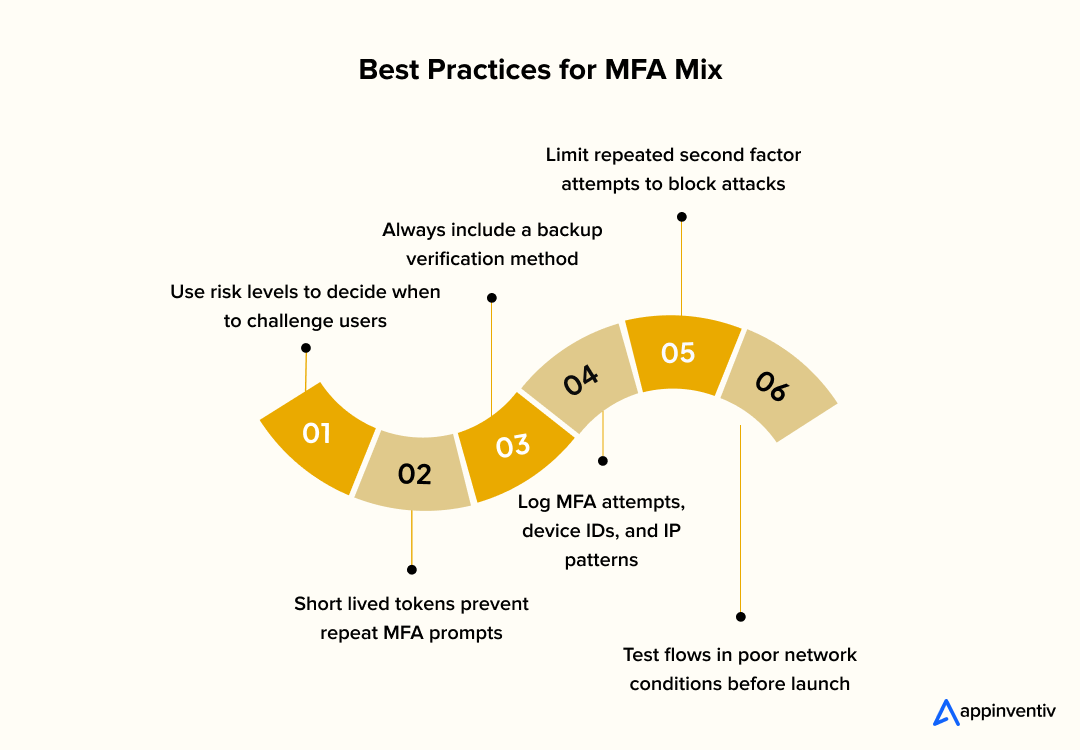
Key development considerations
- Token management: Assign short-lived access tokens and refresh tokens so that MFA prompts do not appear on every action.
- Fallback paths: Include a backup method for users who lose biometric access or switch to a new device so they do not get locked out.
- Audit trails: Record MFA attempts, failures, device IDs, and IP locations to help detect patterns and prevent repeated attacks.
- Rate limiting: Stop repeated secondary factor attempts from the same IP or device to reduce automated attacks.
- Session UX: Avoid prompting MFA during low value actions by tracking session confidence and recent successful checks.
Integration flow from a developer standpoint
Development teams often place MFA logic in the digital identity and access management layer, not inside the mobile app. The mobile client triggers the primary check, and the identity provider manages second-factor challenges. Working with an MFA implementation company helps connect identity providers, authorization servers, and mobile clients through consistent patterns.
This supports secure login mobile app development without storing sensitive secrets on the device.
Teams should test MFA flows on real devices and varied network conditions. Poor signal, slow email services, or delayed push notifications can disrupt user experience. Many mobile app security services recommend simulation testing and controlled retries to keep real-world MFA interactions smooth.
Also Read: The Mobile App Security Best Practices To Ensure a Hack-Proof App
Common Challenges in MFA Deployment and How to Address Them
Even a well planned MFA integration comes with issues that engineering and product teams need to handle early. The key is to look at both the obstacle and the practical way to overcome it without hurting user experience or security posture. Below are real challenges in implementing MFA in mobile apps and how development teams can work through them.
User friction and drop off during onboarding
One of the biggest hurdles is convincing users to adopt additional verification steps. MFA can feel like extra work, especially if onboarding involves scanning QR codes, downloading apps, or waiting for SMS messages. When friction shows up too early, users abandon signing up and never return.
How to handle it:
- Keep the first MFA method simple and familiar, such as SMS or email
- Delay complex enrollments like TOTP until users complete a first session
- Use in-app guidance with short steps rather than long instructions
- Offer multiple verification choices, not a single mandatory method
This approach keeps users engaged while gradually introducing stronger checks over time.
Managing lost or changed devices
Users change phones often. If MFA binds identity to a single device without backups, lockouts happen. That means support tickets, frustrated customers, and sometimes complete account loss if recovery is not possible.
How to handle it:
- Provide backup codes during first enrollment
- Allow secondary verification methods such as email or trusted device prompts
- Add a clear device migration flow built into profile or settings screens
- Track device history so unusual changes can be reviewed
This keeps access secure while reducing stress around switching hardware.
Dealing with unreliable networks or delayed codes
SMS and email OTPs work, but they depend on carriers and network conditions. In regions with spotty connectivity, users wait too long or never receive codes. This creates confusion and repeated login attempts that overload backend systems.
How to handle it:
- Allow code resend with a controlled delay to limit brute force attempts
- Provide offline authentication through time-based codes
- Add in-app auto reading of OTP fields where supported
- Track deliverability rates by region and adjust MFA choices
Teams avoid frustration and make second-factor checks consistent across different environments.
Balancing security with performance
Strong MFA systems often involve cryptography, external identity services, and rate limiting. Done carelessly, these checks slow login times or create timeout errors on older devices.
How to handle it:
- Preload identity provider endpoints before login screens
- Use short-lived sessions with intelligent re-authentication
- Cache device trust signals locally without storing sensitive data
- Monitor latency on real devices during testing cycles
This keeps authentication responsive without weakening protections.
Preventing MFA fatigue and approval spam
Push-based methods are fast, but if attackers generate repeated requests, users may approve by accident. This is known as MFA fatigue. Without safeguards, a legitimate user may unknowingly allow unauthorized access.
How to handle it:
- Add rate limits on push requests for each account
- Display meaningful context such as location and device info
- Require a second confirmation for unusual approval attempts
- Implement number matching or code matching inside the app
These small steps make approval decisions more intentional and safer.
Handling compliance expectations
Industries such as finance and healthcare expect proof of authentication standards. MFA that works technically may still fail during audits if record keeping and fallback logic are unclear.
How to handle it:
- Capture MFA status in ID token claims or audit tables
- Store login event logs long enough to meet regulatory timelines
- Publish clear documentation on how MFA behaviors are triggered and tracked
- Run periodic test audits to verify traceability
Teams avoid regulatory surprises by treating MFA as part of access governance, not just login screens.
Working with an experienced MFA implementation company makes tasks like recovery flows, device trust, and behavior based checks easier. MFA integration for mobile apps should not stay static. Review logs, improve risk checks, and adjust verification options as usage grows. Secure login mobile app development that evolves with user behavior builds long lasting protection.

How Appinventiv Implements MFA in Mobile Apps
Appinventiv takes a structured approach when teams need to implement multifactor authentication in mobile products. We design authentication paths that match how users access data, perform actions, and recover accounts. Our developers support MFA integration for Android and iOS apps using native biometric SDKs so identity checks run through secure hardware and enable fast everyday logins.
We integrate MFA with identity providers through OAuth 2.0 and OpenID Connect flows. Tokens are issued only after second-factor checks are complete. Centralizing identity helps with session control, token revocation, and audit tracking. Our mobile app development services include cloud partner layers that support push approvals, TOTP, and device key verification.
A strong example is DiabeticU, a diabetes management platform. This project needed secure access for sensitive health data. We added biometric authentication for routine logins and context based checks for high value actions. These changes improved security without placing extra burdens on patients using the app daily. Projects like this show how proper MFA design protects data while keeping the user experience simple and clear.
Every app handles identity differently. Book a short discovery call with our experts to explore secure, scalable MFA approaches aligned with your industry and tech stack.
FAQs
Q. How to implement MFA in mobile apps?
A. To implement multifactor authentication in a mobile app, choose a primary factor like a password or PIN and add a second factor such as OTP, push approval, or biometric verification. Place MFA logic at the identity provider layer so tokens are issued only after both checks pass. Use OAuth 2.0 and OpenID Connect to manage token flow, and test the MFA process on real devices and different network conditions to keep login reliable.
Q. What are the most common types of multifactor authentication for mobile apps?
A. Common types of multifactor authentication include SMS codes, timebased one-time passwords from authenticator apps, push notifications sent to trusted devices, and biometric checks like fingerprint or face scan. Each option has its own balance of convenience, cost, and protection against account takeover.
Q. What is the difference between two-factor vs multifactor authentication?
A. Two-factor authentication uses exactly two verification checks, such as a password and a one-time code. Multifactor authentication uses two or more checks and can include context based rules like device recognition or location analysis. Many security teams choose MFA because it protects sensitive actions and adapts to different risk levels.
Q. What are the common challenges in implementing MFA in mobile apps?
A. Typical issues include user onboarding friction, delayed OTP delivery, and account lockouts when users change devices. Logging, device backup codes, and offline authentication options can reduce these challenges. Testing across different network conditions makes MFA behavior smoother in real-world use.
Q. What are best practices for multifactor authentication in enterprise applications?
A. Use short-lived access tokens, secure storage through Android Keystore and iOS Keychain, and centralized identity systems to manage MFA rules. Add risk checks for unusual behavior and keep audit trails for regulatory needs. Planning fallback methods early makes MFA dependable and keeps support requests low.

- In just 2 mins you will get a response
- Your idea is 100% protected by our Non Disclosure Agreement.









