


































How to Set Up Payment Gateway Integration for Your App: A Simplified Roadmap

 Share -



- 01Steps to Set Up Payment Gateway Integration
- 02Key Methods of Payment Gateway Setup
- 03Payment Gateway Setup Architecture
- 04Payment Gateway Integration Cost
- 05Key Considerations for Setting Up an Online Payment Gateway
- 06Top Use Cases of Payment Gateway Integration with Real-Life Examples
- 07Must-Adhere Compliance Regulations for Online Payment Gateway Setup
- 08Best Payment Gateway Providers
- 09Challenges in Payment Gateway Integration and Solutions
- 10What’s Next in Online Payment Gateway Setup
- 11Initiate Your Payment System Integration Journey with Appinventiv
- 12FAQs

Key takeaways:
- Define your payment flow and requirements before development.
- Choose the right gateway and set up your merchant account with APIs and webhooks.
- Build a secure backend to handle transactions and validations.
- Integrate SDKs or APIs on the frontend for a smooth checkout experience.
- Implement security measures like tokenization and authentication.
- Test in a sandbox, go live, and continuously monitor and optimize.
You’re about to finish a purchase on your phone. Everything looks fine until the last step. The payment takes too long, or your preferred option isn’t there. Most people don’t wait around at that point. They close the app and move on. That small moment is when many businesses quietly lose revenue, and in most cases, it comes down to how their payment gateway integration is set up.
In simple terms, payment gateway setup connects your app or website to the systems that actually process payments. It handles the handoff between your user, their bank, and the payment network. When it’s done right, the process feels smooth and almost invisible. When it isn’t, even a small delay or error can break trust.
This isn’t a minor issue anymore. Digital payments are expanding rapidly, with the global payments market expected to grow at about 5% annually by 2028, according to McKinsey. That growth brings more opportunity, but also more pressure to get the experience right.
Whether you’re building something new or fixing drop-offs at checkout, a strong online payment gateway setup directly shapes how users convert and come back. In this blog, you’ll learn how to set up online payment gateway integration step by step, choose the right approach, understand costs, and avoid common mistakes that impact conversions.
Small checkout issues can cost you real revenue. Work with experts to get it right.

Steps to Set Up Payment Gateway Integration
When you start implementing payment gateway integration in a real product, it’s rarely just a plug-and-play task. It involves aligning your business model, backend systems, and user experience to ensure payments flow smoothly from initiation to settlement. If you’re exploring how to create a payment gateway, this process becomes even more critical, as a well-structured setup not only reduces failures but also improves trust and conversions over time.
Before diving into development, understanding the requirements for payment gateway setup helps avoid rework later and keeps your system aligned with business needs.
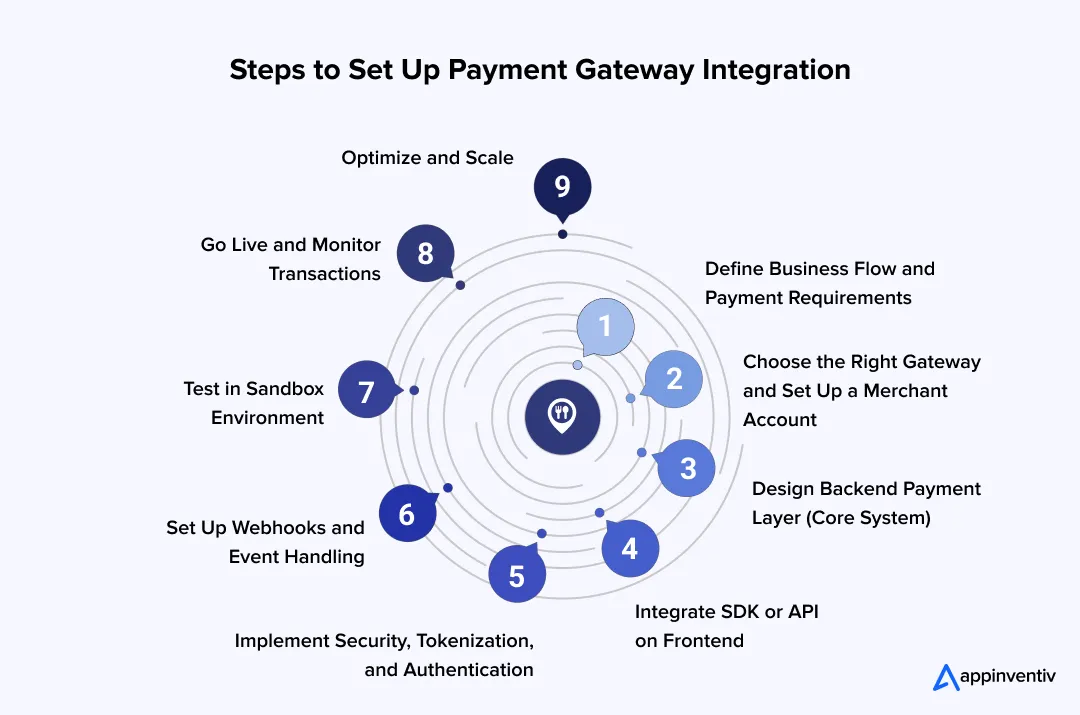
1. Define Business Flow and Payment Requirements
Before touching any code, map how money will move through your system. A marketplace, for example, needs split payments and delayed settlements, while a SaaS product relies on recurring billing and retries.
At this stage, decide:
- Payment methods (cards, wallets, BNPL)
- One-time vs subscription flows
- Multi-currency and regional support
These early decisions shape your entire integration process, especially how you structure APIs and handle edge cases later. At this stage, you’re essentially defining the core requirements for payment gateway setup, which will influence every technical and UX decision moving forward.
2. Choose the Right Gateway and Setup Merchant Account
Once your flow is clear, select a provider that aligns with your scale and geography. This is where payment gateway integration services often step in to avoid costly mismatches.
Technically, you’ll:
- Create a merchant account
- Get API keys (public + secret)
- Configure webhook endpoints
If you’re planning a payment gateway setup for a mobile application, check the SDK’s maturity and documentation quality upfront. It saves weeks later.
3. Design Backend Payment Layer (Core System)
This is the backbone of your payment system integration.
Your backend should:
- Generate secure payment requests
- Handle API calls to the gateway
- Store transaction states (pending, success, failed)
- Validate responses server-side
Avoid handling raw card data directly. Use the gateway-provided tokenization to stay compliant with PCI DSS requirements.
4. Integrate SDK or API on Frontend
Now comes the visible part of mobile app payment integration. This is where teams experienced in fintech mobile app development services focus heavily, ensuring the payment experience feels native, fast, and consistent across devices.
For mobile:
- Use SDKs (Android: Gradle, iOS: Swift Package Manager)
- Render secure payment forms or native UI
For web:
- Use hosted checkout or embedded forms
If you go with payment gateway API integration, you get more control over UX, but you must handle validation, retries, and security carefully. This becomes even more critical in payment gateway integration in mobile applications, where users expect fast, uninterrupted flows without redirection or delays.
5. Implement Security, Tokenization, and Authentication
Security isn’t a layer you add later. It’s built into every step. Key implementations:
- HTTPS for all transactions
- Tokenization (replace card data with tokens)
- 3D Secure / MFA for authentication
- Server-side verification of every transaction
This is a core requirement for integrated payment gateway setups, especially in regulated markets.
6. Set Up Webhooks and Event Handling
Payments are asynchronous. You won’t always get instant confirmation. Webhooks allow your system to:
- Receive real-time updates (success, failure, refund)
- Sync order status automatically
- Trigger emails or notifications
Without this, your payment platform integration will feel unreliable.
7. Test in Sandbox Environment
Before going live, simulate everything. Test for:
- Successful transactions
- Failed payments
- Network interruptions
- Duplicate requests
For the payment gateway setup on the website and in apps, also test across devices and under slow network conditions. That’s where most real-world issues show up.
8. Go Live and Monitor Transactions
Once stable, switch to production keys. After deployment:
- Track success vs failure rates
- Monitor latency
- Watch for fraud signals
This is where mobile payment gateway integration performance directly impacts conversion rates.
9. Optimize and Scale
Integration isn’t a one-time task. It evolves with your business. Ongoing improvements:
- Add local payment methods
- Enable smart retries for failed payments
- Optimize checkout flow (fewer steps = higher conversion)
- Negotiate lower transaction fees at scale
Teams that treat integrating a payment gateway as an ongoing system, not a one-time setup, see the biggest gains. Once you’re done implementing integration, the focus shifts toward improving performance, reducing failures, and scaling efficiently.
Key Methods of Payment Gateway Setup
When teams start working on a payment gateway setup, this is usually where the confusion kicks in. The options sound similar, but the experience they create is very different. The right choice mostly depends on how much control you want and how much effort you’re willing to put into setup and compliance.
To simplify decision-making, it helps to look at common payment gateway integration types, each offering a different balance of control, effort, and compliance responsibility.
Here are the common ways businesses handle it:
- Hosted Payment Gateway: This is the simplest route. When users click pay, they’re taken to a secure page hosted by the provider, then returned afterward. It takes a lot of compliance work off your plate, but the extra step can interrupt the flow.
- Mobile SDK Integration: If your app is mobile-first, this is what most teams go with. The payment occurs within the app using the provider’s SDK, so users don’t feel they’re being redirected. It keeps things running smoothly while handling security in the background.
- API-Based (Direct) Integration: This gives you full control. The entire payment flow stays within your app or website, and you design the experience end-to-end. It looks clean and consistent, but you’re also responsible for ensuring proper security and compliance.
- Embedded (Iframe) Integration: This sits somewhere in between. The payment form appears in your app or on your site, but the sensitive data is still handled by the provider. It’s often used when teams want a seamless look without taking on full compliance overhead.
- Subscription & Recurring Payments: If you’re running a SaaS product or anything with monthly billing, this setup takes care of repeat charges automatically. It handles billing cycles, retries failed payments, and keeps things running without manual effort.
Most businesses don’t overcomplicate this at the start. They pick what gets them to a quick life, then move to a more controlled setup as the product grows. Most teams start with simpler payment gateway setup types and gradually move toward more flexible setups as their product and transaction volume grow.
Payment Gateway Setup Architecture
When you tap “Pay,” it looks like a simple action. Behind the scenes, though, a few systems are working together in milliseconds to make that payment go through. That’s what a solid payment gateway integration architecture is built for.
This applies to both payment gateway integration in website setups and in mobile apps, where backend coordination ensures that every transaction is processed reliably.
- Frontend (Where users interact): This is the checkout layer where users enter their details. Most teams use SDKs or hosted components so sensitive data never touches their servers. It keeps things secure and makes mobile payment integration smoother.
- Backend (Where logic runs): Once the payment is submitted, your backend takes over. Through payment gateway API integration, it sends requests to the gateway, handles responses, and manages errors, retries, and transaction status.
- Gateway & Processing Layer: The gateway securely routes the payment to banks and networks for approval. This is the core of any payment system integration, where authorization occurs.
- Security & Webhooks: Tokenization protects card data, while webhooks send real-time updates so your app knows if a payment succeeded or failed.
When these layers are set up right, everything feels instant to the user, even though a lot is happening underneath.
Payment Gateway Integration Cost
When this topic comes up in a planning call, it’s rarely just about the number. It usually starts with, “Do we go simple and launch fast, or build something that can handle scale from day one?” That decision shapes most of the cost.
In real terms, most projects fall between $40,000 and $400,000. A lean setup sits on the lower side. A more custom, scalable system with stronger security and multiple payment options moves toward the higher end.
The cost also varies depending on whether you’re focusing on ecommerce payment gateway integration or building a broader payment system that supports subscriptions, digital wallets, and global transactions.
If a pre-built integration doesn’t meet your compliance or ownership needs, it’s worth comparing that against custom payment gateway development cost before committing to a vendor.
Typical Cost Breakdown:
| Component | What It Covers | Estimated Cost |
|---|---|---|
| Planning & Architecture | Mapping requirements, choosing the gateway, and setting the foundation | $5,000 – $25,000 |
| Frontend Integration | Checkout UI, SDK setup, making the flow feel smooth on mobile and web | $10,000 – $50,000 |
| Backend Development | API connections, transaction handling, and core logic behind payments | $20,000 – $120,000 |
| Security & Compliance | PCI DSS setup, encryption, tokenization, fraud checks | $15,000 – $80,000 |
| Third-Party Integrations | Wallets, BNPL, multi-currency, banking connections | $10,000 – $60,000 |
| Testing & Deployment | Trial transactions, fixing edge cases, going live safely | $5,000 – $40,000 |
| Maintenance & Updates | Ongoing monitoring, updates, and keeping things secure | $5,000 – $25,000/year |
What Actually Impacts the Cost:
- Integration approach: Hosted setups are quicker to roll out, while custom API development takes more effort
- Payment methods: Cards are standard, but adding wallets or BNPL increases scope
- Markets you serve: Supporting multiple regions adds compliance and setup layers
- Security level: Stronger protection and audits push the cost higher
- Customization: A simple checkout is faster, but a tailored experience needs more development
- Transaction volume: A larger scale means better infrastructure and optimization
- Extra integrations: Each added service brings more testing and maintenance
Most teams don’t build the full system in one go. They start with what gets them live, then improve it as traffic grows and requirements become clearer. The goal isn’t just to accept payments, it’s to make sure the system holds up when usage picks up, and users expect it to just work.
Not every product needs a $400,000 setup. Get a clear cost breakdown tailored to your business model, scale, and growth plans.

Key Considerations for Setting Up an Online Payment Gateway
Before you plug in a payment system, it’s worth taking a minute to slow down. Many issues that show up later usually trace back to decisions made at this stage of payment system integration.
Before moving ahead with implementing payment gateway integration, it’s important to get a few foundational decisions right.
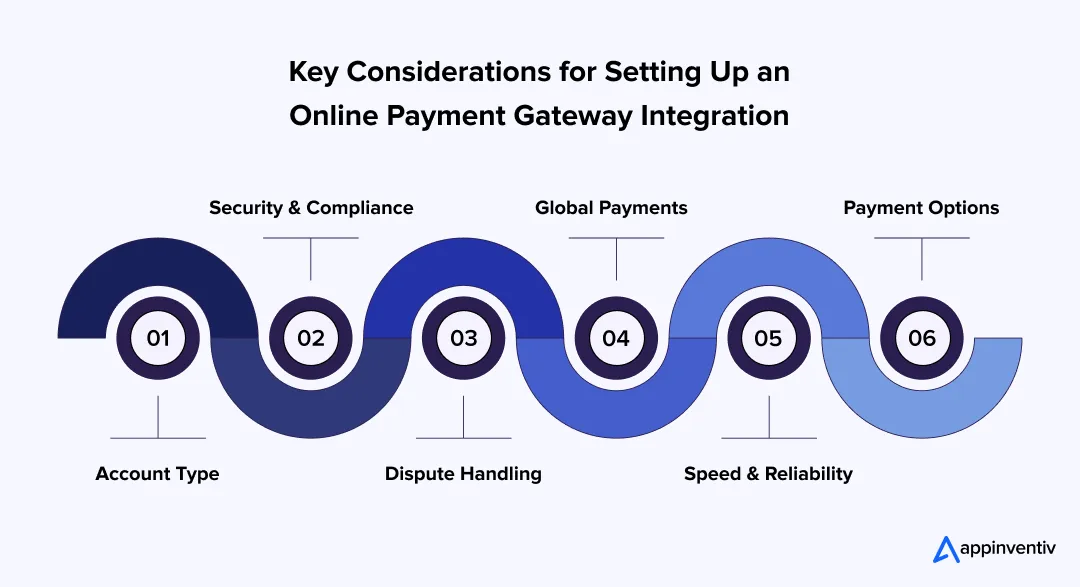
- Account Type: You can either go with a dedicated account or an aggregated one. Dedicated gives you more control but takes more effort. Aggregated is quicker to start with and works well in the early days.
- Security & Compliance: This isn’t something you figure out later. Even if you’re using a provider, you still need proper encryption, PCI DSS alignment, and basic fraud checks in place.
- Dispute Handling: Payments don’t always go through cleanly. Refunds, chargebacks, and failed transactions happen. Having a simple process to handle these keeps things from piling up.
- Global Payments: If your users are spread out, you’ll need more than just card support. Local payment options and currency handling can make a real difference in whether a payment goes through.
- Speed & Reliability: A slow checkout is usually where users drop off. If the payment takes too long or feels uncertain, they won’t wait.
- Payment Options: Cards are expected, but many users prefer wallets or region-specific methods. Offering those options often improves completion rates without much friction.
Getting these basics sorted early makes things a lot easier when traffic starts picking up, and payments become a daily volume, not just a feature.
Top Use Cases of Payment Gateway Integration with Real-Life Examples
If you look closely at most products today, payments show up in more places than just checkout. It could be a subscription renewal, a seller payout, or even a quick in-app purchase. That’s where payment systems actually come into play.
Here are some common ways it’s used in real products:
| Category | Where It’s Used | Real Example |
|---|---|---|
| Billing Software | Sending invoices and getting paid without chasing clients | FreshBooks lets users pay invoices directly through Stripe or PayPal |
| eCommerce Platforms Integration | Letting users choose how they want to pay at checkout | Shopify supports options like Stripe, PayPal, and Klarna |
| SaaS Products | Charging users monthly or yearly without manual effort | Netflix handles recurring billing through Adyen and Stripe |
| Accounting Tools | Matching payments with reports automatically | QuickBooks connects payments with tools like Stripe and Square |
| Mobile Banking Apps | Handling transfers and payments inside the app | Revolut processes payments instantly through its system |
| Telemedicine Platforms | Taking payments for doctor consultations online | Teladoc allows users to pay while booking or after sessions |
| Marketplaces | Splitting payments between sellers and managing payouts | Etsy routes payments to different sellers using Adyen and Payoneer |
In most cases, it’s not just about accepting money. It’s about ensuring the flow feels smooth for the user and doesn’t add extra work on the backend.
Must-Adhere Compliance Regulations for Online Payment Gateway Setup
When you start setting up an online payment gateway system, compliance often comes up sooner than expected. Not during planning, but when the gateway asks for documents or blocks a transaction. That’s usually the point at which teams realize how much this actually matters.
Here’s what you need to keep in place:
- PCI DSS: This is the basic requirement for handling card payments. It makes sure card details aren’t stored or exposed in unsafe ways.
- EMV: Mostly for in-store payments, but it helps reduce fraud by using chip-based cards instead of older swipe methods.
- GDPR: If your users are in Europe, you need to be clear about how you collect and use their data, and give them control over it.
- AML & KYC: These checks help verify users and detect suspicious activity early.
- SOC 2: Focuses on how securely your system manages data over time.
- PSD2 & SCA: Add an extra verification step to online payments in the EU to help prevent misuse.
- 3D Secure: This is the extra OTP or authentication step you see during some payments.
- Tokenization: Asset tokenization enhances security by replacing sensitive payment data with encrypted tokens. Card details are replaced with secure tokens, so even if data is intercepted, it can’t be used.
- Data logs & audits: Keeping transaction records helps track issues and stay compliant.
Best Payment Gateway Providers
When you start comparing options, it quickly becomes clear there’s no single “best” provider. It usually depends on where your users are, how you plan to scale, and how much control you want over the payment flow. Some teams go with flexibility, others with simplicity.
Here’s a quick side-by-side view to help you narrow things down:
| Provider | Best For | Regions | What Stands Out |
|---|---|---|---|
| Stripe | Startups, SaaS, custom builds | Global | Clean APIs, easy to customize, strong developer support |
| PayPal | Quick setup, broad user trust | Global | Widely recognized, fast onboarding, supports multiple payment options |
| Adyen | Large businesses, enterprise scale | Global | Handles high volumes well, strong analytics and fraud tools |
| Razorpay | Businesses targeting India | India + some global | Local payment methods, easy integrations, and good for startups |
| Checkout.com | Scaling fintech and eCommerce | Global | Flexible payment solutions, strong performance across regions |
Most teams don’t get this perfect on day one. A common approach is to start with a provider that’s easy to integrate, then switch or expand as payment volume and requirements grow.
Appinevntiv Insight:
From what we’ve seen at Appinventiv, the real difference comes from how the payment gateway integration is set up, not just the provider you choose. Small improvements in checkout and failure handling have driven 15–25% higher payment success rates in real projects.
As products scale, many teams also adopt multi-gateway setups to improve reliability and reduce costs.
Challenges in Payment Gateway Integration and Solutions
Things usually look fine on paper. The issues show up once real users start paying. A card gets declined without context, a payment takes too long to process, or someone gets charged twice. That’s when most teams start to notice gaps in their payment gateway setup. Even after implementing the transaction process, real-world usage often reveals gaps that weren’t visible during testing.
Here are the common ones and how teams usually deal with them:
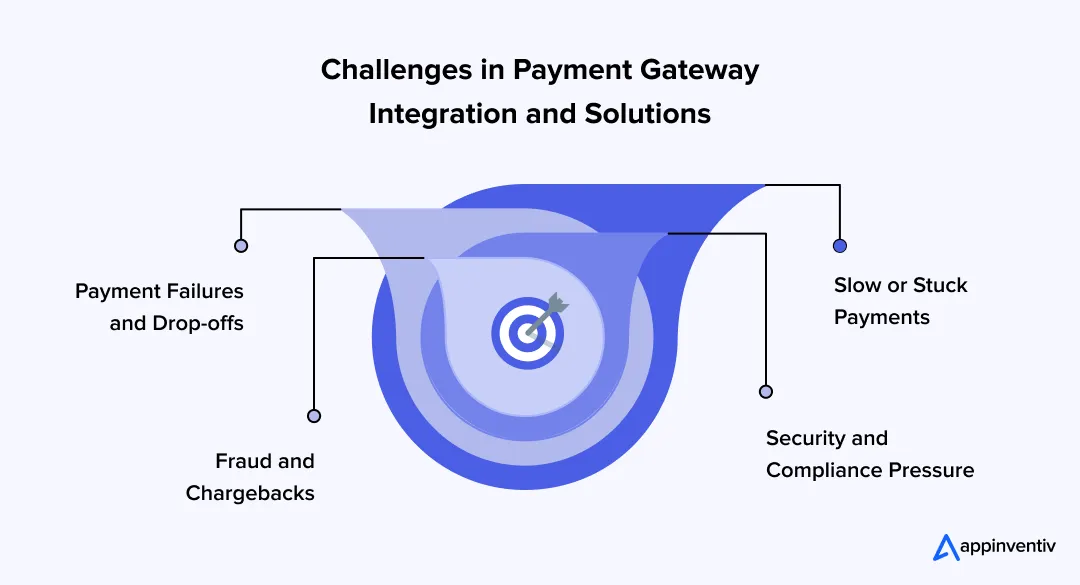
1. Payment Failures and Drop-offs
It’s not always a big technical issue. Sometimes it’s just a vague error message or a failed retry that pushes users away.
What helps: Clear error messages, a fallback payment option, and retry logic for temporary failures. Even a small fix here can recover lost transactions.
2. Fraud and Chargebacks
This tends to show up once volume increases. A few suspicious transactions can quickly turn into disputes.
What helps: Basic fraud checks, server-side validation, and adding an extra authentication step for high-value payments. It’s less about blocking everything and more about catching the obvious risks early.
3. Security and Compliance Pressure
At some point, you’ll have to deal with PCI DSS or data protection requirements. It’s not avoidable.
What helps: Relying on a compliant provider, using tokenization, and keeping sensitive data out of your system as much as possible.
4. Slow or Stuck Payments
A delay of a few seconds can make users think the payment failed. That’s when duplicate attempts or drop-offs happen.
What helps: Using a reliable gateway, handling payments asynchronously, and sending real-time updates so users know what’s happening.
Most of these issues don’t show up during testing. They show up when real users start interacting with your system. Fixing them early makes a noticeable difference in how your checkout performs.
If payment failures, delays, or drop-offs are showing up, it’s time to address them before they scale.

What’s Next in Online Payment Gateway Setup
If you think about how people pay today, it already feels different from how it was a few years ago. Fewer steps, less waiting, and in many cases, you barely notice the payment happening. That shift is only going to continue.
- Tap-to-pay (NFC): You’ve probably used this already. Just hold your phone near a terminal, and it’s done. No cards, no typing. It’s becoming second nature, especially in everyday purchases.
- Crypto payments: Some apps are testing this out. It’s not everywhere yet, but it’s slowly finding its place, especially in products for global users.
- Biometric authentication: Instead of entering passwords or OTPs each time, people use fingerprints or face scans. It’s quicker and feels more natural, especially on mobile.
- Super apps: In some regions, one app handles everything. Payments, transfers, shopping, even bookings. Users don’t want to jump between apps anymore, and this model is spreading.
- QR payments: Scan and pay, that’s it. No hardware, no setup. It’s simple, and that’s exactly why it works so well in mobile-first markets.
The direction is pretty straightforward. Payments are becoming something users don’t have to think about. If it feels slow or complicated, they just won’t stick around.
Also Read: UPI Payment App Development Cost – A Complete Guide
Initiate Your Payment System Integration Journey with Appinventiv
Once payments become central to your product, a basic setup rarely holds up for long. You need something that feels smooth for users and stays reliable as you grow. That’s where a well-planned payment system integration becomes important.
At Appinventiv, we work as a payment gateway development company focused on building systems that scale without adding friction. Whether it’s payment platform integration or a full fintech build, the goal stays simple: keep the experience easy for users while handling the complexity behind the scenes.
Here’s a quick look at how that plays out:
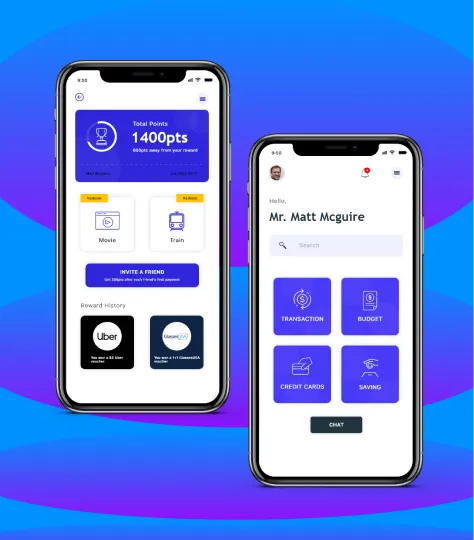


- Launched in 12+ countries within 6 months
- Higher and more consistent user engagement

- 40% higher retention
- 30% increase in financial confidence
- 90%+ users rated it 4.5+
The idea is straightforward. Build a payment gateway integration that not only works today but keeps up as your product grows. Let’s build a smarter, safer, and more connected future for digital payments. Connect with our experts today!
FAQs
Q. What is payment gateway integration?
A. Think of it as the layer that makes payments possible inside your app or website. When someone taps “Pay,” this system connects your platform with banks and payment networks so the money moves securely.
From the user’s side, it feels like a simple checkout step. In the background, it handles verification, encryption, and confirmation within seconds, so the payment goes through without issues.
Q. How to integrate a payment gateway?
A. Most teams begin by picking a provider like Stripe or PayPal. After that, you set up a merchant account, get your API keys, and connect the gateway to your app using an SDK or API.
Once the flow is in place, you properly test it. That usually means trying successful payments, failed ones, and refunds in a test environment before switching everything to live.
Q. How much does it cost to integrate a payment gateway?
A. It really depends on how far you want to take it. A simpler setup can start around $40,000, while a more customized system with multiple payment options and stronger security can go up to $400,000.
On top of that, there are ongoing costs like transaction fees and maintenance. These vary by provider, but they’re something you’ll need to factor in as your usage grows.
Q. What are the top benefits of payment gateway integration?
A. It really comes down to making payments feel easy for your users and manageable for your team. People can pay using the method they prefer, transactions go through faster, and everything feels more reliable.
On your side, it helps with smoother cash flow, better payment tracking, and the ability to support subscriptions or global users without extra manual work. As your business grows, the system grows with you.
Q. Why choose Appinventiv for payment gateway integration?
A. Payment integration isn’t just about connecting APIs; it’s about making the entire checkout flow work smoothly. Appinventiv focuses on building secure, scalable systems tailored to your business, helping reduce failures, improve conversions, and deliver a seamless payment experience.


Fast 2-minute response, fully NDA-protected.
Cost of Developing a Payment Gateway: A Complete Breakdown
Key takeaways: Custom gateway development requires $50,000 to $500,000 in upfront capital, and enterprise platforms cost more at scale. Core infrastructure, security compliance, and settlement logic consume far more budget than basic checkout screens. High transaction volumes require concurrency controls, failover systems, monitoring tools, and automated reconciliation engines. Platform ownership creates recurring costs for security…

How Much Does RegTech Software Development Cost in the UK in 2026?
Key takeaways: RegTech software development cost in the UK spans £40,000 to £400,000+, with regulatory scope and legacy integration depth driving the cost. High-performance systems deliver a 30% to 50% reduction in manual workloads, protecting enterprises from severe FCA penalties. Advanced AI features generally represent around 25–40% of the total project investment due to the…

Building Next-Generation Digital Payment Systems for Australia's NPP Economy
Key takeaways: Australia's NPP is approaching 1.82 billion real-time transactions annually; BECS decommissioning by 2030 creates a hard migration deadline that cannot be managed through incremental patches. The July 2026 Payday Super mandate makes real-time payment infrastructure a legal compliance requirement. Enterprises without NPP-capable payroll systems are already operating against a regulatory clock. NPP platform…