





Legacy Application Modernization Strategy: A Comprehensive Guide to Revitalizing Your IT Infrastructure

 Share -


- 01Understanding Legacy Modernization: Why It Matters
- 02Business Benefits of a Phased Legacy System Modernization Plan
- 035 Key Strategies for Modernizing Older Applications
- 04Why Businesses Invest in Legacy System Modernization
- 055 Warning Signs That Your Legacy Systems Need Modernization
- 06The Role of AI in Legacy Application Modernization
- 07Legacy Application Modernization Examples in the Real World
- 08A Step-by-Step Roadmap for Modernizing Legacy Applications
- 09Common Challenges in Upgrading Outdated Systems and How to Address Them
- 10What is the Cost of Modernizing Legacy Applications
- 11How to Make Your Modernization Plan an ROI Multiplier: A Practical Decision Framework
- 12Turn Legacy Modernization into a Long-Term Business Advantage with Appinventiv
- 13FAQs

A legacy application can remain central to daily operations long after its underlying technology becomes difficult to support. Over time, updates become more complex, integrations become harder to manage, and fewer team members understand how the system works behind the scenes. A well-planned legacy modernization strategy can help businesses address aging systems without taking on the risks of replacing a core platform all at once.
Ensono’s 2026 survey revealed that 71% of enterprises that responded over the last 24 months spent more on modernization projects than their budgets allowed for, while 61% slowed, stopped or scaled back projects. The results demonstrate the need for careful sequencing, ownership, and realistic delivery plans for modernization.
A practical approach to the legacy application modernization strategy will help teams assess and determine which to change first, which to wait for, and how to satisfy their metrics during agile releases. This guide provides details about assessing the application, options for modernization, planning the roadmap, selecting the technology, typical challenges, cost drivers, and indicators to determine if the investment is paying off.
Key takeaways:
- A legacy modernization strategy helps businesses update critical systems without disrupting core operations.
- The best approach depends on application value, technical debt, risk, budget, and long-term business goals.
- Modernization is usually phased, with teams prioritizing high-risk systems and low-disruption improvements first.
- Real-world modernization costs can range from about $25,000 for smaller applications to $1 million+ for complex enterprise systems.
- The ROI of modernization comes from lower maintenance costs, faster releases, improved security, and better scalability.
Upgrade critical applications through a phased approach that protects service continuity and business data.
Understanding Legacy Modernization: Why It Matters
Organizations rarely modernize for technology’s sake. The pressure usually comes from rising maintenance costs, a shrinking pool of engineers who know older languages and platforms, and growing security exposure from unsupported software. Legacy systems also tend to hold data in silos, which makes it difficult to adopt analytics, automation, or AI in business.
Meanwhile, customers expect fast, seamless digital experiences that rigid, tightly coupled applications struggle to deliver. Each of these pressures compounds over time, so the cost of waiting often exceeds the cost of acting. This is why the importance of legacy app modernization grows with every year a system stays in service.
A successful legacy system modernization effort is measured by business outcomes, not just a completed migration. Typical gains include lower infrastructure and support costs, faster release cycles, stronger security and compliance, and easier integration with partners and new technologies.
Since most organizations run dozens or even hundreds of applications, the most effective modernization strategies prioritize them by business value and technical risk, then upgrade in phases rather than all at once. This incremental approach limits disruption, delivers early wins, and builds the momentum needed for larger transformations.
Business Benefits of a Phased Legacy System Modernization Plan
Upgrading legacy applications allows companies to control technical changes, expenses and risks as they go, while upgrading older applications. Teams can work on the most critical problems first, conduct an evaluation of each release and then apply the results to the next course of action. Let’s have a detailed look at some of its benefits:
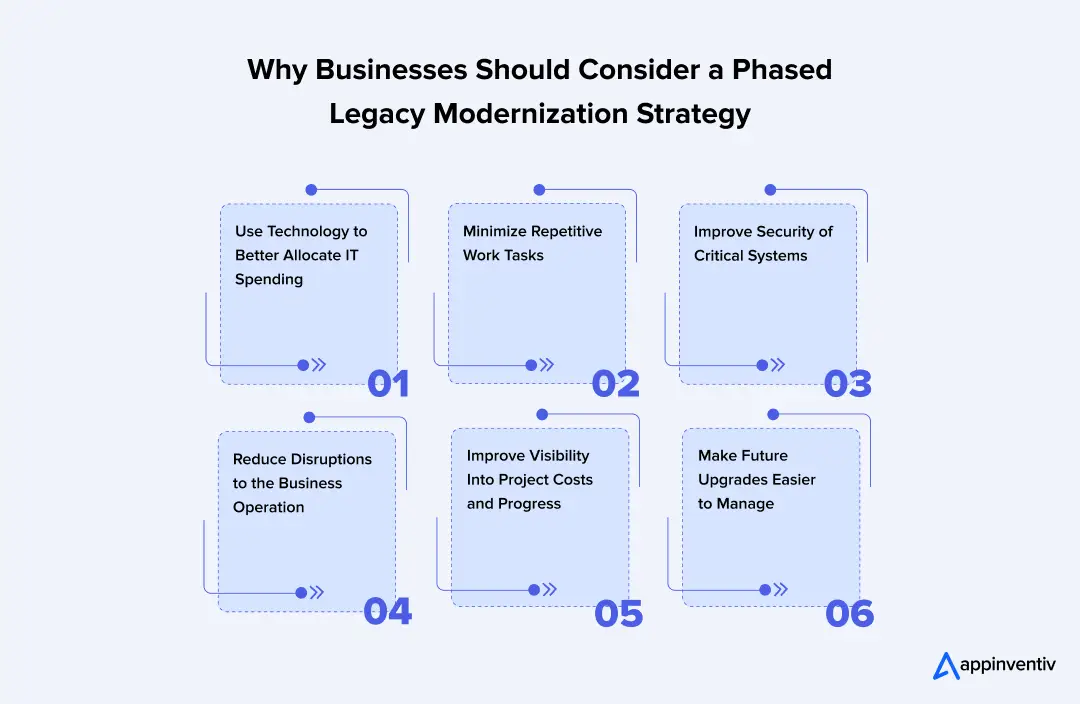
Use Technology to Better Allocate IT Spending
Running legacy applications can consume resources that are needed for new application development. Technical debt can consume a significant share of technology budgets, diverting resources from new product development and other strategic initiatives.
Focusing on costly, hard-to-maintain systems can enable organizations to better leverage their development budgets.
Minimize Repetitive Work Tasks
Frequent defects, obsolete dependencies and complex code can bog down engineering teams. The key to supporting modernization is to do it gradually and make it manageable, so developers can take steps to address why these issues are occurring.
In the long term, teams will require fewer resources to work around limitations and have more available to deliver valuable software changes.
Improve Security of Critical Systems
Older applications might be reliant on unsupported components or outdated security features. The average cost of a data breach in the world was estimated to be $4.99 million in the 2026 IBM Cost of a Data Breach Report.
A phased modernization plan enables businesses to determine the vulnerable components, prioritize remediation, and test security enhancements without affecting all systems simultaneously.
Reduce Disruptions to the Business Operation
Employees, customers and dependent applications can get involved in complications when you replace several interconnected applications at once. A phased approach enables organisations to migrate selected workloads and ensures that key services remain available.
Teams can discover and test information, test integrations, and fix issues prior to transferring more applications.
Improve Visibility Into Project Costs and Progress
As teams discover undocumented dependencies and unanticipated technical issues, modernisation projects can evolve. Work can be broken down into discrete phases, which makes it easier to review expenditure, measure completed work and adjust upcoming priorities. This provides a more solid foundation for the decision makers to approve additional investment.
Make Future Upgrades Easier to Manage
Legacy applications tend to have a lot of dependencies that lead to one change after another becoming more complex. Gradually tackling these constraints can help simplify the architecture, improve documentation, and establish repeatable testing and deployment processes.
These enhancements enable teams to make future upgrades more easily, with less uncertainty and greater management of the process.
5 Key Strategies for Modernizing Older Applications
The application condition, business priorities, budget and long-term technology needs dictate the approach towards modernization. The five strategies provide various solutions to problems stemming from the current limitations of infrastructure and applications.
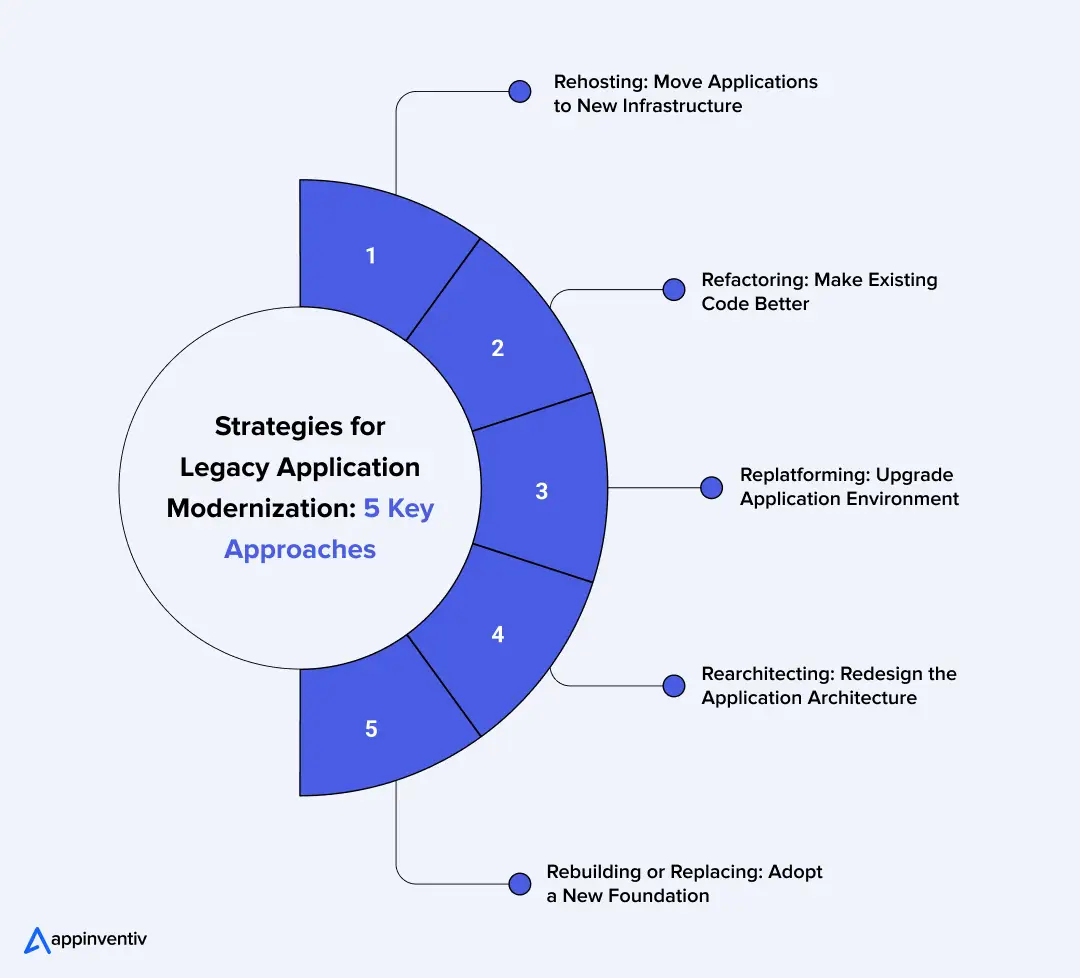
1. Rehosting: Move Applications to New Infrastructure
Rehosting is where an application is moved to a new environment, typically the cloud, where there are very few code changes. It’s appropriate for companies that need to upgrade their legacy systems in a hurry. But the issues that exist in the current architecture and performance might continue to exist after the migration.
2. Refactoring: Make Existing Code Better
Refactoring involves modifying an application’s code without changing its core functionality. Developers can eliminate duplicate logic, simplify complex functions, and update dependencies. This approach improves code maintainability, making it easier for teams to accommodate evolving business requirements and implement future changes.
3. Replatforming: Upgrade Application Environment
The replatforming process requires some application code modifications to ensure it runs on another platform. For instance, a company could use managed cloud databases or newer runtimes to make managing infrastructure easier. Compatibility and performance testing are used to prevent interruptions.
4. Rearchitecting: Redesign the Application Architecture
Rearchitecting changes an application’s underlying structure to address limitations in scalability, integration, or deployment. Teams may introduce modular components or microservices to support independent development. A phased transition helps manage dependencies and reduce operational risks.
5. Rebuilding or Replacing: Adopt a New Foundation
When outdated technology limits essential business functions, rebuilding the application or adopting an existing software solution may be more practical. The decision should account for development costs, cloud data migration, integration needs, user training, and long-term maintenance.
Also Read: Insider’s Guide for Software Modernization Strategies
Why Businesses Invest in Legacy System Modernization
Legacy systems may continue to support essential business operations, but outdated technology can make maintenance, integration, and expansion increasingly difficult. The modernization of legacy systems helps organizations address these limitations while preparing their IT infrastructure for changing business and customer needs.
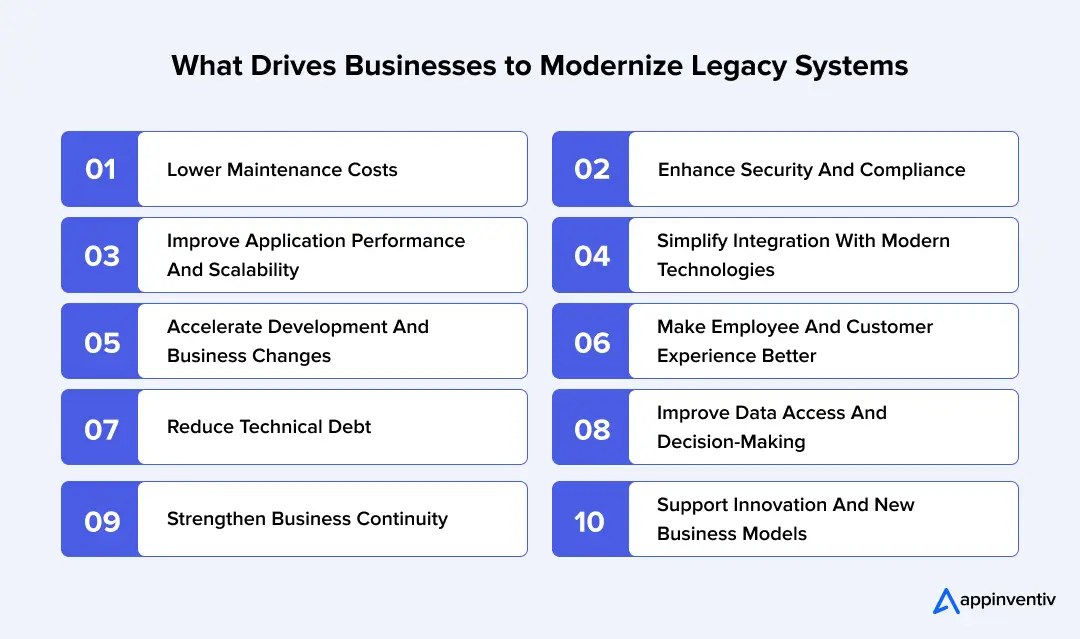
- Lower Maintenance Costs
Legacy applications often require specialized skills, frequent fixes, and expensive infrastructure support. Modernization can reduce routine maintenance, simplify system management, and free up IT budgets for new initiatives.
- Enhance Security and Compliance
If not supported, software and obsolete security measures can expose applications to cyber threats. Organizations can address vulnerabilities, update access controls and comply with relevant regulatory requirements through modernization.
- Improve Application Performance and Scalability
Older architectures may struggle with growing workloads and increasing user demand. Modernizing applications and infrastructure helps businesses improve response times, manage resources, and accommodate future growth.
- Simplify Integration with Modern Technologies
Legacy applications may rely on rigid interfaces and manual data transfers. APIs and modern integration methods support cloud migration and connect these systems with CRM tools, analytics solutions, and other enterprise applications.
- Accelerate Development and Business Changes
When software codebases are complex and parts are tightly coupled, it can take longer to update software. Teams can meet their businesses’ needs by rapidly responding to new requirements through faster releases, automated testing, and modular development enabled by modernization.
- Make Employee and Customer Experience Better
Legacy interfaces and processes can irritate and slow users down. The modernized applications provide better access to information across devices and easier navigation and processes. This helps employees complete tasks with less friction and gives customers a more consistent experience across digital touchpoints.
- Reduce Technical Debt
Over time, legacy systems tend to accumulate outdated dependencies, workarounds, and complex code as a result of years of development. Modernization can solve these challenges, make future changes easier and less labor-intensive, and help the teams overcome them.
- Improve Data Access and Decision-Making
Older systems may store information across disconnected databases, making it difficult to obtain a consistent view of business operations. Modernization improves data integration and accessibility, helping teams generate timely reports and make better-informed decisions.
- Strengthen Business Continuity
Aging infrastructure and outdated recovery processes can increase the risk of prolonged service interruptions. Modernization supports better backup systems, boosts IT resiliency, helps in disaster recovery planning, and application monitoring, assisting organizations restore critical services when disruptions occur.
- Support Innovation and New Business Models
Legacy technology can restrict the adoption of AI, automation, real-time analytics, and digital services. Modernized systems provide more flexible integration options, helping businesses introduce new capabilities and adapt to changing market requirements.
Move beyond outdated architecture with modernization services built to support your next phase of digital growth.
5 Warning Signs That Your Legacy Systems Need Modernization
Legacy applications may still run while creating security and operational challenges. It has been reported that 62% of U.S. organizations relied on legacy systems, with half delaying modernization because those systems still worked (Source: Saritasa).
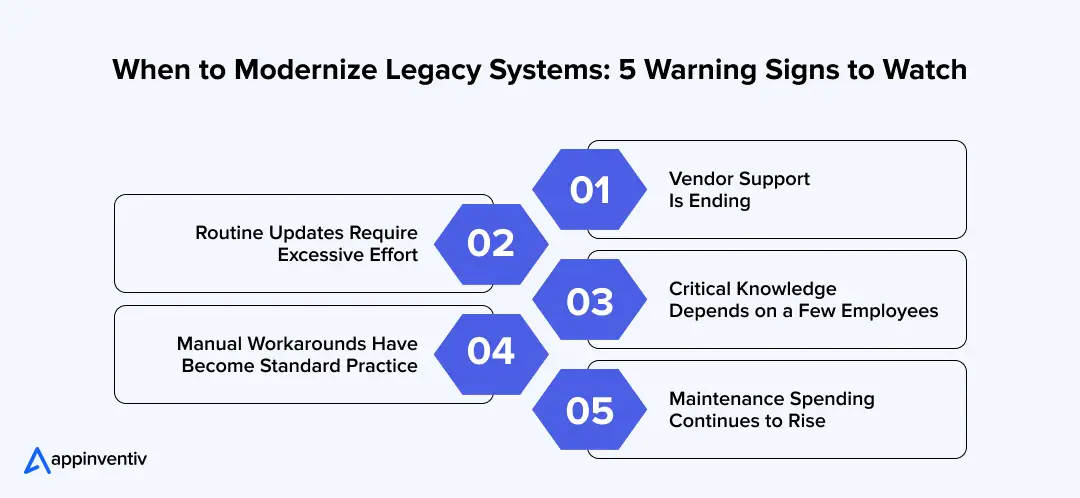
1. Vendor Support Is Ending
Applications that depend on outdated frameworks, databases, or operating systems may lose access to security patches and technical support. Organizations should review vendor support timelines and plan upgrades before unsupported components expose critical workloads to greater risk.
2. Routine Updates Require Excessive Effort
If the architecture does not allow for quick development cycles or extensive retesting of minor changes, it may be hindering development. Modernization can make application and test parts easier to understand, enabling teams to provide updates in a more predictable fashion.
3. Critical Knowledge Depends on a Few Employees
Applications become harder to maintain when documentation is incomplete, and only a small number of employees understand their internal workings. Documenting business logic and updating the technology stack can reduce dependence on scarce expertise and support smoother knowledge transfer.
4. Manual Workarounds Have Become Standard Practice
When data is exported from spreadsheets repeatedly, data is duplicated, and transfers are delayed, it’s a sign that there are gaps between legacy applications and current business processes. Interoperability and minimization of manual work can be achieved by modernization, based on suitable APIs and application integration services.
5. Maintenance Spending Continues to Rise
As licensing fees, specialist support costs, and infrastructure expenses continue to rise, maintaining a legacy application can become more expensive than modernizing it. When costs continue to increase, but the business is not getting better, organizations should consider the cost of continuous app maintenance versus investing in modernization.
Next Step: Assess these 5 signals in your application portfolio before planning legacy system modernization. Focus on systems that have multiple overlapping risks, especially with security, business continuity and future implementation costs.
The Role of AI in Legacy Application Modernization
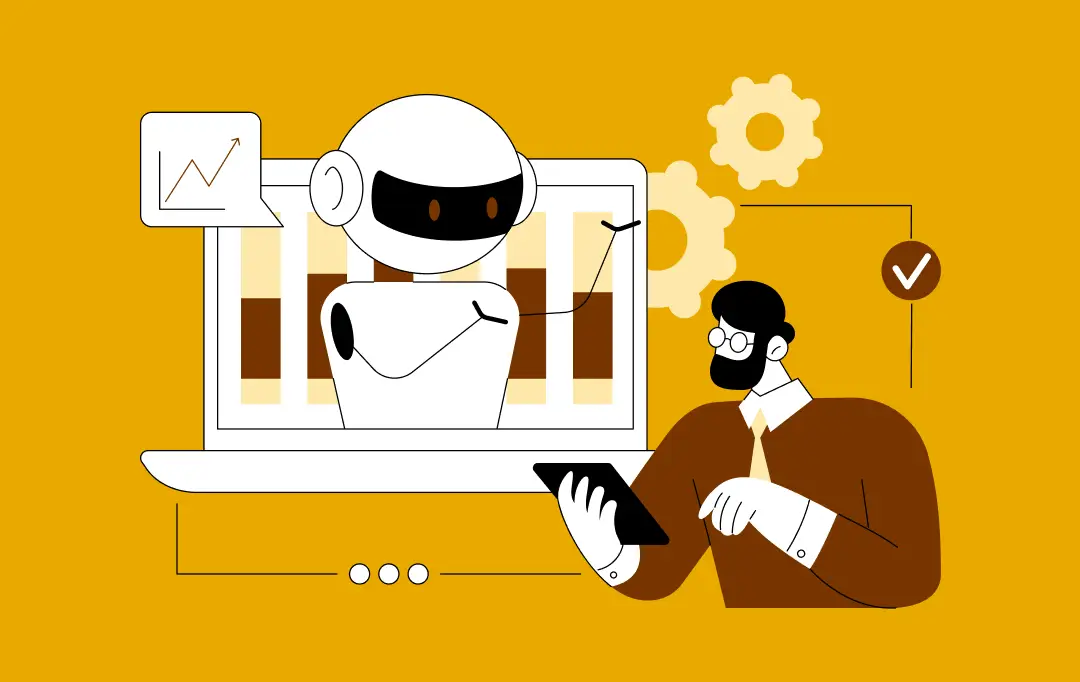
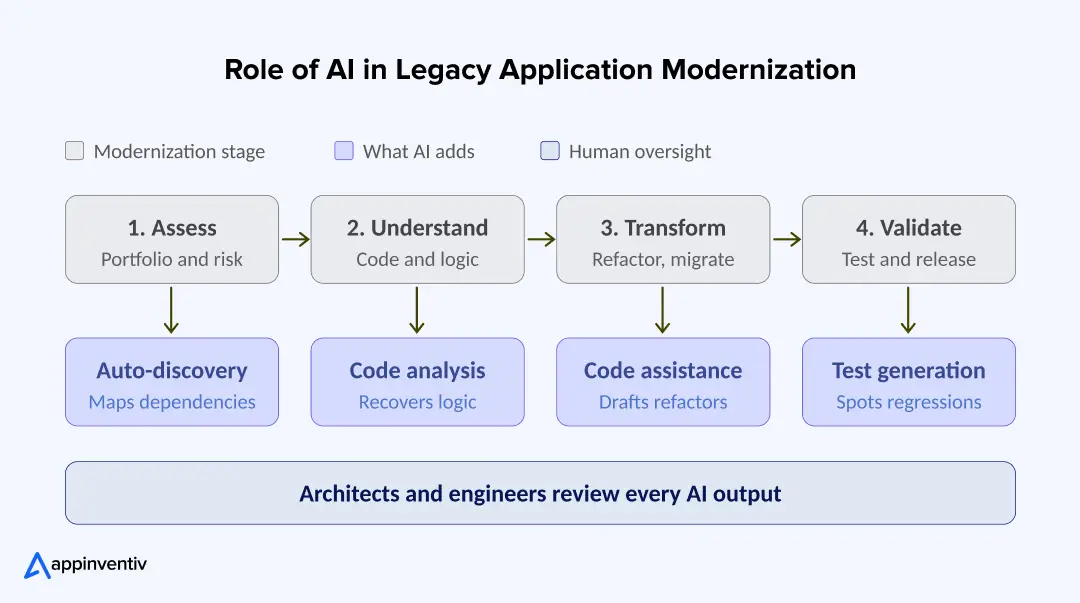
AI is changing how teams approach modernization of their existing systems. It shortens the slowest, most manual parts of the work: understanding old code, mapping dependencies, and testing changes. Tasks that once took months of manual review can now be started with AI-assisted analysis. This helps teams scope projects more accurately and move through each phase with fewer surprises.
AI supports legacy modernization roadmap at every stage, as shown below.
Legacy Application Modernization Examples in the Real World
In order to save operating expenses and make applications more scalable and faster to develop, leading enterprises are modernizing legacy applications. These legacy modernization examples show actual scenarios for upgradation and the business results that were attained.
| Company | Modernization initiative | Results |
|---|---|---|
| John Hancock | Moved legacy insurance applications to Azure and microservices-based, cloud-native architecture. | Lowered the total cost of ownership by almost 90% and retired over 140 applications. |
| Bridgestone Americas | Transferred 4 critical mainframe apps to AWS with the help of AI-powered code analysis, replatforming and testing. | It took about 7 months to complete the migration, and reported efficiencies of 90%. |
| Deluxe | Replaced a legacy monolithic application with a microservices-based application and automated DevOps workflows. | Cut the development effort by 75% and automated 90% of test suites. |
| UBS | Moved the legacy Credit Suisse electronic archive from a DB2 database on a mainframe to Azure SQL Database Hyperscale. | Reported a TCO reduction of about 60%. |
| Sabadell–Zurich | Developed an application platform in the cloud on AWS, replacing expensive and inflexible legacy infrastructure. | In 2 years, they launched up to 15 digital apps and architectural services to support them. |
These examples from legal insurance to AWS application modernization can deliver more than infrastructure upgrades. The right approach can reduce technical debt, improve release cycles, and create a stronger foundation for future digital services.
A Step-by-Step Roadmap for Modernizing Legacy Applications
A structured modernization roadmap helps businesses manage technical risks, control costs, and maintain operational continuity. Breaking the process into clear phases also makes it easier to track progress and align technical decisions with business goals.
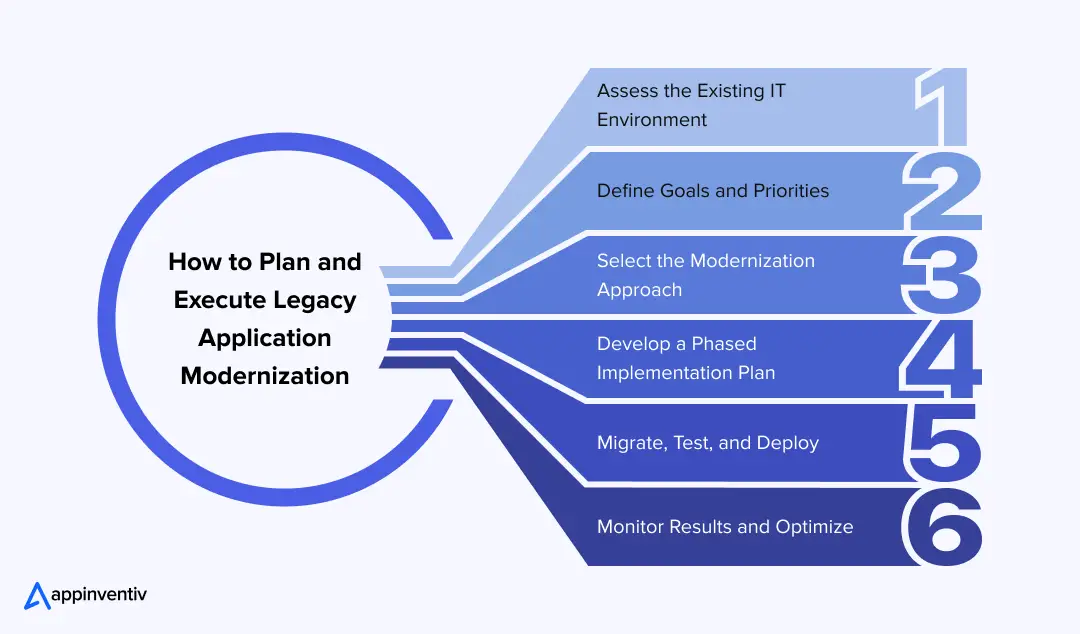
1. Assess the Existing IT Environment
Create an inventory of legacy applications, databases, infrastructure, and integrations. Evaluate their technical condition, maintenance costs, security risks, and business importance to identify systems that need immediate attention.
2. Define Goals and Priorities
Set clear objectives, such as reducing operating expenses, improving application performance, or supporting new integrations. Rank applications based on business value, technical complexity, and the risks of delaying modernization.
3. Select the Modernization Approach
Choose whether to rehost, replatform, refactor, rearchitect, rebuild, or replace each application. Consider its current limitations, available budget, integration requirements, and long-term maintenance needs.
4. Develop a Phased Implementation Plan
Divide the legacy modernization strategy into manageable stages with defined milestones, budgets, responsibilities, and timelines. Start with a pilot application or low-risk component to validate the approach before expanding the program.
5. Migrate, Test, and Deploy
Execute the modernization plan through controlled releases. Test application functionality, data accuracy, security, integrations, and performance before deployment. Maintain backup and rollback procedures to limit disruption if issues arise.
6. Monitor Results and Optimize
Track performance, operating costs, application availability, and user feedback after deployment. Compare these results against the original objectives and address issues before moving to the next modernization phase.
Common Challenges in Upgrading Outdated Systems and How to Address Them
System modernization can involve technical dependencies, data migration issues, security concerns, and operational risks. Identifying these legacy application modernization challenges early helps businesses plan suitable mitigation measures and keep projects on track.
| Common challenge | Impact on modernization | How to address it |
|---|---|---|
| Undocumented business logic | Hidden rules and dependencies can delay development and cause unexpected application behavior. | Document existing workflows, analyze source code, and consult employees who understand critical business processes. |
| Data migration complexities | Inconsistent formats, duplicate records, and data loss can affect application accuracy. | Define data mapping rules, validate migrated records, and perform reconciliation checks before deployment. |
| Business disruption and downtime | Migration errors can interrupt critical operations and affect customer access. | Use phased deployments, schedule cutovers carefully, and maintain tested backup and rollback procedures. |
| Security and compliance risks | Legacy vulnerabilities and configuration gaps can expose sensitive information or create compliance issues. | Apply encryption, access controls, vulnerability testing, and relevant compliance checks throughout modernization. |
| High modernization costs | Unexpected dependencies, integration work, and testing requirements can exceed initial budgets. | Estimate the total cost of ownership, prioritize high-value applications, and allocate contingency funds. |
| Shortage of technical expertise | Limited knowledge of older technologies can slow development and increase reliance on specific employees. | Train internal teams, document system architecture, and engage specialists when necessary. |
| Integration with existing systems | Older interfaces and incompatible data formats can prevent applications from communicating reliably. | Use suitable APIs, middleware, and integration testing to maintain reliable data exchange. |
| Resistance to organizational change | Employees may struggle to adopt new workflows, tools, and application interfaces. | Involve end users early, communicate upcoming changes, and provide practical training before deployment. |
What is the Cost of Modernizing Legacy Applications
Upgrading outdated applications typically costs $25,000 to $600,000 for a single business application. Large enterprise systems can cost $1 million to $10 million or more, especially when they require major architectural changes or complex data migration.
The final budget depends on application size, code quality, integrations, security requirements, and the chosen modernization method. The following estimates provide a starting point for cost planning in 2026.
Modernization Cost Estimation by Approach
| Modernization approach | Estimated cost | Typical scope |
|---|---|---|
| Assessment and roadmap | $10,000–$40,000+ | Application audit, dependency analysis, and project planning |
| Rehosting | $25,000–$150,000 | Moving applications to new infrastructure with minimal code changes |
| Replatforming | $50,000–$250,000 | Updating databases, runtime environments, or hosting platforms with minimal changes to the core application |
| Refactoring | $100,000–$600,000+ | Improving code quality and restructuring selected parts of the application |
| Rearchitecting | $250,000–$1 million+ | Redesigning the application architecture and restructuring system components |
| Rebuilding | $300,000–$5 million+ | Replacing the existing application with a new solution that supports updated business functions |
| Enterprise or mainframe modernization | $1 million–$10 million+ | Modernizing complex enterprise applications, mainframe systems, and related infrastructure |
These figures are only indicative and not market prices. The actual costs depend upon the project scope, team location, technical complexity, etc. and business requirements.
Factors That Affect Legacy Modernization Costs
The amount of the project budget for legacy system modernization depends on a number of factors.
- Application complexity: Large codebases, undocumented rules, and tightly connected components require more development and testing.
- Modernization method: Rehosting usually costs less than rebuilding or redesigning the application architecture.
- Data migration: Data cleansing, format conversion, validation, and database restructuring add to the cost.
- System integrations: Connecting applications with ERP, CRM, APIs, and third-party platforms increases development effort.
- Security and compliance: Access controls, encryption, audits, and security testing add to project expenses.
- Downtime requirements: Applications that must remain available during migration often need parallel environments and staged releases.
- Team expertise: Specialist skills, hourly rates, and team location affect development costs.
- Ongoing operations: Cloud hosting, software licenses, monitoring, training, and support add to long-term expenses.
App Modernization Cost Estimation Formula
Use the following formula to approximate the initial legacy application modernization cost of a project.
Total modernization cost = Engineering costs + Migration costs + Infrastructure costs + Testing costs + Training and deployment costs + Contingency
Estimate engineering costs as the number of hours times the blended hourly rate of the team. Add up all of the other costs to come up with the total cost of the project.
For instance, a medium-sized application project can be broken down into the following costs.
| Cost component | Estimated cost |
|---|---|
| Engineering and development | $90,000 |
| Data migration and integrations | $25,000 |
| Testing and security checks | $20,000 |
| Infrastructure and licensing | $15,000 |
| Training and deployment | $10,000 |
| Subtotal | $160,000 |
| Contingency at 20% | $32,000 |
| Total estimated cost | $192,000 |
This example assumes a defined project scope. A technical assessment is needed to produce a reliable estimate for a specific application.
How to Control Modernization Costs
- Prioritize high-risk applications: Start with systems that have serious security gaps, high maintenance costs, or recurring performance problems.
- Test the plan with a pilot: Modernize a limited component first to identify hidden dependencies and refine the budget.
- Plan for parallel operations: Include the cost of running old and new systems together during the transition.
- Set clear acceptance criteria: Define data accuracy, security, availability, and performance requirements before development begins.
- Compare long-term costs: Include hosting, licenses, maintenance, and support when comparing modernization options.
A sound budget covers the full project, from initial assessment to post-launch support. This gives business leaders a clearer view of the investment and the ongoing cost of maintaining the modernized application.
Uncover hidden IT costs, reduce technical debt, and turn modernization into a measurable business advantage.
How to Make Your Modernization Plan an ROI Multiplier: A Practical Decision Framework
For modernization of legacy systems to deliver a measurable return on investment (ROI), evaluate these four metrics before committing resources:
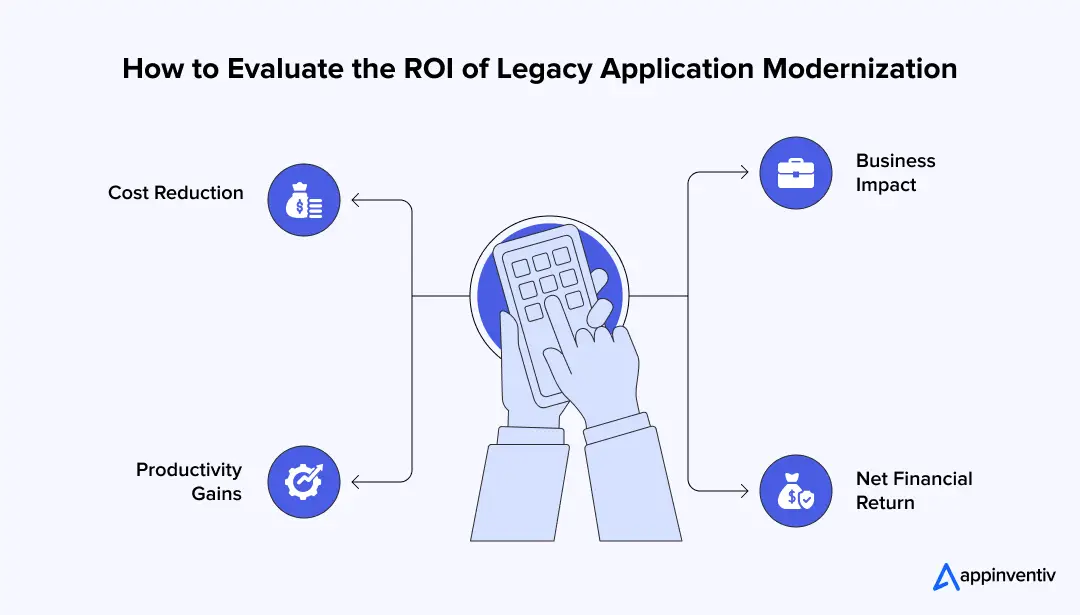
- Cost Reduction
Will modernization reduce legacy maintenance costs, licensing fees, infrastructure spending, or manual work? Compare current operating costs with projected costs after modernization.
- Productivity Gains
Will updated systems reduce development cycles, automate repetitive tasks, or help teams release features faster? Quantify the hours saved and the impact on engineering output.
- Business Impact
Will modernization improve application performance, reduce downtime, strengthen customer retention, or support new revenue streams? Measure these outcomes to quantify the benefits of modernizing legacy applications.
- Net Financial Return
Will the total benefits exceed development, migration, testing, training, and ongoing operating costs? Include transition risks and the time required to recover the investment when calculating ROI.
A focused legacy modernization strategy ties technical improvements to financial outcomes. Track these metrics before and after deployment to assess whether modernization is delivering the expected returns.
Turn Legacy Modernization into a Long-Term Business Advantage with Appinventiv
It’s no longer a debate over the modernization of legacy applications. It’s where systems deliver the greatest return on investment, where modernization can reduce operational costs, and where teams will start to see measurable business value. The answers begin by defining simple performance metrics, a roadmap, and a clear assessment of technical debt that all tie back to monetary results.
Appinventiv delivers legacy application modernization services to help businesses evolve their digital systems and support changing business needs. Its work with global brands such as KFC, Adidas, Domino’s, and Pizza Hut reflects its experience in developing and advancing digital solutions. Its experience in supporting existing enterprises in creating and developing digital solutions is represented by these projects.
One of the key issues for organizations looking into legacy modernization is the ability to maintain critical business processes while also developing systems that can adapt to evolving customer requirements and support future growth.
Any modernization that’s based on treating it as an investment, not a technology upgrade, is one that can provide long-term benefits. Get it right from the start by letting the application be of high impact, setting up an ROI baseline that can be measured, and scaling accordingly based on the results.
Connect with our experts now to know more!
FAQs
Q. What is legacy application modernization, and how does it work?
A. It is a process of refreshing old software, architecture and infrastructure to address the requirements of the present business. A legacy modernization strategy usually consists of evaluating the systems, identifying performance issues, determining a modernization strategy, transferring data, and testing the updated application to enhance scalability, security, and maintainability.
Q. Can legacy systems be modernized without downtime?
A. Yes, legacy systems can be modernized with minimal or zero downtime using phased migration, parallel environments, blue-green deployment, and incremental data migration. The right approach depends on system complexity, integration dependencies, and business continuity requirements.
Q. How much does legacy application modernization cost?
A. Modernization services can cost between $25,000 and $600,000+ for individual applications, while enterprise or mainframe modernization can range from $1 million to $10 million+. Costs depend on the modernization approach, application complexity, data migration, integrations, and security requirements. A detailed assessment helps estimate the total investment and ongoing maintenance expenses.
Q. Should we rebuild from scratch or modernize a legacy application we already have?
A. It is determined by the technical debt, business value and future needs of the application. Modernization is suitable for systems that have business logic that is valuable and stable. Reconstruction may be better if the building’s architecture is very dated and unmaintainable or if it no longer meets critical business requirements.


Fast 2-minute response, fully NDA-protected.
A Practical Enterprise Guide To AWS Application Modernization for Legacy Systems
Key takeaways: AWS modernization improves the application itself, not just where it runs. The right modernization path depends on workload risk, value, and effort. Hidden dependencies, fragile integrations, and buried logic cause the biggest failures. Data modernization is critical for reporting, analytics, automation, and AI readiness, making data modernization AWS a key consideration for enterprises…
Legacy System Modernisation in Australia: A Practical Roadmap for Enterprises
Key takeaways: Legacy systems in Australian enterprises now represent measurable cost, operational risk, and compliance exposure, not just technical debt. Legacy system modernisation programs typically range between AUD 70,000 and AUD 700,000+. Delaying legacy system modernisation increases long-term cost, concentrates risk, and reduces controlled execution options. The right modernisation roadmap enables risk reduction, operational continuity,…