
























22 Must-Have Features for a Future-Ready Restaurant App

 Share -


- 01Why Restaurant Apps Need to Do More in 2026 and Beyond
- 02Types of Restaurant Apps and Their Business Purpose
- 0322 Must-Have Restaurant Mobile App Features
- 04Features That Will Shape Restaurant Apps Beyond 2026
- 05Security and Compliance Requirements That Cannot Be Added Later
- 06How to Prioritize Restaurant App Features
- 07Key Restaurant App Development Challenges and Their Solutions
- 08How to Measure Whether the Restaurant App Is Working
- 09Building a Future-Ready Restaurant App with Appinventiv
- 10Frequently Asked Questions

Key Takeaways
- Restaurant apps must connect customer ordering with real-time kitchen, inventory, payment, and delivery operations.
- Essential restaurant mobile app features include digital menus, customization, secure payments, tracking, loyalty, and system integrations.
- AI can support personalized recommendations, demand forecasting, customer service, and order management when backed by reliable data.
- Capacity-based scheduling and accurate availability help prevent delays, cancellations, and poor customer experiences.
- A phased roadmap enables restaurants to launch essential capabilities first and add advanced features as their needs evolve.
- Security, accessibility, privacy, and human oversight should be built into the application from the beginning.
Restaurants once used mobile applications as another way to display menus and accept orders. That limited role no longer matches how customers choose where to eat, place an order, collect rewards, reserve tables, or contact a restaurant.
A modern restaurant application sits at the centre of the customer relationship. It connects ordering, payments, delivery, reservations, loyalty, customer support, and marketing. Behind the scenes, it can also exchange information with the point-of-sale system, kitchen, inventory software, delivery partners, and customer database.
The online food delivery market continues to expand as digital ordering becomes part of everyday consumer behaviour. According to Statista, global market revenue is projected to reach $1.51 trillion in 2026. With an expected CAGR of 6.24% between 2026 and 2031, the market could grow to approximately $2.05 trillion by 2031. This growth makes a reliable mobile ordering experience increasingly important for restaurants seeking to capture direct orders and build lasting customer relationships.
However, market growth does not guarantee success for every restaurant application. Customers will delete an app if menus take too long to load, payments fail, rewards are unclear, or estimated collection times prove unreliable.
Restaurants therefore need to look beyond a basic list of restaurant mobile app features. They must decide how every capability will improve the ordering experience, protect margins, reduce operational pressure, or encourage another visit.
This article examines the features a restaurant application needs, their operational implications, and the decisions businesses should make before development.
Build a direct ordering channel that connects customer experience, kitchen operations, payments, loyalty, and delivery.
Why Restaurant Apps Need to Do More in 2026 and Beyond
Customers do not assess an application in isolation. They compare its speed and convenience with every other digital service they use.
A diner may expect the app to remember a previous meal, display accurate availability, accept a preferred wallet, apply rewards automatically, and provide a dependable collection time. What feels like one simple order on the screen may involve several connected systems behind it.
[Also Read: What Users Expect In Restaurant Mobile App?]
Customer expectations are rising even as household budgets remain under pressure. According to the National Restaurant Association’s 2026 State of the Restaurant Industry report, more than seven in ten consumers would use restaurants more frequently if they had greater disposable income. In response, operators are investing in digital ordering, payments, loyalty programs, automation, and targeted marketing to deliver better value, remove friction, and strengthen guest engagement.
Simply put, the restaurant mobile app features selected today must consequently solve three requirements together:
- Make ordering quick and straightforward for customers.
- Give restaurant teams accurate, usable information.
- Support growth without creating operational confusion.
This is why a visually attractive menu alone is not enough. The app must reflect kitchen capacity, store availability, delivery areas, prices, promotions, and customer entitlements in real time.
Types of Restaurant Apps and Their Business Purpose
Restaurant apps differ according to the customers they serve, the orders they handle, and the restaurant operations they support. Understanding these app types helps businesses choose the right product model before deciding which features and integrations to build.
| Restaurant app type | What it is designed for | Primary users | Business value |
|---|---|---|---|
| Ordering and delivery app | Lets customers order meals for delivery, takeaway, or scheduled fulfilment | Delivery and takeaway customers | Generates direct orders and reduces reliance on third-party aggregators |
| Table-service app | Supports reservations, dine-in ordering, service requests, and payments | Diners and front-of-house teams | Reduces waiting time and makes table service more efficient |
| Quick-service restaurant app | Handles frequent, high-volume orders across collection, drive-thru, and dine-in channels | QSR and fast-casual customers | Speeds up transactions and supports higher order volumes during busy periods |
| Multi-location restaurant app | Connects several outlets under one digital platform while accounting for local differences | Customers, franchisees, and regional teams | Maintains brand consistency while giving individual locations operational flexibility |
| Cloud kitchen app | Coordinates orders and fulfilment across delivery-only kitchens or virtual restaurant brands | Customers, kitchen teams, and dispatchers | Helps operators manage multiple cloud kitchen locations and use kitchen capacity more effectively |
| Restaurant management app | Provides visibility into orders, inventory, staffing, sales, and kitchen operations | Managers, owners, and operational teams | Improves day-to-day control, reduces waste, and supports faster decisions |
| Loyalty and engagement app | Maintains the restaurant’s direct relationship with repeat customers | Customers and marketing teams | Improves retention, order frequency, and customer lifetime value |
| Reservation and discovery app | Helps diners find restaurants, check availability, and reserve tables | Diners and reservation teams | Improves visibility and helps restaurants fill available tables |
Once the restaurant has identified the type of application it needs, the next step is choosing the capabilities required to support its customer journey and daily operations.
22 Must-Have Restaurant Mobile App Features
The following capabilities cover customer experience, ordering, restaurant operations, retention, and future expansion. Not every business must release them together, but the underlying architecture should leave room for the restaurant to grow.
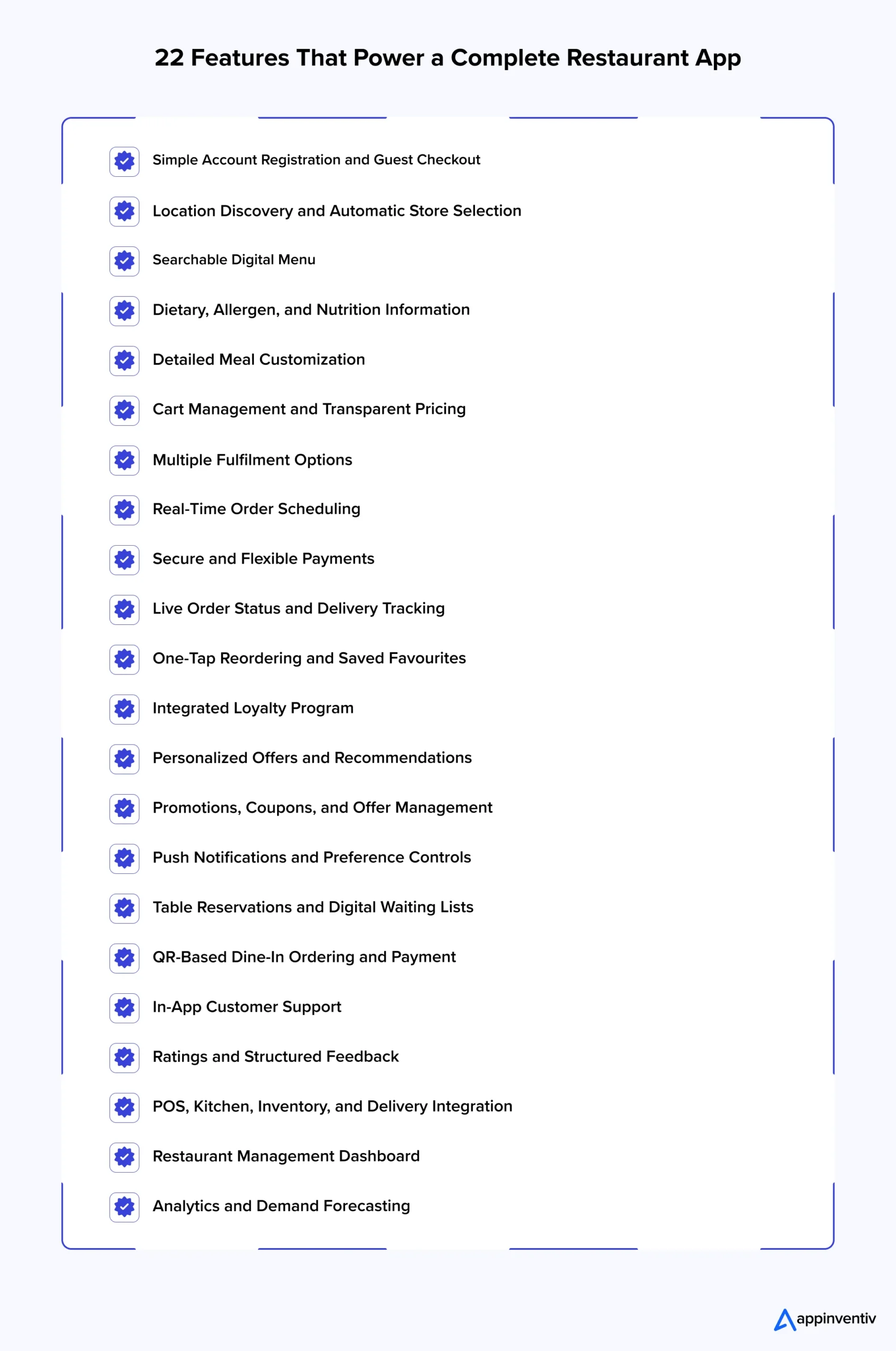
1. Simple Account Registration and Guest Checkout
Account creation should never stand between a hungry customer and an order. Users should be able to register through an email address, phone number, Apple account, Google account, or another trusted identity provider.
Returning customers benefit from an account because it can store addresses, payment preferences, order history, rewards, and favourite items. However, forcing first-time customers to register before viewing a menu or completing checkout can create unnecessary abandonment.
Guest checkout offers a useful alternative. The restaurant can ask customers to create an account after payment, when the transaction has already been completed. Their current order details can then be attached to the new profile with permission.
The application must also offer secure password recovery, account deletion, consent management, and clear control over marketing preferences.
2. Location Discovery and Automatic Store Selection
A multi-location restaurant should help customers find the outlet that can actually fulfill their request.
The application can use GPS, an entered postcode, or a map search to show nearby stores. Each listing should include operating hours, service options, distance, estimated preparation time, accessibility details, and current availability.
Location selection must happen early in the journey because it can affect:
- Menu availability
- Prices and taxes
- Offers
- Delivery coverage
- Preparation time
- Collection methods
- Loyalty redemption rules
Showing a national menu before determining the fulfillment location can lead to late-stage price changes or unavailable items. Both outcomes damage trust.
Geofencing can also support location-specific experiences. For example, the app could recognize when a collection customer approaches the restaurant and notify the team without requiring the customer to call.
3. Searchable Digital Menu
The menu is the foundation of the application, but digitizing a printed menu is not enough.
Customers should be able to browse categories, search by item name, filter results, and understand what each dish contains. Menu cards need readable prices, useful photographs, portion information, availability, and short descriptions.
Restaurants should avoid hiding essential details behind several taps. A customer comparing dishes should not have to open and close every product page just to see its price or dietary suitability.
Menu management must also be straightforward for restaurant teams. Authorized employees should be able to update an item, image, price, description, or availability without waiting for a software release.
Among all features for restaurant app products, accurate menu synchronization is one of the most important. A polished interface cannot recover the customer’s confidence after the restaurant cancels an unavailable item.
4. Dietary, Allergen, and Nutrition Information
Customers need more than a small vegetarian symbol beside a dish.
Applications should allow users to filter menus for dietary preferences such as vegan, vegetarian, gluten-free, dairy-free, high-protein, or low-calorie options. Allergen information should be clearly presented and managed through a controlled internal process.
The interface must distinguish between an ingredient preference and a medically significant allergy. A free-text note alone may not provide enough protection because restaurant staff can overlook or misinterpret it.
Restaurants should also explain cross-contamination limitations where relevant. Nutrition information, serving size, ingredients, and regulatory disclosures can be managed according to the markets in which the business operates.
The app should never make unsupported health claims. Information displayed to customers must come from verified menu records.
5. Detailed Meal Customization
Meal customization can quickly become complicated. One pizza may include several crusts, sizes, cheeses, sauces, toppings, quantity limits, and paid additions. Some choices may exclude others.
A well-designed modifier system guides the customer through these options in a logical order. It should distinguish between required and optional selections, update the total immediately, and prevent combinations the kitchen cannot prepare.
Useful customization controls include:
- Add or remove ingredients
- Choose portion size
- Select preparation preferences
- Add sides or toppings
- Change spice level
- Specify quantity
- Leave structured preparation instructions
These restaurant app development features must match the information shown to kitchen employees. If the customer’s choices appear as an unstructured paragraph on a crowded kitchen screen, order accuracy will suffer.
6. Cart Management and Transparent Pricing
A customer should understand the complete cost before reaching the final payment screen.
The cart needs to show item prices, quantities, selected additions, discounts, taxes, delivery charges, packaging fees, tips, and the final payable amount. Any minimum order requirement should appear before the customer invests time building the basket.
Customers should be able to edit modifiers and quantities directly from the cart. Removing one product should not delete unrelated selections or invalidate an offer without an explanation.
The app can also use the cart to make relevant suggestions, such as adding a drink to a meal. However, suggestions should not interrupt checkout or make customers reject additions repeatedly.
Dynamic cart totals are among the top features for restaurant mobile apps because they prevent unpleasant price surprises while giving restaurants room to apply legitimate location and fulfilment charges.
7. Multiple Fulfilment Options
Customers may want home delivery on one occasion and curbside collection on another. The application should let them choose among the services offered by the selected location.
Options may include:
- Standard delivery
- Scheduled delivery
- In-store collection
- Curbside collection
- Drive-thru collection
- Dine-in ordering
- Catering collection or delivery
The available times should reflect restaurant capacity, not a fixed promise displayed to everyone. If the kitchen becomes busy, the app must adjust new time slots without changing an already confirmed order silently.
Restaurants also need clear rules for switching between fulfilment methods. Prices, product availability, minimum spend, packaging, and offers can differ between delivery and collection.
8. Real-Time Order Scheduling
Real-time order scheduling is one of the restaurant mobile app features that gives customers control while helping restaurants plan demand.
A customer might place a lunch order in the morning, schedule dinner for the evening, or book catering several days ahead. The application should display only the dates and times the restaurant can support.
Capacity-based scheduling is more dependable than offering identical slots regardless of demand. It can consider kitchen throughput, existing orders, staffing, delivery capacity, and item preparation requirements.
The system must handle edge cases as well. A customer should receive a clear message if a chosen time becomes unavailable while the order sits in the cart. Restaurants also need cutoff periods for complex orders and a process for changing or cancelling scheduled requests.
For busy restaurants, scheduling is not merely a convenience feature. It protects service quality by controlling when demand enters the operation.
9. Secure and Flexible Payments
Payment failure at the end of an order is one of the fastest ways to lose a customer.
Applications should support the methods used in their target markets. These may include debit and credit cards, mobile wallets, gift cards, loyalty balances, bank-based methods, cash on delivery, or buy-now-pay-later services where appropriate.
The checkout should support saved payment tokens without storing raw card information inside the restaurant’s system. Payment processing must follow relevant security requirements, including PCI DSS obligations.
Other important considerations include:
- Payment authorization and capture rules
- Partial and complete refunds
- Failed payment recovery
- Duplicate-charge prevention
- Promotional credits
- Tips
- Receipts and tax invoices
- Payment reconciliation
Restaurants should also decide what happens when payment succeeds but order transmission fails. A proper recovery workflow can confirm the order, reverse the charge, or direct the case to support without leaving the customer uncertain.
10. Live Order Status and Delivery Tracking
After placing an order, customers want to know what happens next.
An order status screen can show stages such as confirmed, accepted, being prepared, ready for collection, collected by the driver, nearby, and delivered. Push notifications can provide important updates without requiring customers to keep the screen open.
Delivery tracking may display the courier’s position and an estimated arrival time. Restaurants using external delivery providers need reliable status synchronization so that the customer does not receive contradictory information from two applications.
The estimated time should change when real conditions change. A fixed 20-minute countdown that remains inaccurate is less useful than a realistic delivery window.
Restaurants should also avoid exposing sensitive driver information. Show only the data customers need to identify the delivery and receive their order safely.
11. One-Tap Reordering and Saved Favourites
Repeat customers should not rebuild the same basket from the beginning.
Order history can let users view previous purchases, save favourites, and reorder available items. Before adding everything to the cart, the system should identify price changes, discontinued products, unavailable modifiers, or differences at the selected location.
Customers should remain in control. Reordering should not quietly replace an unavailable side, apply a different size, or switch the fulfillment location.
This is one of the simplest restaurant ordering app features for reducing effort. It is particularly valuable for coffee, lunch, family meal, and office catering orders where customers frequently repeat the same combinations.
12. Integrated Loyalty Program
A separate rewards card or disconnected loyalty portal creates friction. Customers should be able to join, earn, view, and redeem rewards within the same application they use to order.
The program may use points, visits, spending tiers, subscriptions, paid membership, challenges, referrals, or product-specific rewards. Whatever model the restaurant selects, progress and redemption rules should remain easy to understand.
The application can show:
- Current points or credits
- Available rewards
- Progress toward the next benefit
- Expiration dates
- Eligible products
- Member-only pricing
- Tier status
- Recent earning and redemption activity
The program must connect with in-store purchases as well as app orders. If customers earn points through only one channel, their profile will remain incomplete and the experience will feel inconsistent.
This integration has a measurable commercial purpose. An integrated loyalty program can encourage customers to order more frequently by making rewards easier to earn, track, and redeem.
13. Personalized Offers and Recommendations
Personalization should make ordering easier, not make customers feel watched.
The application can use order history, stated preferences, location, time, and current menu availability to recommend relevant products. A breakfast customer could see a frequently purchased coffee in the morning, while a family-ordering profile might receive an appropriate bundle at dinner.
Useful personalization may include:
- Relevant menu recommendations
- Favourite-location defaults
- Personalized offers
- Reorder reminders
- Dietary preference filters
- Birthday rewards
- Time-sensitive meal suggestions
- Loyalty milestone messages
Customers need control over how their data is used. Restaurants should collect only the information needed for a defined purpose, obtain appropriate consent, and avoid inferring sensitive attributes.
These restaurant mobile application features also need frequency limits. Sending repeated offers whenever a customer passes a location may drive them to disable notifications or uninstall the app.
14. Promotions, Coupons, and Offer Management
Restaurants need a flexible way to create offers without introducing discount errors.
The promotional engine may support percentage discounts, fixed-value reductions, bundles, free products, delivery offers, member pricing, first-order benefits, and location-specific campaigns.
Rules should define eligibility by:
- Order value
- Product or category
- Fulfilment method
- Customer segment
- Store
- Day and time
- Loyalty tier
- Usage count
- Campaign period
The application should explain why an entered code cannot be applied. A generic “invalid coupon” message is frustrating when the actual reason is a missing item or an unmet minimum value.
Restaurants must test how different offers interact. Poorly configured stacking rules can reduce margins or create orders with unintended prices.
15. Push Notifications and Preference Controls
Push notifications is one of the restaurant mobile app features that can bring customers back, but overuse quickly makes them ineffective.
Transactional messages should cover order confirmation, preparation, collection, delivery, payment, and important service updates. Marketing notifications may communicate a genuinely relevant offer, product return, loyalty milestone, or local event.
Customers should be able to select which promotional messages they receive. Transactional updates need separate treatment because turning off marketing should not stop an essential order notification.
The restaurant should also limit frequency and consider local time. A lunch offer delivered after the lunch period or a late-night promotion sent to an inactive customer wastes attention.
Notification performance should be measured beyond open rates. Restaurants need to know whether a message generated an order, increased basket value, or caused customers to change their preferences.
16. Table Reservations and Digital Waiting Lists
For full-service restaurants, reservation management can connect the digital journey with the dining room.
Customers should be able to select a location, date, time, and party size. They may also need to provide seating preferences, accessibility requirements, or occasion details.
The system can support:
- Real-time table availability
- Reservation deposits
- Automated confirmations
- Modification and cancellation
- Waiting-list registration
- Estimated waiting time
- Arrival notification
- Digital check-in
- No-show management
The available slots should reflect actual table combinations and service duration. Accepting too many bookings through disconnected systems merely moves the problem from the phone to the restaurant entrance.
Integration with the customer profile allows staff to recognize preferences without requiring customers to repeat them at every visit.
17. QR-Based Dine-In Ordering and Payment
QR ordering can give dine-in customers more control while reducing the time spent waiting for a menu or bill.
A code placed on the table can open the relevant menu, identify the table, and let customers place an order. The system should make it clear whether the order will be sent immediately or held until everyone is ready.
Customers may also use the application to request service, add another item, view the running bill, divide payment, apply rewards, and leave a tip.
The design must still support guests who prefer human service or cannot use a smartphone. QR ordering should extend the service model rather than turn staff assistance into an obstacle.
Restaurants also need safeguards against incorrect table codes, duplicate orders, expired sessions, and payments attached to the wrong bill.
18. In-App Customer Support
When an order goes wrong, customers should not search the restaurant’s website for a phone number.
The support area can present order-specific options such as reporting a missing item, requesting help with an address, contacting the restaurant, or checking a refund. Customers should see the expected response time and available channels.
AI agents can handle routine requests by retrieving order details, checking delivery status, answering common questions, and issuing approved credits or refunds within predefined limits. They can also identify urgent cases and transfer them to the appropriate employee with the complete order and conversation history.
[Also Read: AI in the Restaurant Industry: Use Cases, Cost, and Development Guide]
Complex complaints, allergy concerns, disputed charges, and food-safety issues should always involve human judgment. Restaurant teams must clearly define which actions AI agents can complete independently and which require employee approval.
19. Ratings and Structured Feedback
Feedback is most useful when the restaurant can act on it.
Instead of asking only for a general star rating, the application may request short ratings for food quality, accuracy, packaging, delivery, and service. Customers can then add comments or upload an image where appropriate.
Timing matters. A request sent before delivery or several days after the meal may produce poor response rates.
Negative feedback should trigger an internal recovery process. The responsible team needs the order details, customer comments, and service location. The customer should know whether someone will follow up.
Restaurants must also protect the process from abuse. Rate limits, verified-order controls, moderation, and evidence requirements can reduce fraudulent complaints without making legitimate reporting difficult.
20. POS, Kitchen, Inventory, and Delivery Integration
The customer-facing app is only one part of the ordering system. Orders must reach the correct restaurant and enter its workflow accurately.
A restaurant application may connect with:
- Point-of-sale software
- Kitchen display systems
- Inventory platforms
- Payment processors
- Delivery aggregators
- Dispatch software
- Reservation systems
- Loyalty platforms
- Customer data platforms
- Accounting tools
Integration prevents employees from manually re-entering app orders. It can also synchronize prices, item availability, preparation status, refunds, customer rewards, and sales records.
Architecture decisions matter here. If each external system is connected directly to every other platform, maintenance becomes difficult. An integration or orchestration layer can standardize data and make providers easier to change later.
These connections are central restaurant app development features, even though customers may never see them.
A relevant example is the Americana Last Mile Platform, we recently developed to unify delivery operations across more than 2,100 restaurants and multiple brands. By connecting order data, driver activity, geofencing, and performance reporting, the platform increased automated order assignments from 42% to 82% and improved geofencing compliance from 20% to 80%.
The platform has processed more than 60.45 million orders without downtime, while reducing report-loading time by 90%. It demonstrates how reliable integrations and real-time operational data can improve delivery performance at enterprise scale.
21. Restaurant Management Dashboard
Managers need a clear view of what is happening across digital and physical channels.
A management dashboard can show open orders, preparation delays, cancelled transactions, low-stock items, delivery issues, reservations, labour requirements, and sales performance. Alerts should identify conditions that require action rather than reporting every small event.
Useful restaurant management app features include:
- Live order queue
- Menu and availability controls
- Sales by location and channel
- Average preparation time
- Refund and cancellation reporting
- Promotion performance
- Inventory alerts
- Customer feedback
- Delivery exceptions
- Staff permissions
- Audit history
The dashboard should adapt to role and location. A store manager does not need access to every corporate setting, while a regional leader may need comparisons across several outlets.
Mobile management controls can help leaders respond away from a back-office computer, but high-risk actions should require additional verification.
22. Analytics and Demand Forecasting
The application should help the business understand performance, not merely generate orders.
Analytics can show how customers move from menu browsing to checkout, where they leave, which items are reordered, and how fulfillment times affect satisfaction. Restaurants can also compare direct app orders with marketplace orders and in-store transactions.
Relevant measures include:
- Conversion rate
- Repeat-order rate
- Average order value
- Customer acquisition cost
- Reward redemption
- Offer profitability
- Cart abandonment
- Payment failure
- Order accuracy
- Preparation time
- Customer lifetime value
- Revenue by store and channel
Forecasting can combine historical sales with day, time, season, local events, weather, promotions, and inventory information. Managers can use the output to plan ingredients, staffing, production, and delivery capacity.
Predictions should support decisions rather than make unchecked operational changes. Managers still need to account for unusual local conditions that may not appear in historical data.
Turn the right feature set into a restaurant app that customers enjoy and your teams can manage at scale.

Features That Will Shape Restaurant Apps Beyond 2026
Several capabilities are moving from experimental projects into practical restaurant operations. Businesses should not adopt them merely for novelty. Each one needs a clear operational purpose. Let’s look into some restaurant mobile app features that can help businesses stay ahead in the future.
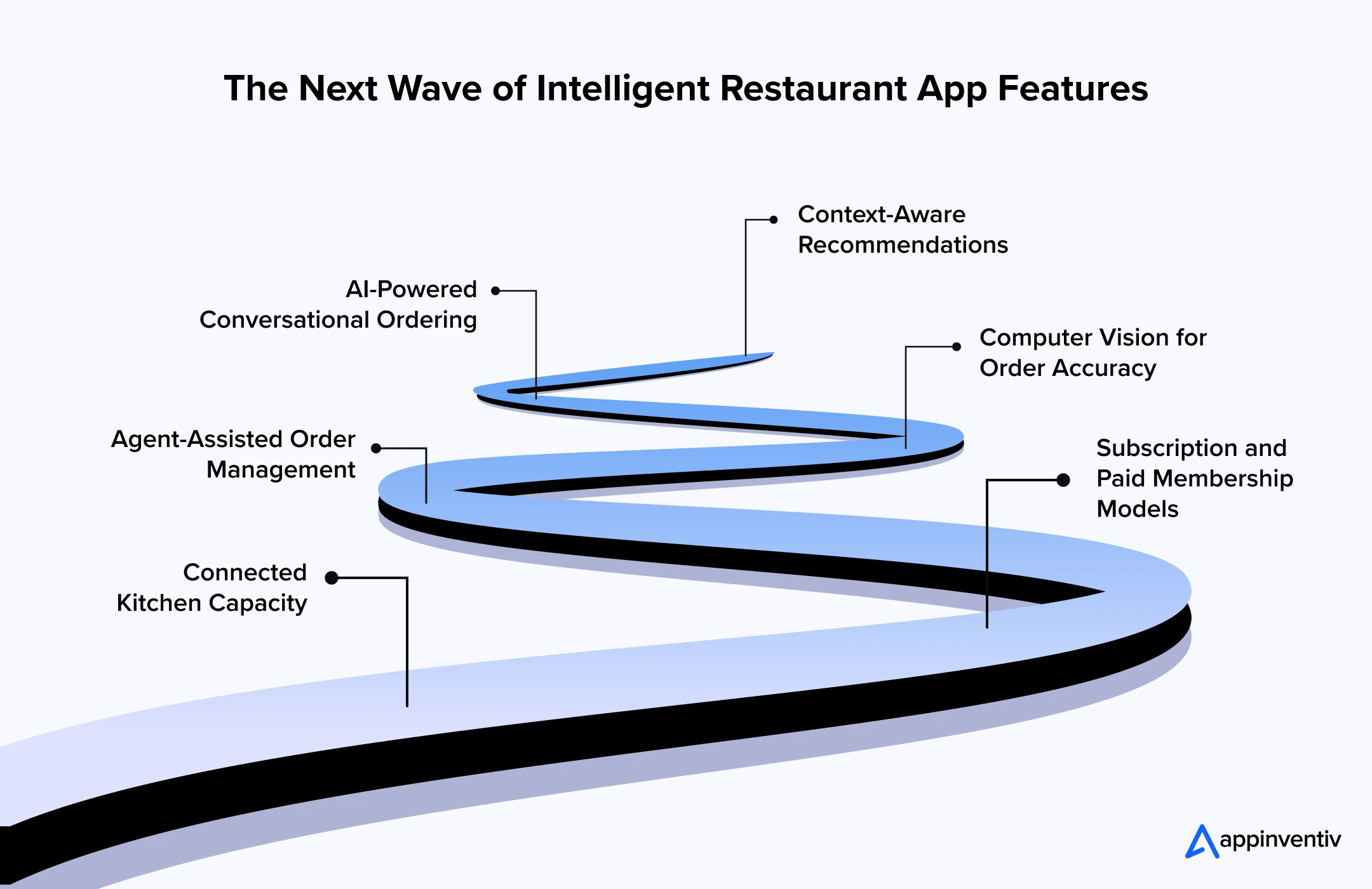
AI-Powered Conversational Ordering
An AI-powered conversational interface can help customers find meals, ask ingredient questions, customize an order, or reorder a previous basket using natural language.
The system should use verified menu and allergen data rather than generate unsupported answers. It must also confirm product selections, prices, modifiers, fulfilment details, and the final total before payment.
Voice ordering may improve accessibility and support customers who cannot easily navigate a long menu. However, typed and structured interfaces should remain available. Conversation is useful for discovery, while buttons and review screens provide precision before purchase.
Context-Aware Recommendations
Future recommendation systems will respond to the immediate ordering situation rather than relying only on broad customer segments.
The app could consider the selected meal, party size, time, weather, dietary preferences, location availability, and previous behaviour. It may then recommend a suitable side rather than simply promoting the highest-margin product.
Recommendation quality should be judged through acceptance, satisfaction, repeat orders, and margin, not just clicks.
Agent-Assisted Order Management
AI agents could monitor orders across the kitchen, delivery network, and customer-support system. When a delay occurs, an agent may identify affected customers, calculate a revised estimate, send an update, and prepare an appropriate recovery option.
Restaurants should set strict boundaries. Refunds above a threshold, allergy incidents, unusual payment activity, and customer disputes should require employee approval.
Every automated action needs an audit trail explaining what happened and which data informed it.
Computer Vision for Order Accuracy
Where legally and operationally appropriate, computer vision may help verify that required items are present before an order leaves the restaurant.
The system could compare packaged items with the digital order and flag a possible missing drink or side. It should assist employees rather than claim perfect certainty.
Restaurants using camera-based systems must assess privacy, employee communication, data retention, storage security, and local workplace requirements.
Connected Kitchen Capacity
Future applications will provide more realistic promises by reading the kitchen’s current workload.
Instead of showing every customer the same preparation time, the ordering system may consider product complexity, equipment capacity, pending orders, staffing, and delivery availability. It can temporarily restrict time slots or unavailable items before service deteriorates.
This connection between ordering and production may become one of the top features for restaurant mobile apps operating at high volume.
Subscription and Paid Membership Models
Some restaurants may move beyond free points programs and offer paid membership. Benefits can include free delivery, preferred pricing, monthly products, priority booking, or exclusive menu access.
Membership works only when customers can see its value. The app should show benefits used, savings achieved, renewal date, and cancellation controls. Restaurants should calculate whether the model increases frequency and retention without adding unsustainable fulfilment costs.
Security and Compliance Requirements That Cannot Be Added Later
Security is not a separate feature at the bottom of a development backlog. It affects identity, payments, customer data, integrations, and management access.
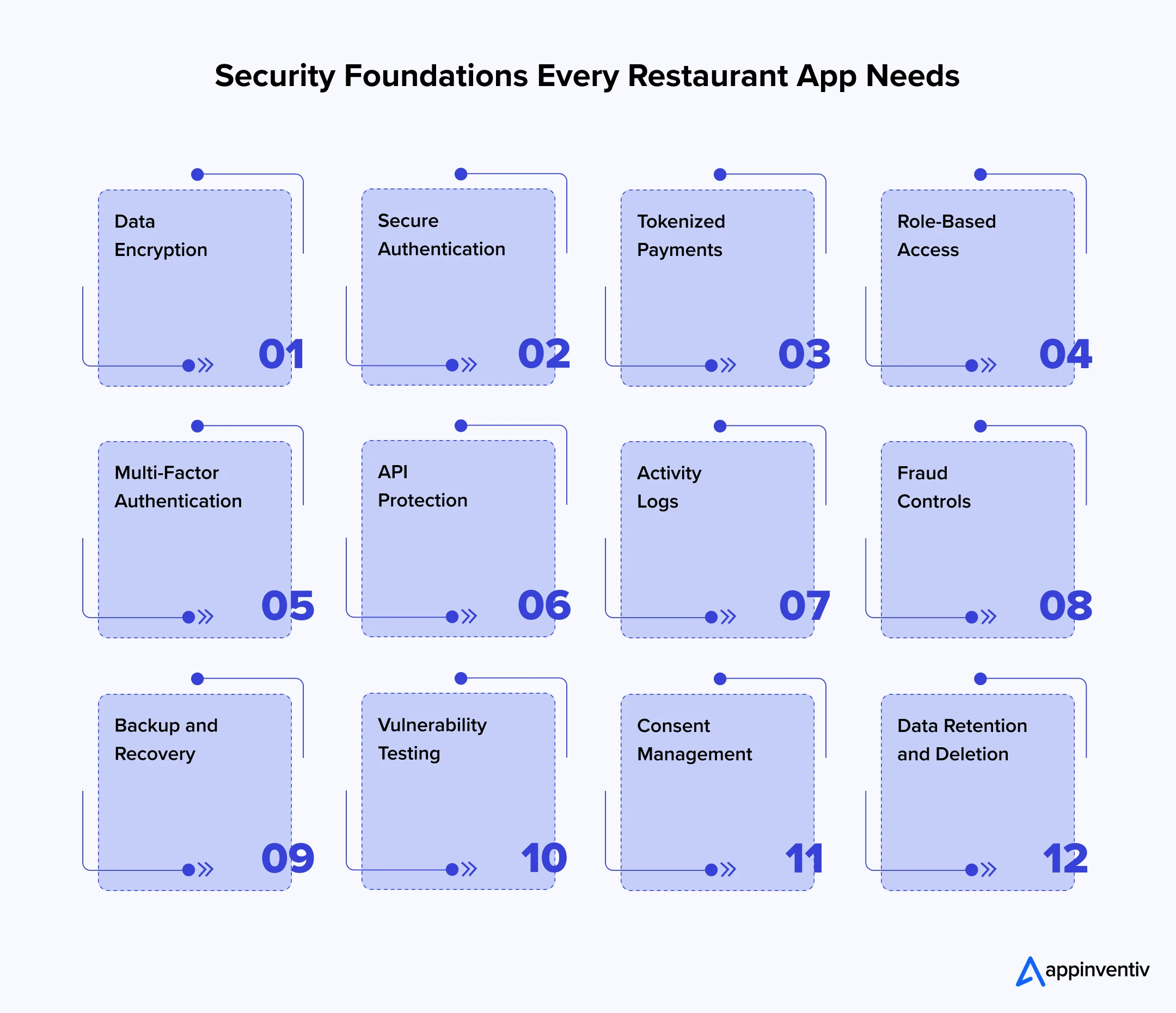
Restaurants must also prepare for account takeover, loyalty fraud, automated coupon abuse, fake refund requests, payment disputes, and unauthorized management actions.
Privacy requirements vary by market. Businesses need to identify what customer data they collect, why they need it, where it is stored, which providers receive it, and when it will be deleted.
Accessibility deserves the same early attention. Restaurant mobile application features should work with screen readers, scalable text, sufficient colour contrast, accessible controls, keyboard navigation where applicable, and alternatives to images or audio instructions.
How to Prioritize Restaurant App Features
Trying to release every capability at once can increase cost and delay learning. A staged roadmap allows the restaurant to establish a reliable ordering foundation before adding advanced engagement and automation.
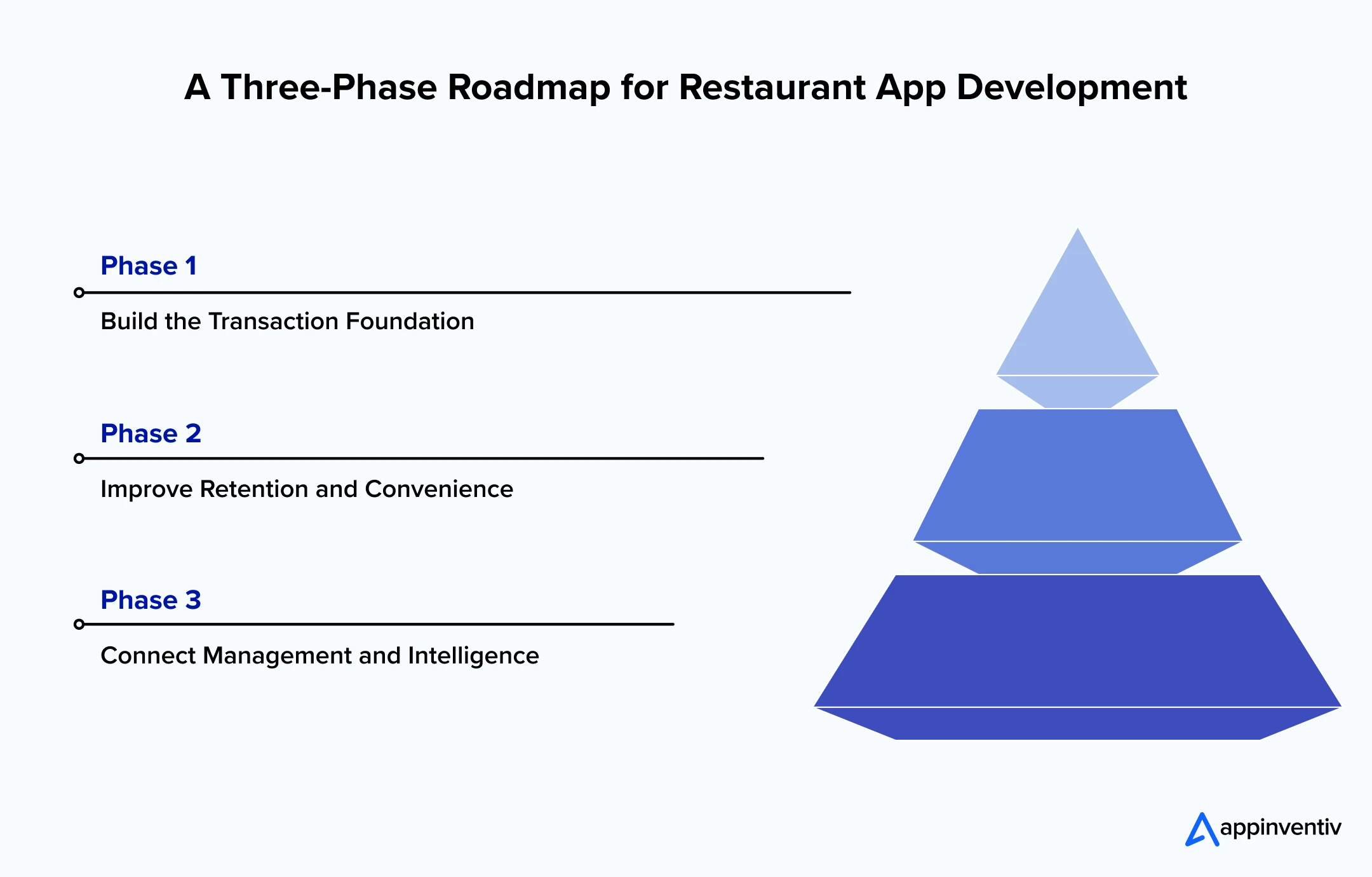
Phase 1: Build the transaction foundation
The first release should make the main customer journey dependable. Typical priorities include:
- Registration and guest checkout
- Location selection
- Digital menu
- Meal customization
- Cart
- Fulfilment selection
- Payment
- Order confirmation
- POS and kitchen integration
- Basic customer support
These are the top features for restaurant ordering apps because an ordering product cannot succeed without them.
Phase 2: Improve retention and convenience
After the transaction flow performs reliably, the restaurant can add:
- Reordering
- Favourites
- Loyalty
- Coupons
- Personalized offers
- Push notifications
- Ratings and feedback
- Reservations or dine-in ordering
These features should be introduced using real customer and operational data rather than assumptions made before launch.
Phase 3: Connect management and intelligence
The next stage can deepen operational value through:
- Advanced analytics
- Inventory synchronization
- Capacity-based scheduling
- Demand forecasting
- Multi-location controls
- Delivery orchestration
- Automated customer-service workflows
- AI recommendations
This phased approach also makes it easier to measure whether particular restaurant app features improve conversion, order frequency, efficiency, or customer satisfaction.
Key Restaurant App Development Challenges and Their Solutions
Developing a restaurant app requires careful coordination between customer journeys, kitchen operations, payments, delivery services, and existing restaurant systems. The following challenges must be addressed to create a platform that works reliably for customers and employees.
| Challenge | Business impact | Solution |
|---|---|---|
| Legacy system integration | Poor integration with POS, inventory, kitchen, and reservation systems creates manual work and order errors. | Use secure APIs or middleware to synchronize orders, menus, inventory, payments, and customer data. |
| Inconsistent menu information | Incorrect prices, unavailable items, and location-level differences can lead to cancellations and complaints. | Implement centralized menu management with real-time, location-specific availability controls. |
| Peak-hour order management | Unrestricted orders can overwhelm the kitchen and create long preparation and delivery delays. | Use capacity-based scheduling that considers open orders, staffing, preparation time, and delivery capacity. |
| Payment and order failures | Customers may be charged even when their orders are not confirmed or received by the restaurant. | Introduce duplicate-payment protection, automated recovery workflows, refunds, and real-time order confirmation. |
| Data security and privacy | Weak security can expose payment details, addresses, order histories, and customer preferences. | Apply encryption, tokenized payments, secure authentication, role-based access, and clear data-retention policies. |
| Loyalty and promotion misuse | Customers may exploit coupon rules, create fake accounts, or steal loyalty rewards. | Set redemption limits, verify eligible orders, monitor suspicious behaviour, and require approval for high-value rewards. |
| Inaccurate AI recommendations | AI may suggest unavailable products, unsuitable meal combinations, or irrelevant offers. | Ground AI recommendations in current menu, inventory, customer-preference, and location data. |
| AI-related allergen risks | A conversational assistant may provide incorrect ingredient or cross-contamination information. | Restrict responses to verified allergen records and route sensitive questions to trained restaurant employees. |
| Customer privacy in AI personalization | Excessive tracking and unexplained profiling can reduce trust and create compliance risks. | Collect only necessary data, obtain consent, explain its use, and provide clear personalization controls. |
| Lack of human oversight for AI | Automated systems may issue incorrect refunds, offers, messages, or operational changes. | Define approval limits and require human review for complaints, allergens, pricing, and high-value transactions. |
| Limited scalability | Traffic spikes or rapid location expansion can cause slow performance and failed transactions. | Use scalable cloud infrastructure, load testing, centralized administration, and location-based access controls. |
| Ignoring employee workflows | A customer-friendly app may still increase work for kitchen, delivery, and support teams. | Involve restaurant employees during planning and testing to ensure the app fits actual operational workflows. |
Now, partnering with a dedicated restaurant app development firm can help businesses address these challenges before they affect customers or daily operations. The right team can connect existing restaurant systems, establish secure data flows, prioritize the right features, and introduce AI with appropriate controls. It can also test the app for security, accessibility, performance, and scalability before its rollout across multiple locations.
Work with the team behind high-performing restaurant applications processing thousands of orders every day.
How to Measure Whether the Restaurant App Is Working
Downloads may indicate initial interest, but they do not show whether the app generates orders, brings customers back, or improves restaurant operations. Businesses need to track performance across the complete customer journey, from installation and menu discovery to checkout, fulfilment, and repeat purchases.
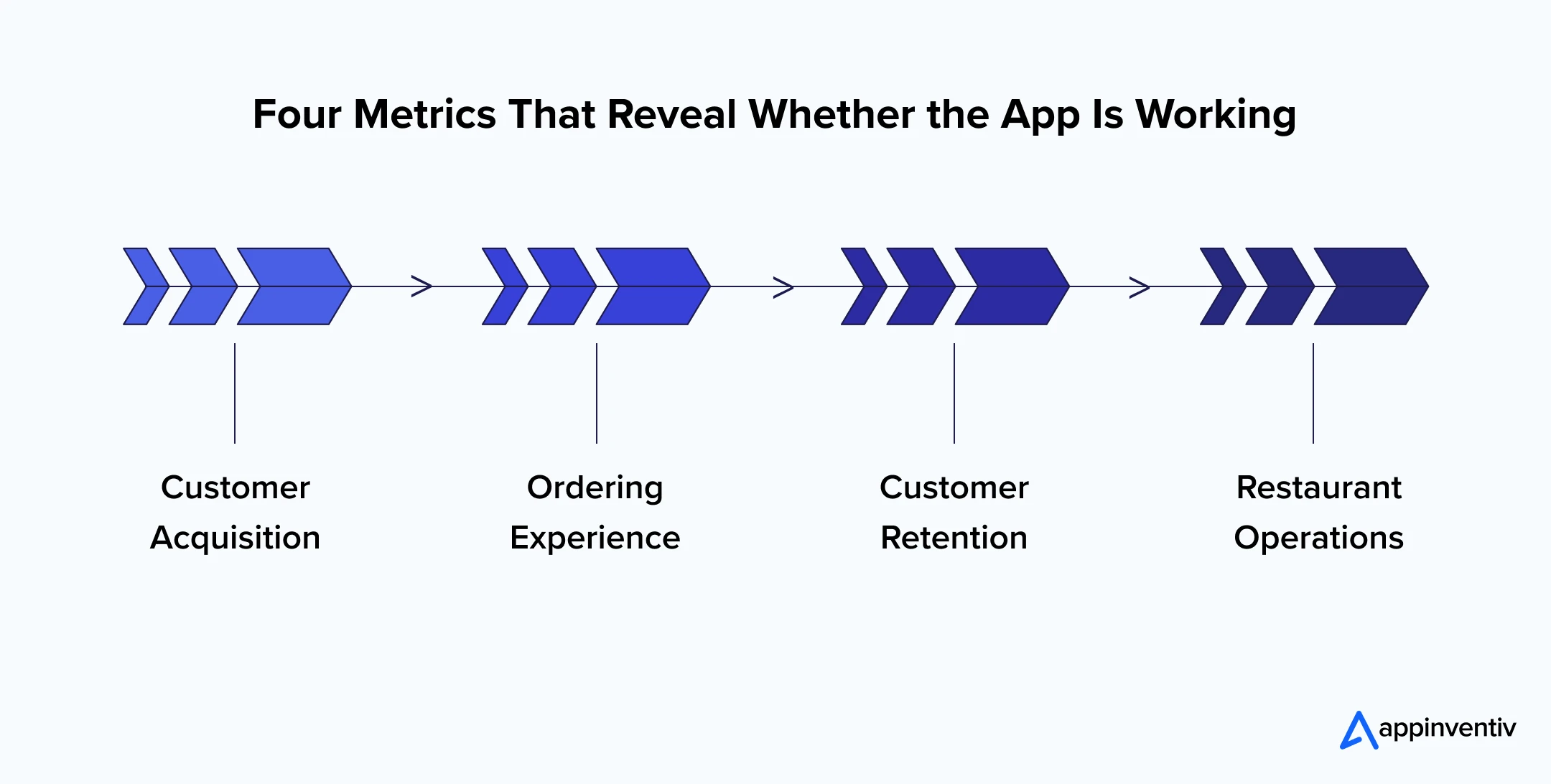
Customer Acquisition
Track install-to-registration rate, first-order conversion, customer acquisition cost, promotion dependency, and channel attribution. These metrics reveal which campaigns attract customers who complete orders rather than users who download the app and never return.
Ordering Experience
Measure menu-to-cart conversion, cart abandonment, checkout time, payment failures, customization errors, and support requests. A high abandonment or failure rate can reveal unclear menus, hidden charges, limited payment options, or unnecessary checkout steps.
Customer Retention
Review repeat-order rate, reorder interval, loyalty participation, reward redemption, customer churn, and notification opt-outs. These measures show whether the app creates lasting convenience and value after the first order.
Restaurant Operations
Monitor preparation time, order acceptance delays, item availability, cancellations, refunds, delivery accuracy, and order defects. This data helps identify whether the app improves coordination between customers, kitchens, and delivery teams or simply transfers problems to restaurant employees.
Restaurant ordering app features should remain only when they deliver measurable customer or business value. If a feature increases interactions without improving conversions, repeat orders, satisfaction, or operational performance, the restaurant should refine or remove it.
Building a Future-Ready Restaurant App with Appinventiv
A future-ready restaurant application must connect customer expectations with the restaurant’s ability to prepare and fulfil every order. This requires more than an attractive menu. Accurate availability, easy customization, transparent pricing, secure payments, kitchen integration, capacity management, and reliable status updates must work together.
When built around real customer and operational needs, these capabilities create a strong foundation for loyalty, personalization, analytics, reservations, and AI, helping restaurants turn mobile ordering into a scalable and profitable owned channel.
Appinventiv helps restaurant businesses design this complete digital ecosystem, from product discovery and UI/UX design to development, system integration, AI implementation, and post-launch optimization.
Our experience with global food brands demonstrates this capability:
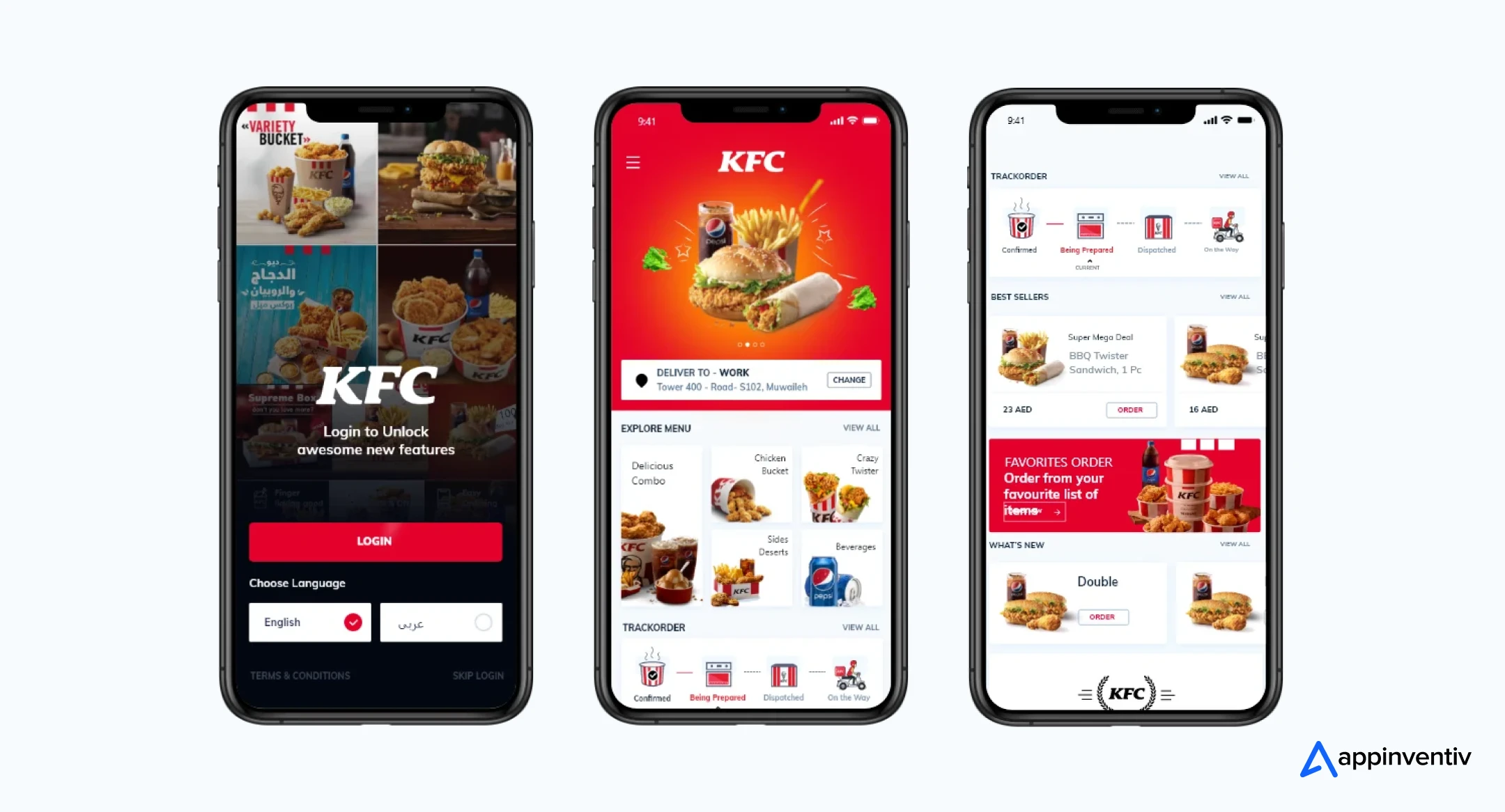
- KFC: We developed and launched seven applications across multiple markets, introducing delivery, self-pickup, drive-thru, dine-in, carhop, QR ordering, and advanced analytics. The platform processes over 30,000 daily orders and helped increase conversion rates by 22%.
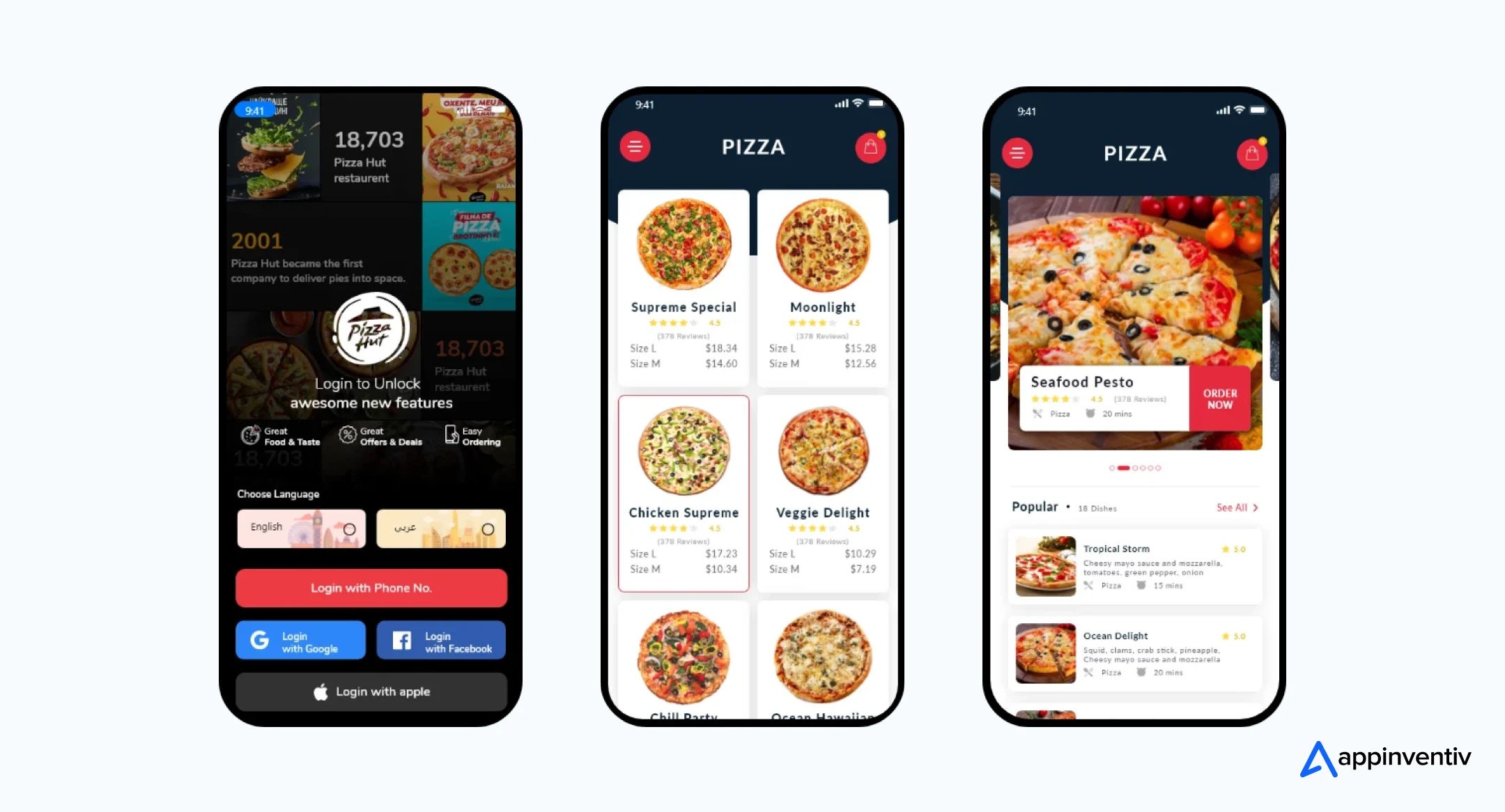
- Pizza Hut: We redesigned and developed its food delivery application that improved customer experience, generated over 50,000 downloads and increased conversion rates by 30%.
- Domino’s: We revamped the application’s UI/UX to create a smoother ordering journey, contributing to a 23% increase in conversion rates and a 4.4 average app-store rating.
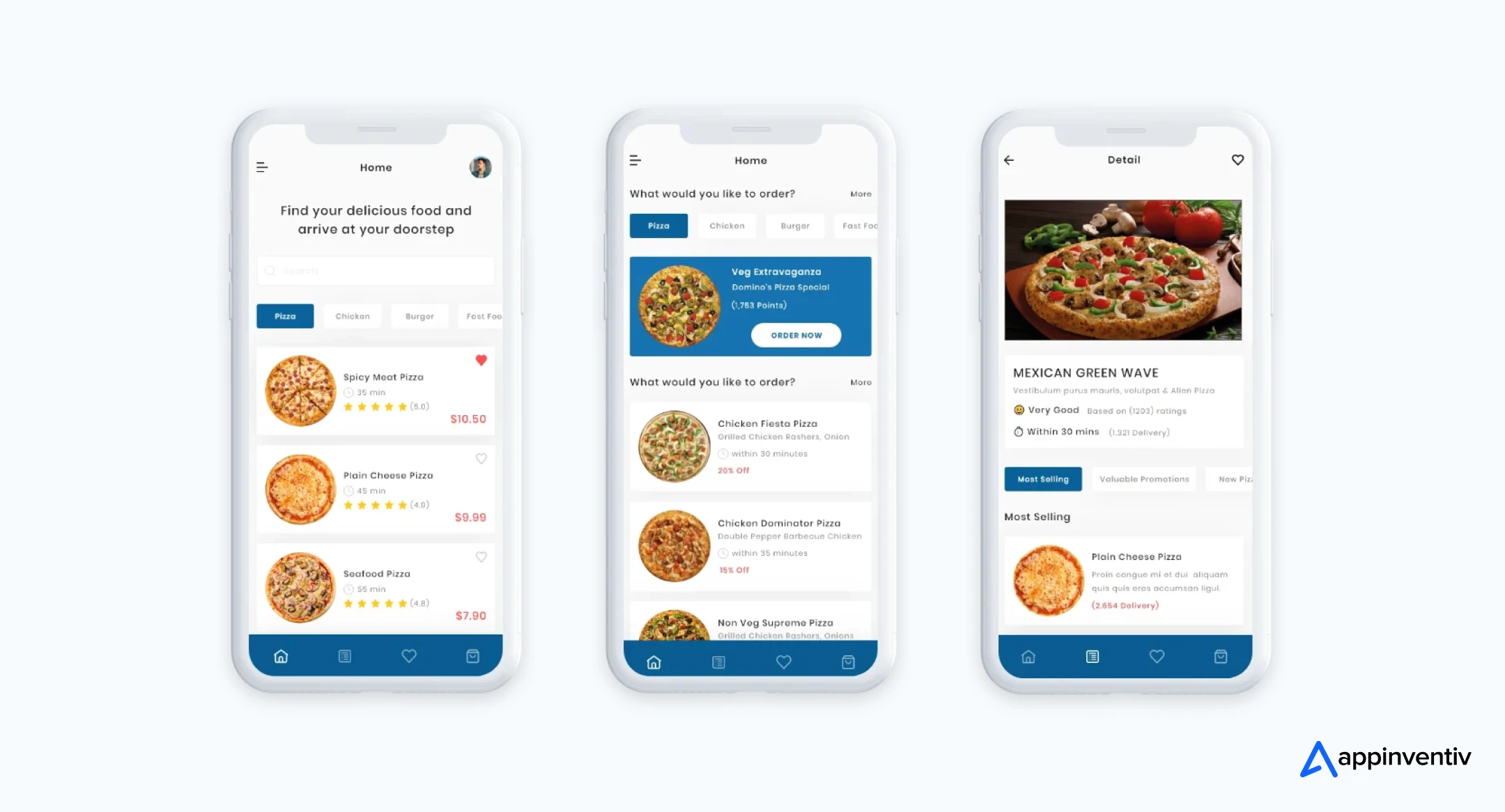
As a dedicated restaurant app development services provider, we can help businesses select the right features, modernize legacy systems, and connect customer-facing journeys with real restaurant capacity. Our teams can also implement secure payments, loyalty programs, real-time tracking, scalable cloud infrastructure, analytics, and governed AI solutions.
This end-to-end approach enables restaurant businesses to reduce ordering friction, improve operational control, and build a direct digital channel that can scale across customers, locations, and markets.
Frequently Asked Questions
Q. What features should a restaurant mobile app include?
A. A restaurant application should include features like location selection, an accurate digital menu, item customization, cart management, secure payments, delivery or collection options, order tracking, loyalty, support, and restaurant-system integrations. The final selection should reflect the restaurant’s service model, locations, customer behaviour, and fulfilment capacity.
Q. How can you integrate a loyalty program into a restaurant mobile app?
A. To integrate a loyalty program into a restaurant mobile app, you need to connect the loyalty engine with customer accounts, POS transactions, online ordering, and payment records. Customers should be able to join, earn, track, and redeem rewards inside the app, while restaurant teams manage eligibility, expiration, tiers, campaigns, and fraud controls through a central platform.
Q. How much does it cost to develop a restaurant app?
A. Restaurant app development costs typically range from $40,000 to $300,000 or more. The final investment depends on the app’s complexity, platforms, integrations, number of locations, design requirements, security needs, and advanced capabilities such as AI recommendations, real-time delivery tracking, loyalty programs, and restaurant management dashboards.
Q. What are the benefits of developing a feature-rich restaurant app?
A. A feature-rich restaurant app helps businesses generate more direct orders, reduce reliance on third-party platforms, and strengthen customer retention. It can also improve order accuracy, simplify restaurant operations, support personalized marketing, and provide useful data for planning menus, staffing, promotions, and expansion.
Q. What are the top mobile app solutions for restaurant online ordering systems?
A. Restaurants can choose a white-label ordering platform, a custom application, an application connected to an existing POS provider, or a modular system assembled through APIs.
The right option depends on desired control, number of locations, integration requirements, budget, growth plans, customer data ownership, and the need for unique restaurant ordering app features.
Q. How can AI help restaurants generate more mobile orders?
A. AI can improve product recommendations, personalize offers, identify likely reorder times, support conversational menu discovery, forecast demand, and select appropriate customer segments for campaigns. Results depend on accurate first-party data, reliable menu information, customer consent, and continuous measurement.
Q. Which restaurant app development features should be included in the first release?
A. The first release of a custom restaurant app should cover the complete ordering journey: account or guest access, location selection, menu browsing, customization, cart, fulfillment, payment, confirmation, restaurant integration, and order support. Loyalty and advanced personalization can follow after the core experience becomes stable.
Q. How do restaurant mobile application features affect development cost?
A. Cost rises with the number of customer journeys, platforms, locations, user roles, integrations, payment methods, fulfilment models, and compliance requirements. Advanced restaurant mobile app features like analytics, real-time delivery, loyalty, reservations, AI, and legacy POS connections can also increase design, development, testing, and maintenance work.
Q. What are the top features for restaurant ordering apps with multiple locations?
A. Multi-location restaurant ordering applications need early store selection, location-specific menus, prices, taxes, hours, offers, inventory, preparation estimates, delivery areas, and loyalty rules. Central administration should give the brand control while allowing authorized local teams to manage day-to-day availability.


Fast 2-minute response, fully NDA-protected.
Restaurant Digital Transformation Driving 25%+ of Sales Across Over Half of Brands
Key Takeaways Per the survey, digital channels generate over 25% of sales for 57% restaurant brands. Higher digital sales do not guarantee better margins once fees, discounts, and fulfillment costs are included. Connected ordering and kitchen systems help reduce delays, cancellations, and manual work. Successful modernization starts with a focused pilot and measurable business results.…

Capture 22% More Restaurant Visits With Restaurant Loyalty App Development
Key Takeaways An enterprise loyalty app requires rule engines, POS synchronization, event-driven APIs, and auditable ledgers to protect the accuracy of transaction data. Custom versus white-label app choices depend on data rights, integration depth, extensibility, scalability, differentiation, and lifetime cost. POS, ordering, payment, CRM, and CDP connections construct unified customer profiles across restaurant store channels…

Building a Restaurant Inventory Management System to Stop Food Cost Leaks
Key Takeaways A restaurant inventory system connects purchasing, receiving, recipes, sales, waste, transfers, and stock counts. Theoretical-versus-actual inventory reveals overportioning, unrecorded waste, missing stock, and inaccurate recipes. POS, ERP, supplier, kitchen, and IoT integrations create a dependable flow of inventory data. AI can strengthen demand forecasting, purchasing, anomaly detection, expiry management, and outlet benchmarking. Development…